




The 15 Best EQ Plugins in 2026 (Free and Paid)
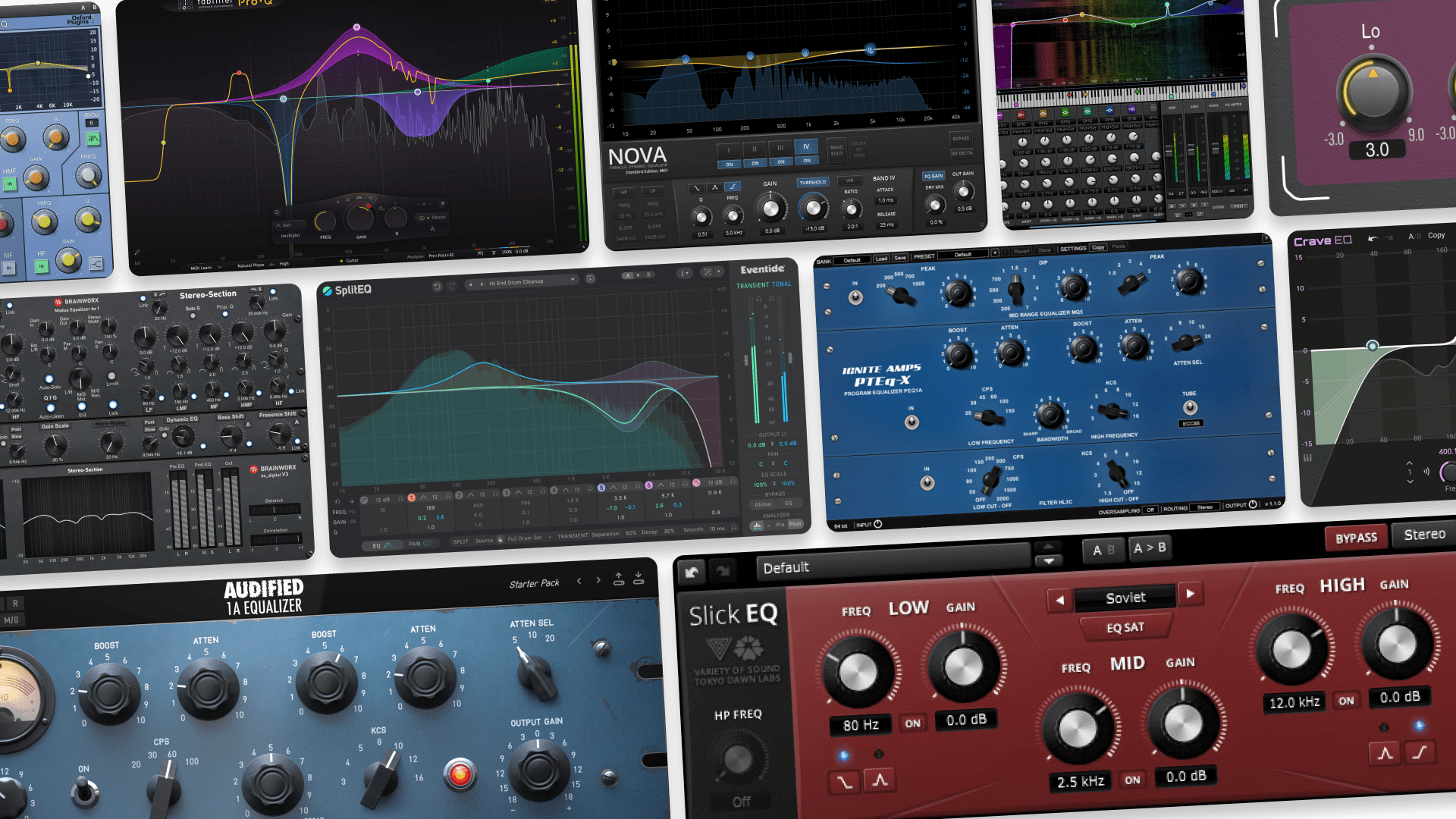
EQ plugins are one of the most important tools you can have in your music production toolbox.
Naturally, this means that there are a lot of them out there, with tons of options for sculpting tone, cleaning up problem frequencies, and helping your tracks sit together in a mix.
So, we’ve put together the 15 EQ plugins that we feel are most worth getting. We’re including both free and paid options so that you can find the right balance between power and value.
Let’s dial it in!
Contents
TL;DR – Our top picks
Best EQ Plugins
| Best premium EQ: | FabFilter Pro-Q 4 |
| Best free EQ bundle: | TDR EQ plugins |
| Best console-style EQ: | NoiseAsh NEED 73 Console EQ |
| Best specialized EQ: | Eventide SplitEQ |
⭐ Best premium EQ: FabFilter Pro-Q 4
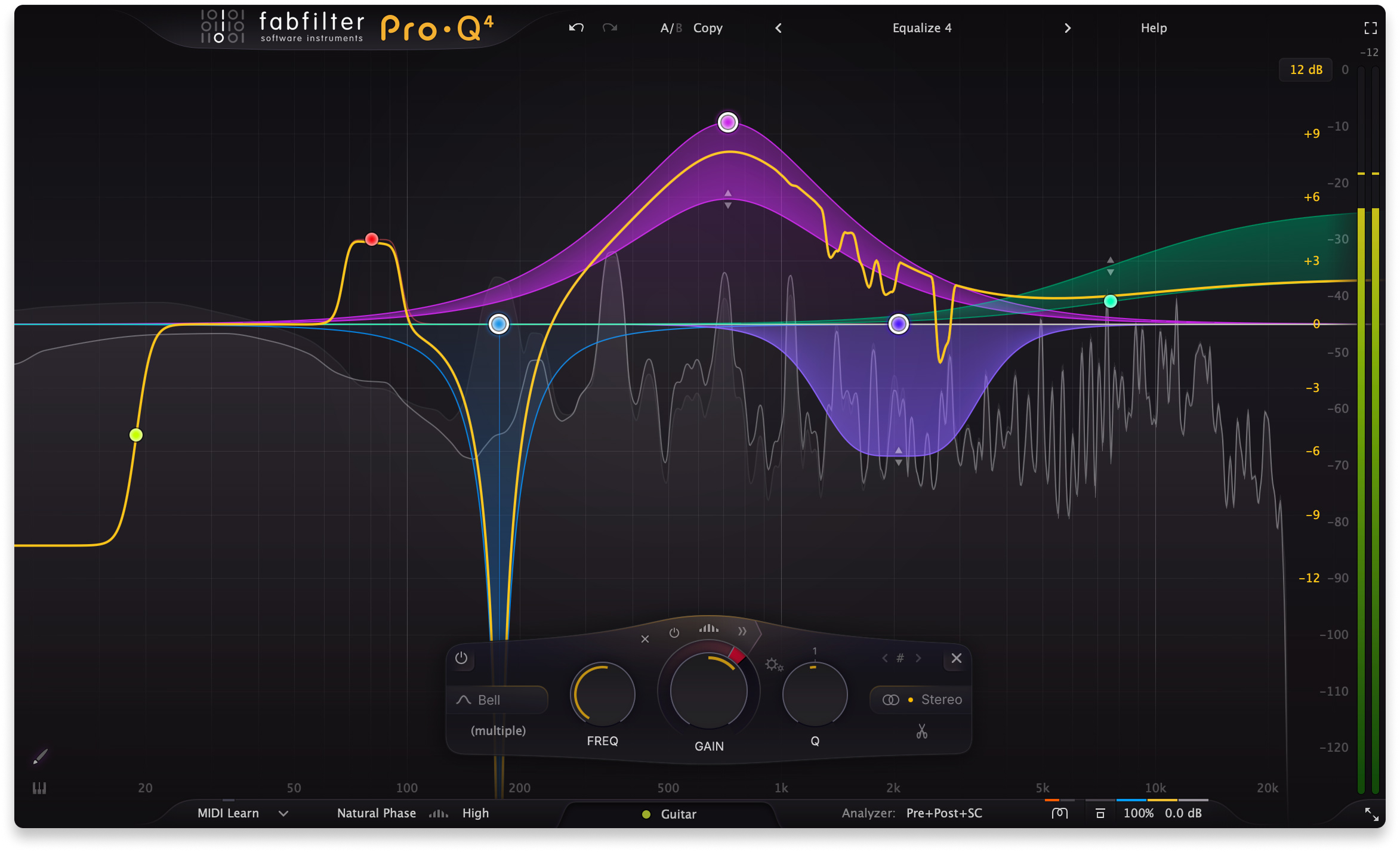
Pro-Q 4 is the modern default for a reason. Like countless other producers, we found it to be fast, clean, and endlessly reliable for everything from surgical cuts to broad tonal shaping. If you want one EQ that can handle almost any mix task with minimal friction, this is the safest bet as long as it fits within your budget.
⭐ Best free EQ bundle: TDR EQ plugins
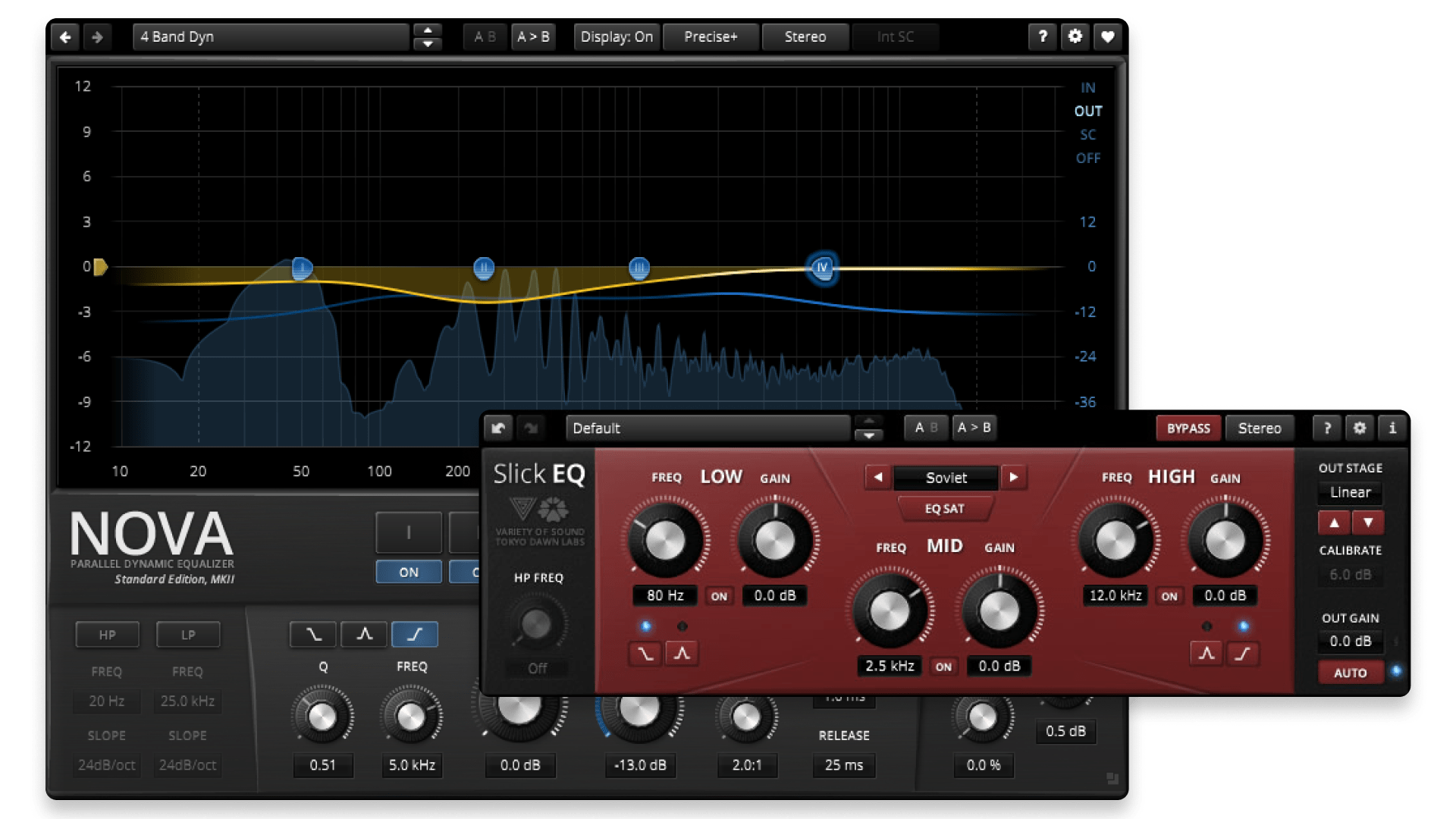
Tokyo Dawn’s free EQs, Nova and SlickEQ, punch far above their price tag. They cover both sides of the EQ spectrum: transparent problem-solving with Nova and more character-forward tone shaping with SlickEQ, depending on what the track calls for.
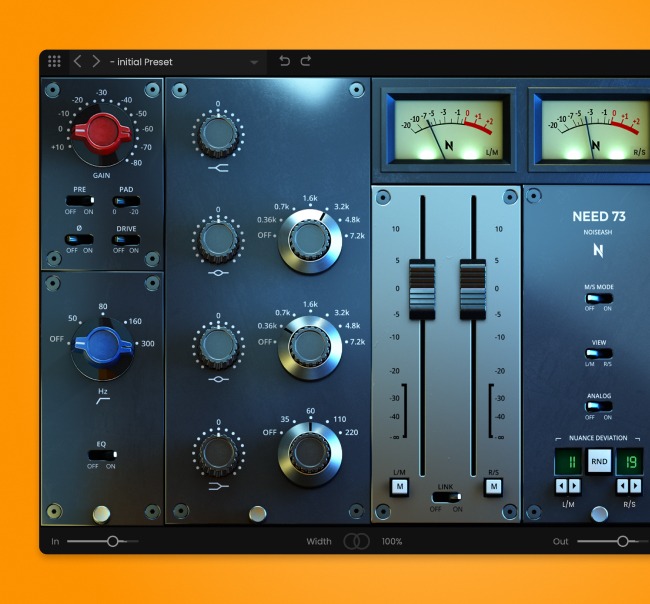
⭐ Best console-style EQ: NoiseAsh NEED 73 Console EQ
NEED 73 is for when you want EQ to feel like a musical move, not a math problem. With this gem of a plugin, it’s always quick to dial in weight, bite, and presence with that classic console-style character. It shines especially on vocals, drums, and guitars.
⭐ Best specialized EQ: Eventide SplitEQ
SplitEQ is the choice when a normal EQ feels like it’s fighting you. Its headlining feature is that it separates transients from tonal content, making it easier to brighten, tame harshness, or clean up problem areas while keeping definition and clarity intact.
1. FabFilter Pro-Q 4 (Paid)
Best all-purpose EQ for surgical cuts and fast workflow.
Overview of Pro-Q 4
| Type: | Parametric, dynamic EQ |
| Operating System: | macOS, Windows |
| Format: | VST, VST3 , AU, AAX, CLAP |
| Price: | $199 (Trial available) |
Like we said above, Pro-Q 4’s reputation is well-earned. It’s clean, fast, and built around a workflow that keeps you moving.
In our testing sessions, it handled everything from precise notch cuts to broad tone shaping without ever feeling fragile or fussy. We also found the dynamic EQ and mid/side tools especially useful for taming harshness and tightening low-end in busy mixes.
It’s the kind of EQ you can put on almost any track and get where you need to go quickly. If you want one “do-it-all” EQ that feels at home in mixing and mastering, it’s hard to go wrong with this one.
Pros:
- Extremely versatile for corrective and musical EQ moves
- Excellent workflow features like dynamic bands, M/S, and visual feedback
- Fast, clean results that hold up in dense mixes
Cons
- Premium price compared to simpler EQs
- Can feel like more plugin than you need for basic tone shaping
Back to top ⬆️
2. TDR EQ plugins (Free)
Best free EQ bundle for both transparency and character.
Overview of TDR EQ plugins
| Type: | Dynamic & character EQs |
| Operating System: | macOS, Windows |
| Format: | VST, VST 3, AU, AAX |
Tokyo Dawn’s free EQs are some of the best examples of “budget” tools that don’t feel budget at all.
In our sessions, the pairing of TDR Nova and TDR VOS SlickEQ covered a surprising amount of ground. Nova handled corrective work and dynamic cleanup with control, while SlickEQ delivered quick, musical tone shaping when we wanted results fast.
In practice, this is an easy recommendation for building a dependable free toolkit. If you want both problem-solving and vibe in one download stop, TDR delivers.
Pros:
- Excellent free options for both transparent EQ and musical tone shaping
- Nova’s dynamic EQ is great for real-world cleanup tasks
- Strong value for a reliable everyday toolkit
Cons
- Nova can feel more technical if you’re brand new to EQ
- Not as feature-rich as premium “everything EQs” in one interface
Back to top ⬆️
3. DMG Audio Equilibrium (Paid)
Best mastering-grade EQ for deep control and precision.
Overview of Equilibrium
| Type: | Parametric EQ |
| Operating System: | macOS, Windows |
| Format: | VST, VST3, AU, AAX |
| Price: | $238.64 (Trial available) |
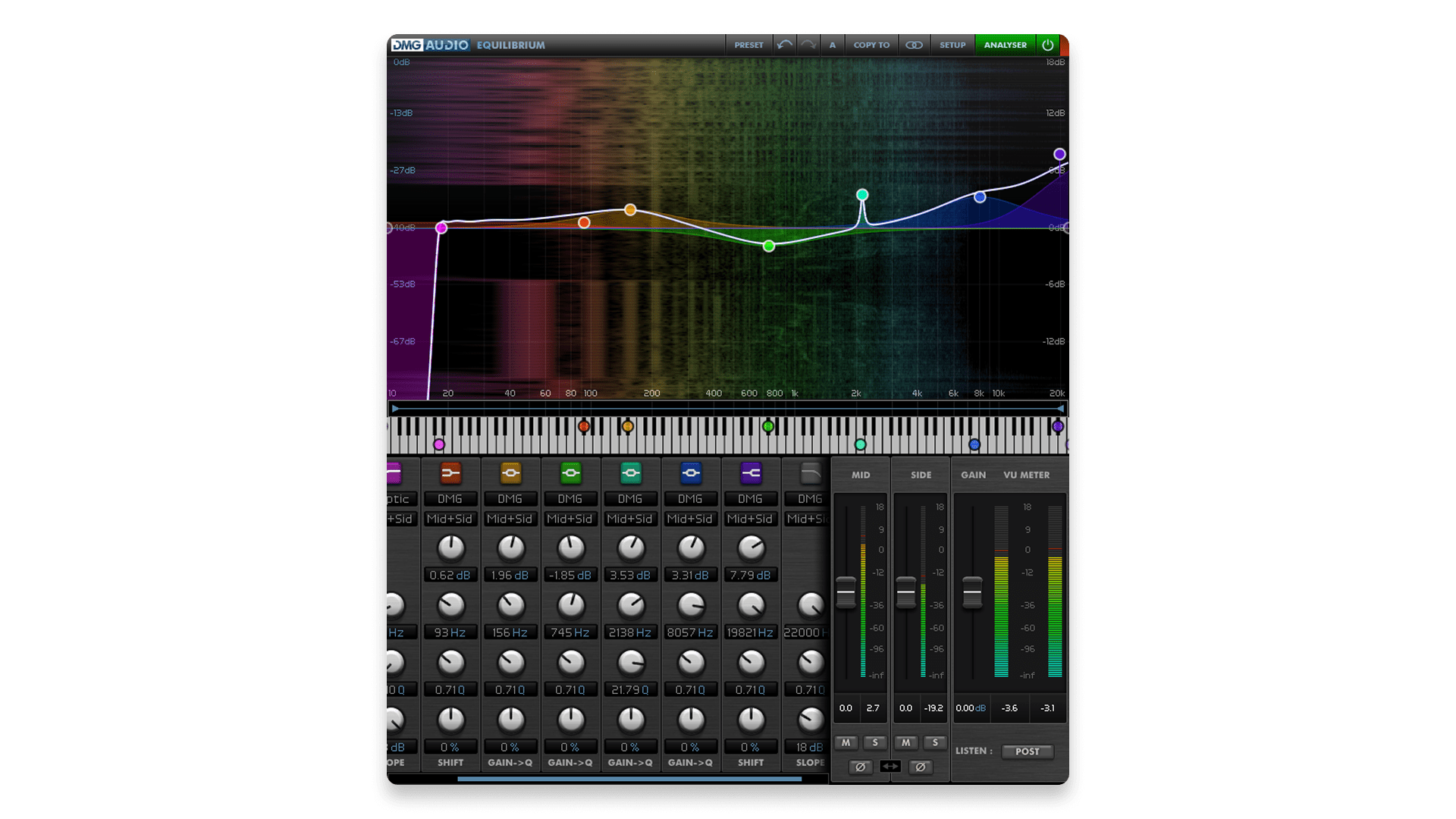
Equilibrium is the kind of EQ you reach for when you want serious control and mastering-grade precision.
In our testing, it felt incredibly solid for both surgical moves and broad shaping, with deep options for filters, phase behavior, and overall workflow. Once we dialed it in, it stayed smooth and predictable even when we pushed detailed tweaks.
It’s best for producers and engineers who want an EQ they can truly “set up” to match their preferences. If you like going deep and building a personalized EQ environment, this one is a powerhouse.
A trial for this or any of DMG Audio’s plugins can be acquired through this contact form.
Pros:
- Deep control over filters, phase modes, and overall behavior
- Excellent for mastering-style precision and detailed corrective work
- Highly customizable workflow once you learn it
Cons
- More complex than most EQs if you just want quick moves
- Workflow takes time to fully learn and configure
Back to top ⬆️
4. Melda Production MEqualizer (Free)
Best free EQ for clean parametric control with useful visualization.
Overview of MEqualizer
| Type: | Parametric EQ w/ saturation |
| Operating System: | macOS, Windows |
| Format: | VST, VST3, AU, AAX |
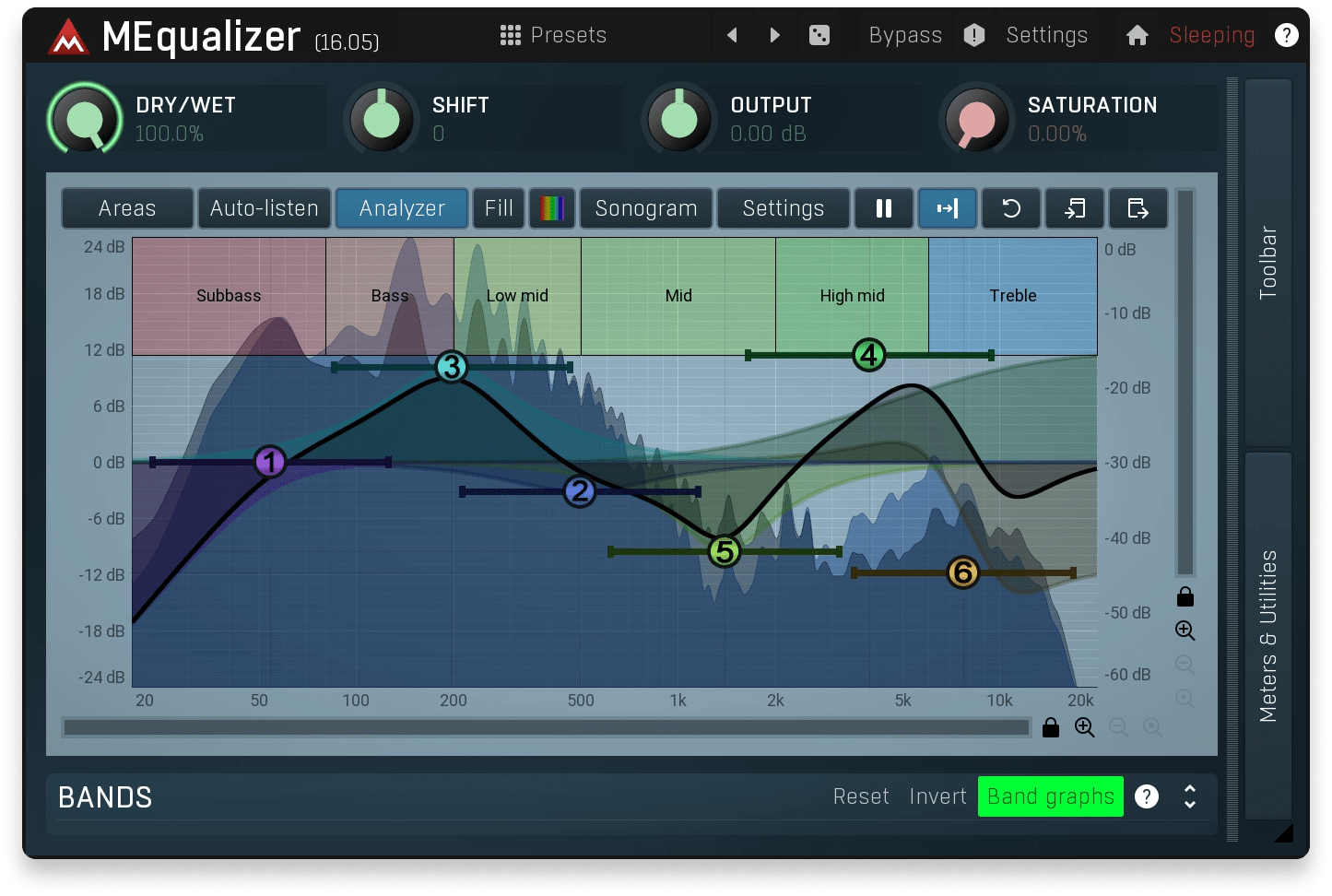
Melda’s free lineup is stacked, and MEqualizer is one of those plugins that quietly over-delivers.
In our experiences with it, this EQ felt straightforward to use while still giving us precise, confident control for cleanup and shaping. We also found the visualizer genuinely helpful for quick decisions, especially when moving fast through a mix.
It’s a strong everyday EQ for producers who want a reliable free option with a bit more feedback than the simplest three-band tools. It’s not flashy, but it gets real work done. It’s even got some built-in saturation for when you want to get gritty.
Pros:
- Clean, practical EQ that’s easy to use
- Helpful visualization for fast mix decisions
- Excellent free option for day-to-day corrective work
- Tube saturation emulation sounds quite good
Cons
- Not as feature-rich as advanced dynamic EQs
- Interface can feel utilitarian compared to newer premium tools
Back to top ⬆️
5. NoiseAsh NEED 73 Console EQ (Included in LANDR Studio)
Best console-style EQ for classic Neve color and fast tone moves.
Overview of NEED 73
| Type: | Vintage EQ emulation |
| Operating System: | macOS, Windows |
| Format: | VST3, AU, AAX |
| Price: | $149 (Outside LANDR Studio) |
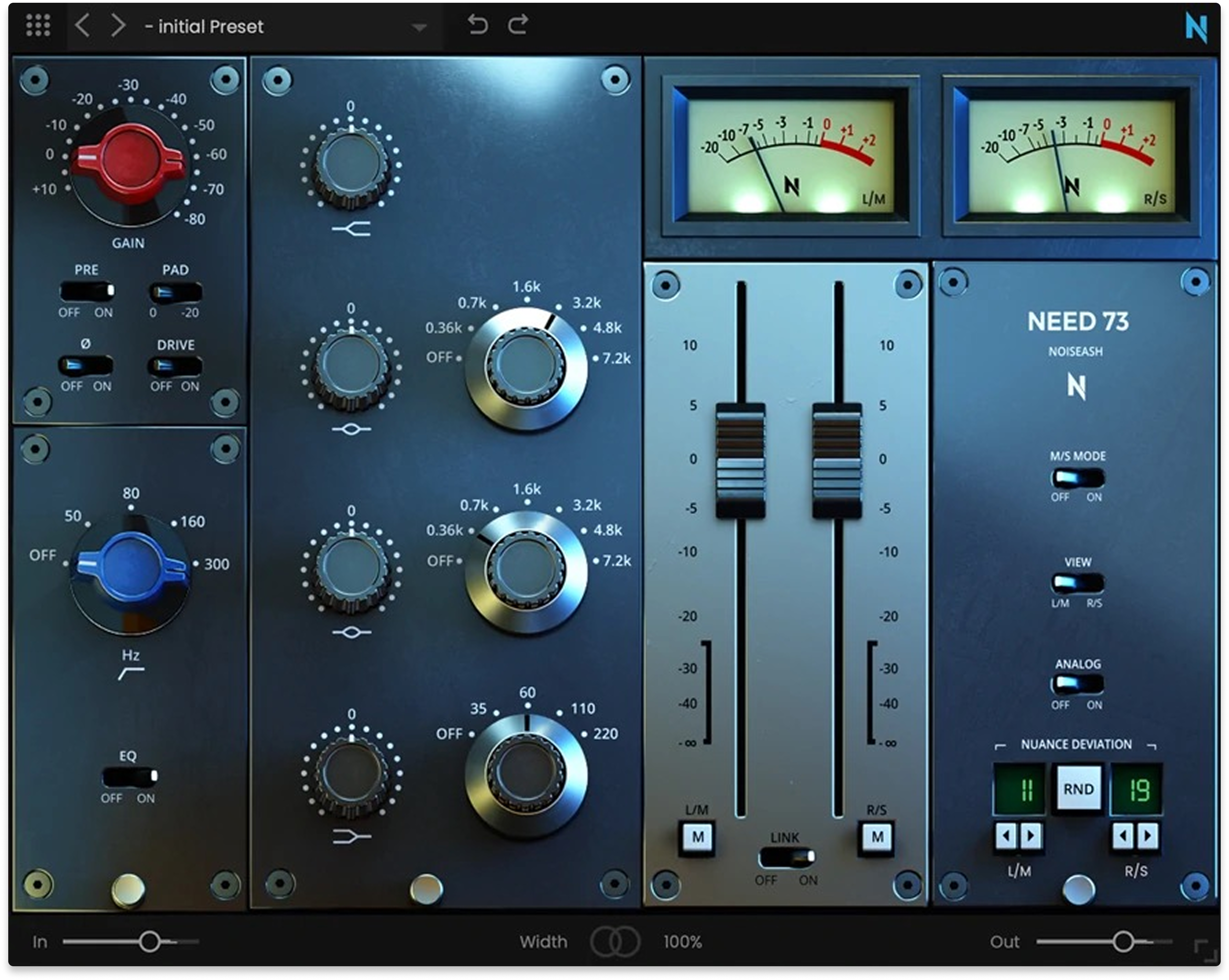
NEED 73 is for when you want EQ to feel like a musical move instead of a surgical operation.
For us, this one always makes it quick to dial in weight, bite, and presence with that familiar console-style curve and attitude. It especially stood out on vocals, drums, and guitars when we wanted tone shaping that sounded “record-ready” right away.
In practice, it’s less about precision micromanagement and more about bold, satisfying moves that land fast. It’s also an easy win if you’re on LANDR Studio since it comes bundled.
Pros:
- Classic console-style tone that’s fast to dial in
- Great for musical boosts that add weight and presence
- Included in LANDR Studio
Cons
- Less suited to ultra-surgical corrective EQ tasks
- Character-forward sound may not fit every clean workflow
Back to top ⬆️
6. Voxengo EQ plugins (Free)
Best free EQ collection for straightforward shaping and enhancement.
Overview of Voxengo EQ plugins
| Type: | Graphic & parametric EQs |
| Operating System: | macOS, Windows |
| Format: | VST, VST3, AU, AAX |
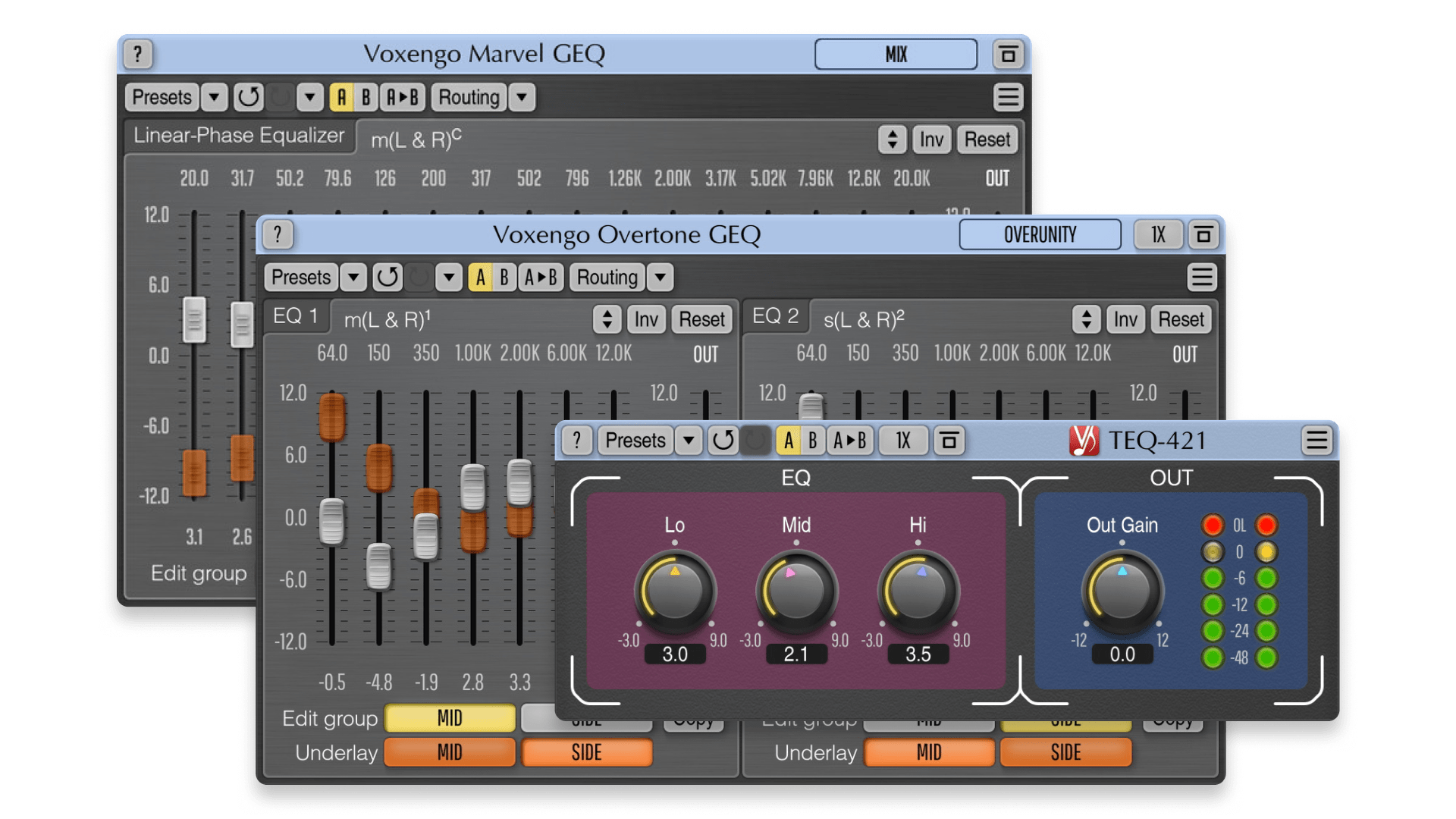
Voxengo’s freebies are a reliable reminder that simple tools can still be genuinely useful.
In our sessions, the standout across the collection was how quickly we could reach for the right EQ flavor, whether that was a transparent graphic approach, a harmonics-enhancing option, or a simple fixed-band tool for fast tone moves. We also appreciated that these plugins stayed lightweight and practical in real projects.
This one is less about having a single “perfect” EQ and more about having a small toolbox of no-drama utilities. If you like keeping a few dependable free options on hand, Voxengo delivers.
Pros:
- Useful variety of free EQ tools for different workflows
- Lightweight plugins that are easy to run across many tracks
- Great for quick shaping and straightforward enhancement
Cons
- Workflow can feel dated compared to modern EQ interfaces
- Less “all-in-one” compared to full-featured premium EQs
Back to top ⬆️
7. Sonnox Oxford EQ (Paid)
Best parametric EQ for getting musical-sounding results without fuss.
Overview of Oxford EQ
| Type: | Parametric EQ |
| Operating System: | macOS, Windows |
| Format: | VST, VST3, AU, AAX |
| Price: | $270 (Trial available) |
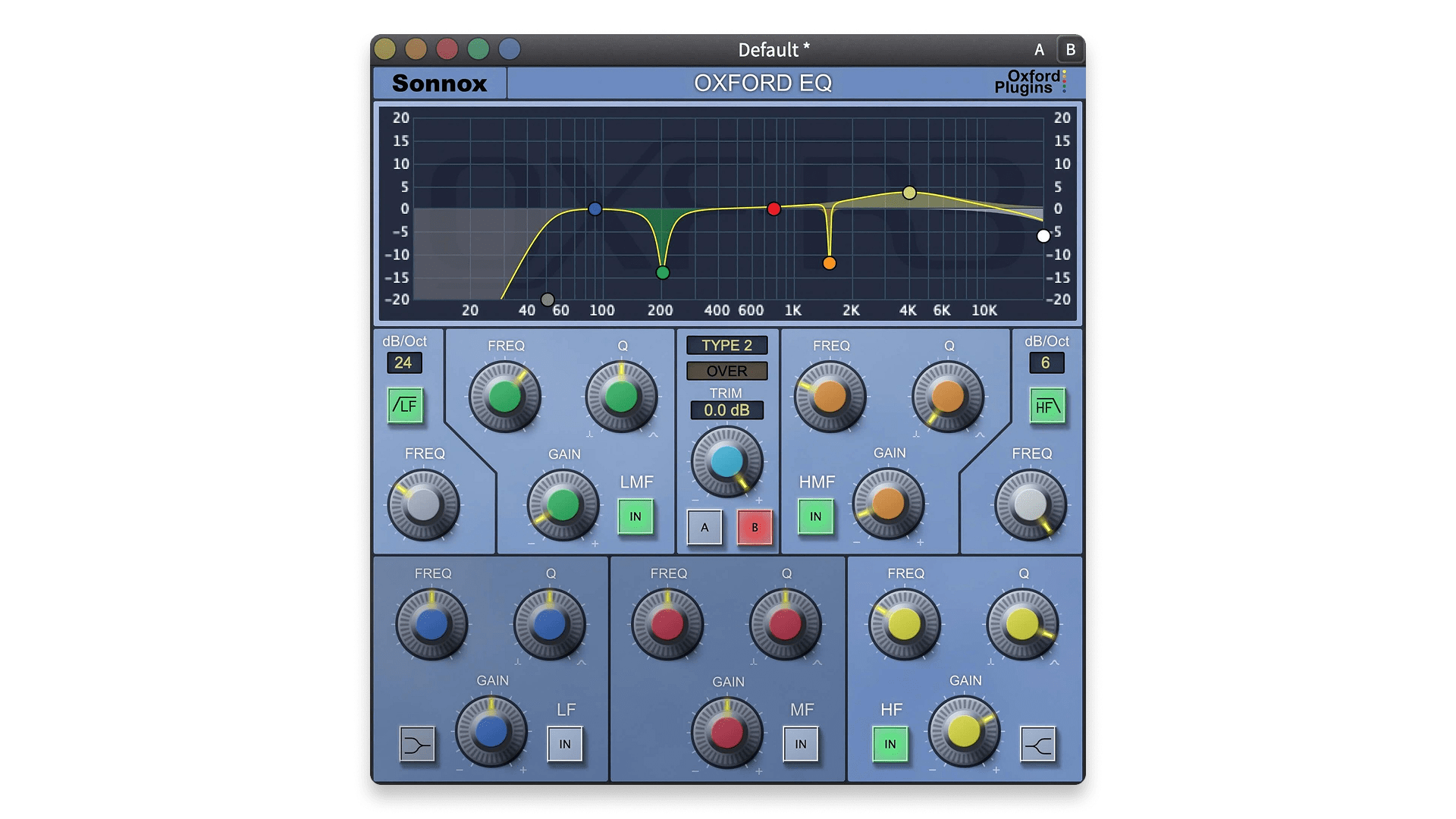
Oxford EQ is one of those industry staples that keeps showing up because it simply works.
Throughout testing, it felt clean and controlled, but never sterile. We found it especially effective for making musical moves in dense mixes, whether the goal was to tame harshness, shape presence, or carve space without the EQ sounding “obvious.”
Ultimately, it’s a great choice if you want a premium parametric EQ that gets you to a polished result quickly. It’s not the flashiest option, but it’s dependable in the ways that matter.
Pros:
- Having the OXF-R3 console EQ in plugin form is great
- Clean, controlled results without feeling sterile
- Great “workhorse” EQ for everyday mixing
Cons
- Less feature-heavy than modern flagship EQs
- Interface and workflow may feel traditional to some users
Back to top ⬆️
8. Blue Cat Triple EQ (Free)
Best lightweight free EQ for quick, no-nonsense tone shaping.
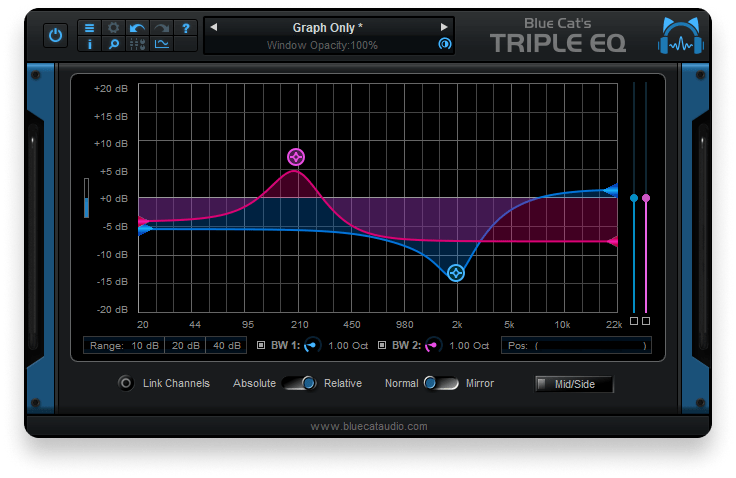
Overview of Blue Cat Triple EQ
| Type: | Semi-parametric EQ |
| Operating System: | macOS, Windows |
| Format: | VST, VST3, AU, AAX |
Triple EQ is exactly what it sounds like: simple, lightweight, and built for quick decisions.
We’ve found it especially handy when we want fast tone shaping without getting pulled into a full surgical workflow. We also like how well it responds to automation. Sweeps and transitions stayed smooth, which made it useful for creative filtering moves too.
This one is a great free utility EQ to keep on standby. If you want something that loads instantly and does the basics cleanly, Triple EQ is an easy pick.
Pros:
- Fast, lightweight workflow with very low CPU load
- Great for quick tone shaping and automation moves
- Solid free “utility EQ” for everyday projects
Cons
- Not designed for deep surgical correction or advanced features
- Limited control compared to modern full-featured EQs
Back to top ⬆️
9. Brainworx bx_digital V3 (Paid)
Best M/S EQ for stereo shaping and mastering-style control.
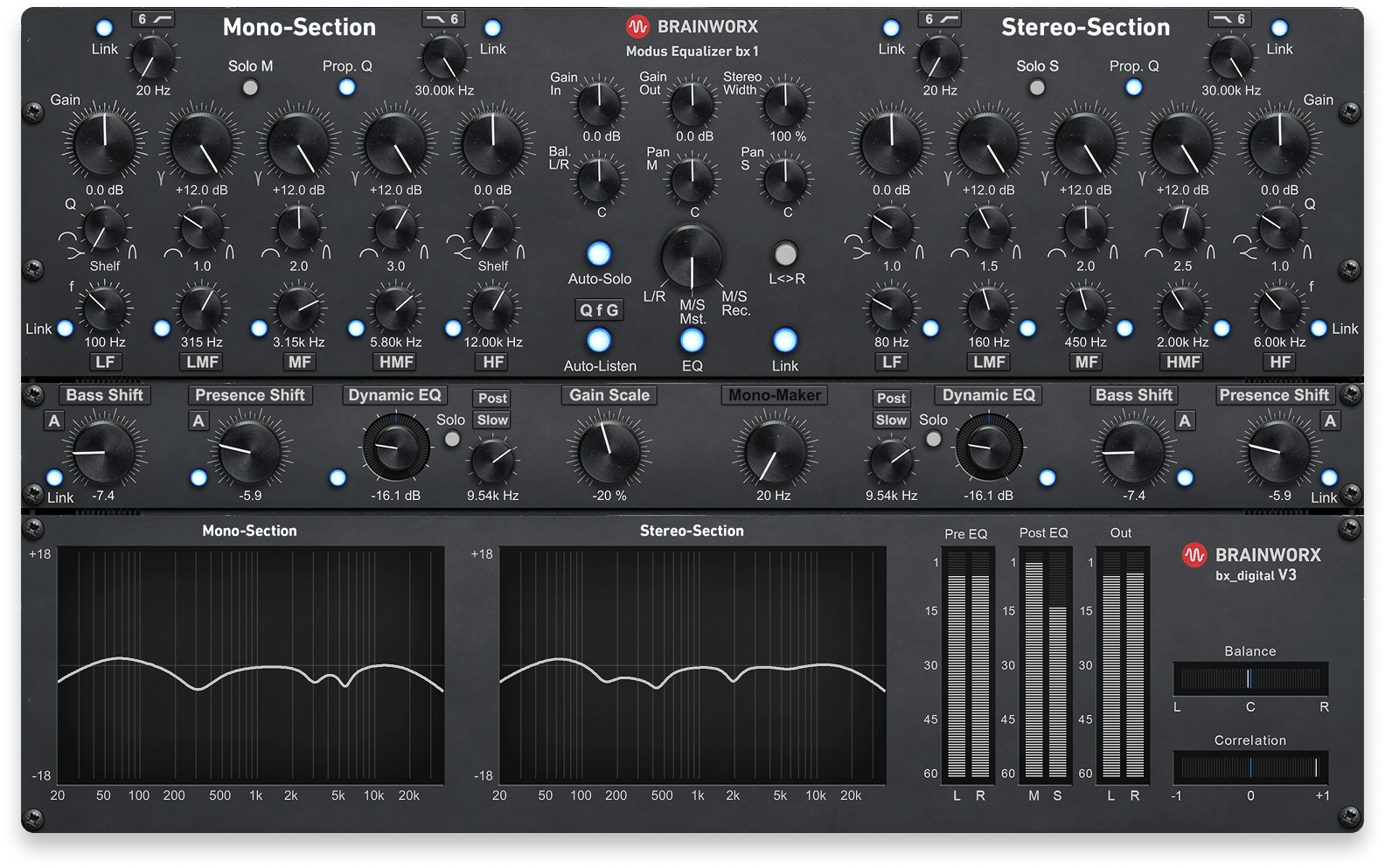
Overview of bx_digital V3
| Type: | Mid-side EQ |
| Operating System: | macOS, Windows |
| Format: | VST, VST3, AU, AAX |
| Price: | $150 (Trial available) |
bx_digital V3 is built for the kind of EQ work where stereo image and balance matter as much as tone.
In our testing, it was especially effective for tightening low-end, opening up the top, and controlling center-versus-sides without wrecking the mix’s core energy. We found it most useful on mix bus and mastering chains, where small moves can make a big difference.
It’s a pretty ideal tool if you like working in M/S and want more control over width and balance. It’s not the fastest EQ for track-by-track cleanup, but it shines when you’re shaping the big picture.
Pros:
- Excellent M/S control for mastering and stereo shaping
- Great for tightening lows and opening highs without overdoing it
- Powerful tool for mix bus and finishing moves
Cons
- Less suited to quick corrective EQ on individual tracks
- Workflow can feel more “mastering-focused” than general-purpose
Back to top ⬆️
10. AudioThing Blindfold EQ (Free)
Best free EQ for training your ears and making better decisions.
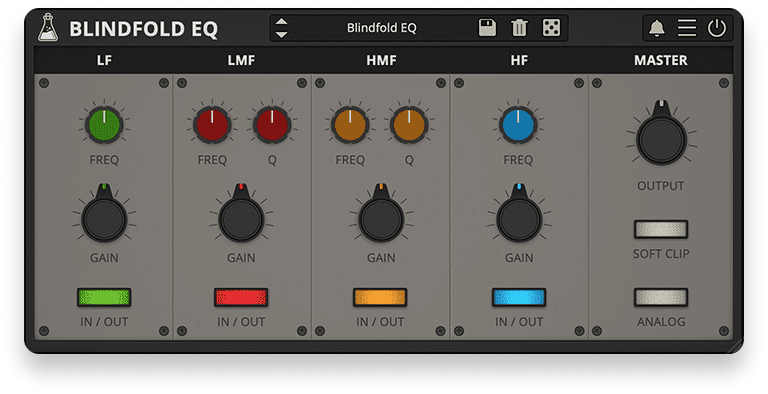
Overview of Blindfold EQ
| Type: | "Blind" EQ |
| Operating System: | macOS, Windows, Linux |
| Format: | VST, VST3, AU, AAX, CLAP |
Blindfold EQ flips the usual EQ workflow by removing the numbers and forcing you to listen.
In our sessions, that constraint actually made decisions faster and more confident once we leaned into it. We found it especially useful when we caught ourselves “mixing with our eyes,” because it pushed us back toward what the track actually needed.
In practice, this is less about surgical precision and more about building better instincts. If you like tools that challenge your habits and improve your ear over time, Blindfold EQ is a genuinely valuable free pick.
Pros:
- Great for ear training and breaking “visual mixing” habits
- Simple, creative workflow that encourages confident decisions
- Free and genuinely useful as a practice tool
Cons
- Not ideal when you need exact frequency targeting quickly
- Workflow may frustrate users who prefer numerical precision
Back to top ⬆️
11. Audified 1A Equalizer (Included in LANDR Studio)
Best Pultec-style EQ for silky highs and weighty low-end boosts.
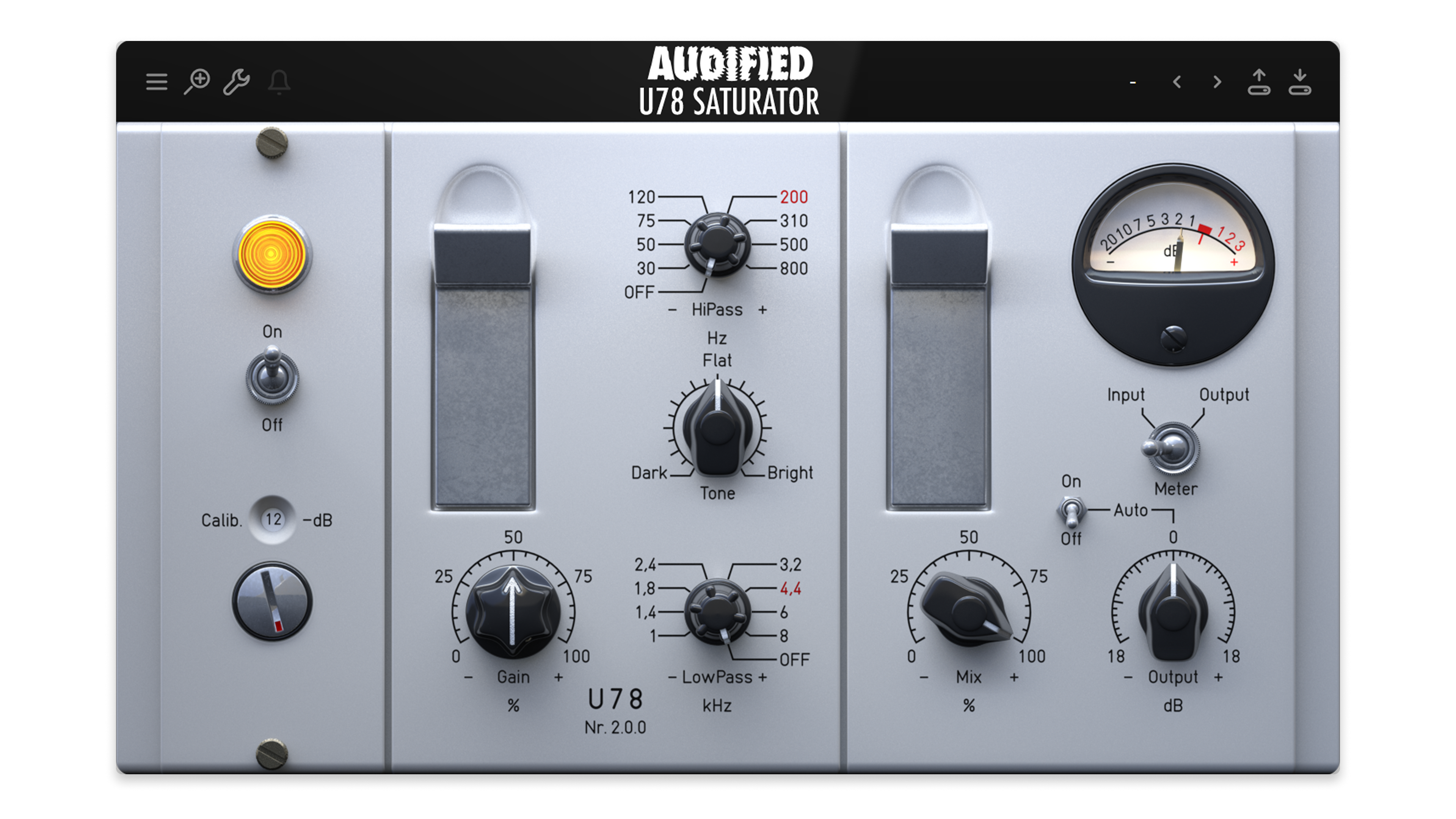
Overview of 1A Equalizer
| Type: | Passive/Pultec-style EQ |
| Operating System: | macOS, Windows |
| Format: | VST3, AU, AAX |
| Price: | $99 (Outside LANDR Studio) |
1A Equalizer is a classic passive EQ style that’s all about sweetening rather than surgical cleanup.
We find it very useful for adding weight down low and a silky lift up top in a way that feels instantly musical. It’s especially satisfying on vocals, bass, and mix bus material when we want tone to feel bigger without sounding harsh.
This is the kind of EQ you use for bold, flattering curves and “finished” vibe. It’s also a practical pick if you’re in LANDR Studio, since it’s included.
Pros:
- Silky high-end and weighty low-end boosts that feel musical
- Great for sweetening vocals, bass, and buses
- Included in LANDR Studio
Cons
- Not designed for surgical corrective EQ tasks
- Less flexible than modern parametric EQs for precision work
Back to top ⬆️
12. HoRNet TreBande (Free)
Best free character EQ for quick, console-style tone shaping.
Overview of TreBande
| Type: | Vintage/character EQ |
| Operating System: | macOS, Windows |
| Format: | VST, VST3, AU, AAX |
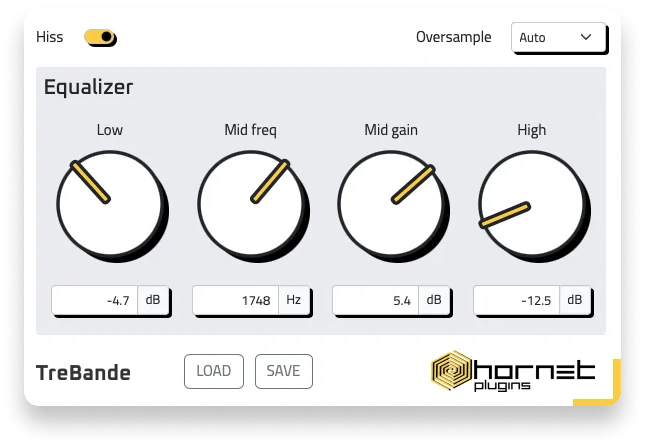
TreBande leans into character, offering a simple “console-ish” approach that’s more about vibe than perfect precision.
We love how quick it is to dial in, and it’s surprisingly effective for shaping drums and buses when we wanted a bit of grit and attitude. We’ve also found the overall workflow refreshingly direct, which is always great for committing to a sound without overthinking it.
In a nutshell, it’s a fun, practical free EQ if you like tone knobs that add personality. If you mostly work surgically, it won’t replace a modern parametric EQ, but as a character tool it’s a solid grab.
Pros:
- Fast character EQ workflow that’s easy to dial in
- Great for adding a bit of console-style vibe to buses
- Free option for simple tone shaping with personality
Cons
- Less suited to clean, surgical corrective EQ tasks
- Character may not fit every transparent mixing style
Back to top ⬆️
13. Eventide SplitEQ (Paid)
Best creative EQ for separating transients and tone.
Overview of SplitEQ
| Type: | Transient/tonal EQ |
| Operating System: | macOS, Windows |
| Format: | VST, VST3, AU, AAX |
| Price: | $179 (Trial available) |
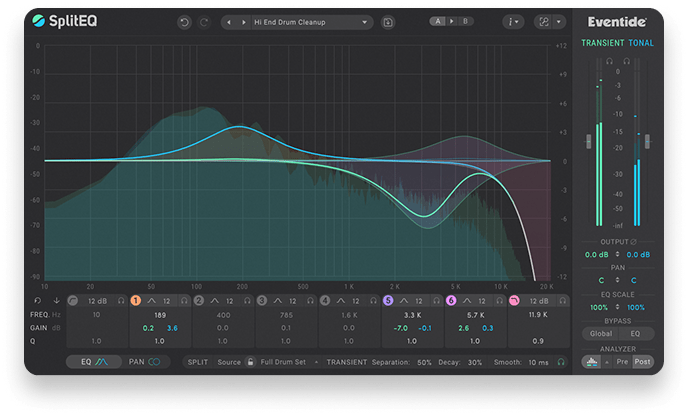
SplitEQ is a smart solution for the moments when normal EQ moves feel like they’re fighting the source.
In our testing, separating transients from tonal content made it easier to brighten tone without sharpening attacks, or tame harshness without dulling punch. We found it especially useful on drums, vocals, and busy mixes where traditional EQ can create tradeoffs.
This is a unique and inspiring tool for targeted clarity and cleanup. It can be overkill for basic EQ tasks, but when you need that extra level of control, it’s a standout.
Pros:
- Unique transient/tonal separation that enables cleaner EQ moves
- Great for de-harshing while preserving punch and clarity
- Powerful creative and corrective tool for tricky sources
Cons
- Can be more complex than you need for simple EQ jobs
- Workflow takes time to fully understand and use well
Back to top ⬆️
14. Ignite Amps PTEq-X (Free)
Best free Pultec-style EQ for broad sweetening and warmth.
Overview of PTEq-X
| Type: | Vintage/character EQ |
| Operating System: | macOS, Windows |
| Format: | VST, VST3, AU |
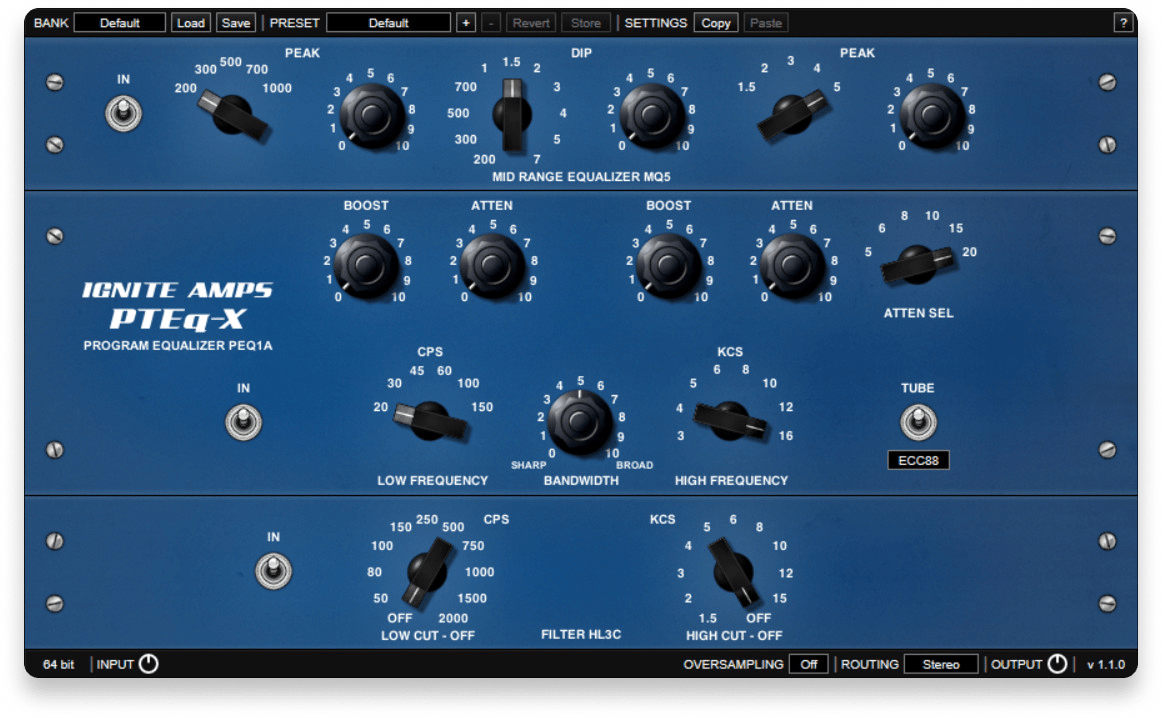
PTEq-X is a great free option when you want broad, musical sweetening rather than surgical correction.
In our sessions, it delivered that familiar Pultec-style warmth and smoothness that works beautifully for gentle top-end lift and low-end weight. We found it especially nice on vocals, bass, and mix bus material when we wanted character without overthinking it.
In summary, it’s a simple, satisfying tone shaper with a classic feel. If you’re building a free toolkit and want a “sweetener EQ” that sounds good fast, this is an easy add.
Pros:
- Musical Pultec-style curves that are great for sweetening
- Works well on vocals, bass, and mix bus tone shaping
- Excellent free option for broad, warm EQ moves
Cons
- Not designed for precise corrective EQ tasks
- Limited flexibility compared to modern parametric EQs
Back to top ⬆️
15. Crave EQ (Paid)
Best affordable EQ for quick workflow and transparent results.
Overview of Crave EQ
| Type: | Parametric EQ |
| Operating System: | macOS, Windows |
| Format: | VST, VST3, AU, AAX |
| Price: | $69 (Trial available) |
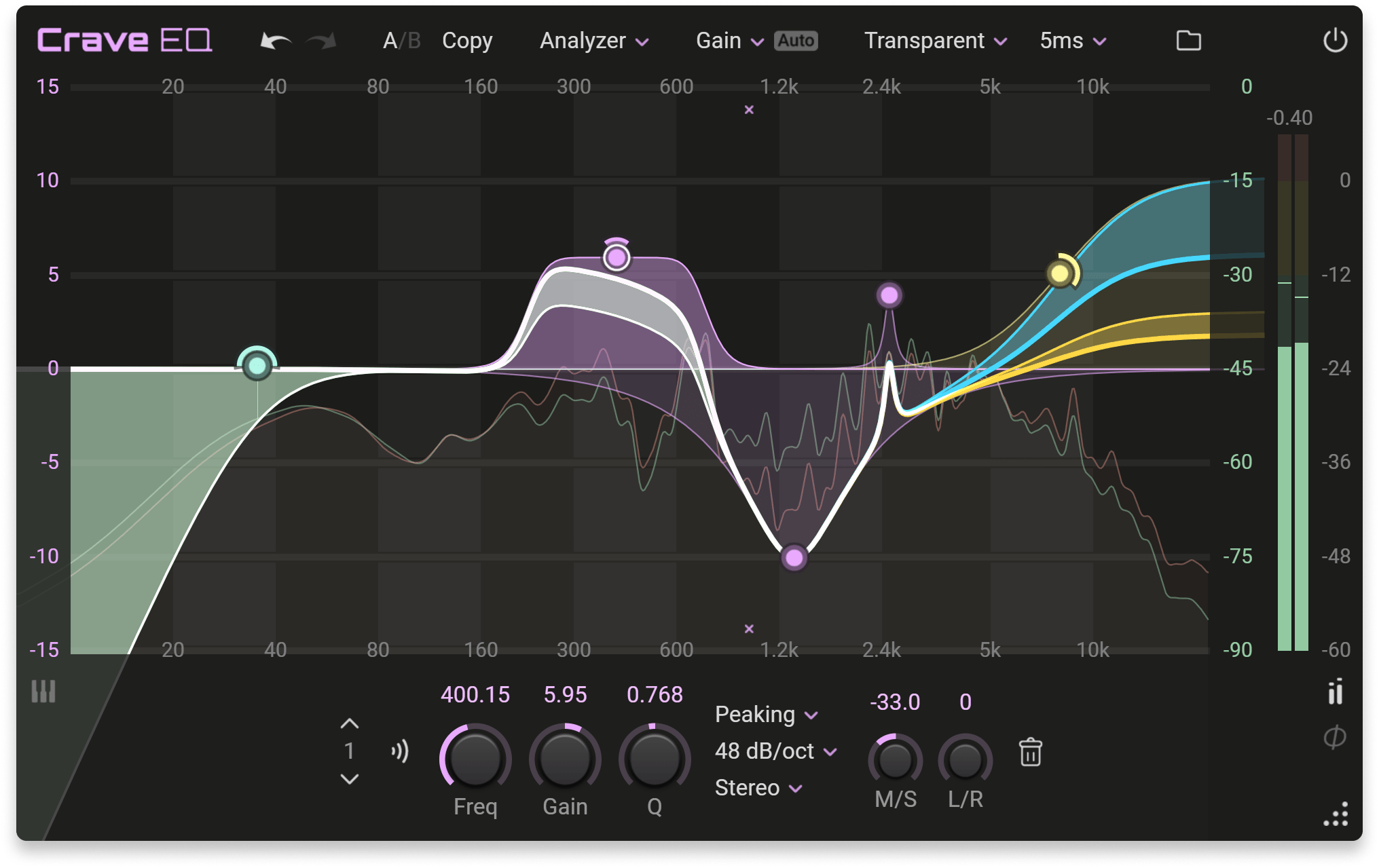
Crave EQ is a modern, streamlined EQ that focuses on speed without sacrificing clarity.
It’s beautifully quick to work with, and features like auto-gain and clean UI decisions helped keep EQ moves honest. We found it especially useful for everyday mixing tasks where you want transparent results and a workflow that stays out of the way.
This option is a strong pick if you want a capable EQ that doesn’t carry the price tag or complexity of the flagship options. It won’t replace deep mastering-grade tools, but as an affordable workhorse it’s easy to recommend.
Pros:
- Fast workflow with helpful features like auto-gain and M/S
- Clean, transparent sound for everyday mixing
- Great value for an affordable modern EQ
Cons
- Less deep than premium “flagship” EQs for advanced workflows
- Not a character EQ if you want analog-style coloration
Back to top ⬆️
Buyer’s guide: What to look for in an EQ plugin
What is an EQ plugin?
An EQ plugin lets you boost or cut specific frequency ranges in an audio signal. It’s one of the core tools for mixing, because it helps you clean up muddiness, reduce harshness, shape tone, and make space so elements don’t fight each other.
Some EQs are designed to be transparent and surgical, while others intentionally add character inspired by analog consoles, passive circuits, and vintage hardware curves.
What makes a good EQ plugin?
While some of them may come close, you’re not likely to find a single EQ that you will use for every single task. At the same time, you don’t want to collect so many that you don’t commit to learning any of them deeply. Ultimately, it’s all about the balance between several factors.
It should be dependable. When you are making narrow cuts or bright high-end boosts, the plugin should remain smooth and predictable. It should not introduce phase problems, brittle highs, or unexpected ringing. Some EQs aim to be invisible, while others are designed to sound like hardware. Either approach can work as long as the behavior is consistent.
Speed matters more than you think. The best EQ is often the one that keeps you moving. Clear controls, fast band creation, and useful visual feedback make a real difference. Features like reference overlays, band soloing, and quick A/B comparison are helpful because they reduce friction when you are trying to make a decision.
Know which problems you actually need to solve. If you are often taming resonances, harsh vocals, or boomy rooms, a dynamic EQ can save time. If you do a lot of mastering or stereo balance work, mid and side options and precise filter shapes become more important. If your goal is tone and vibe, a character EQ can get you to a finished sound with fewer moves.
It should fit your session, not fight it. CPU use, latency, and stability matter when you are running EQ across dozens of tracks and buses. A plugin that sounds great but slows your workflow is rarely the one you will keep reaching for.
EQ is one of the best ways to make a mix feel intentional, but it can also be easy to overdo. If EQ moves keep stacking up, it is often a sign to step back and rethink the source sound, the arrangement, or the balance. Sometimes the best EQ decision is changing the sound itself, not the curve.

Michael Hahn is an engineer and producer at Autoland and member of the swirling indie rock trio Slight.
@Michael HahnGear guides, tips, tutorials, inspiration and more—delivered weekly.
Keep up with the LANDR Blog.