
ISRC Codes Explained: Meaning, Format & Use
What is an ISRC?
An ISRC (International Standard Recording Code) is a unique 12-character identifier assigned to an individual sound recording or music video. It’s used to track usage, attribute royalties, and maintain catalog history across streaming platforms, radio, broadcast and licensing. You typically get one automatically from your distributor when you release music.
Whether you’ve written an original track, recorded a cover or produced a remix, each recording needs its own ISRC to track performances and get paid. It’s one of the most important pieces of metadata you need to set up before releasing music.
Each ISRC consists of 12 alphanumeric characters split into four parts:
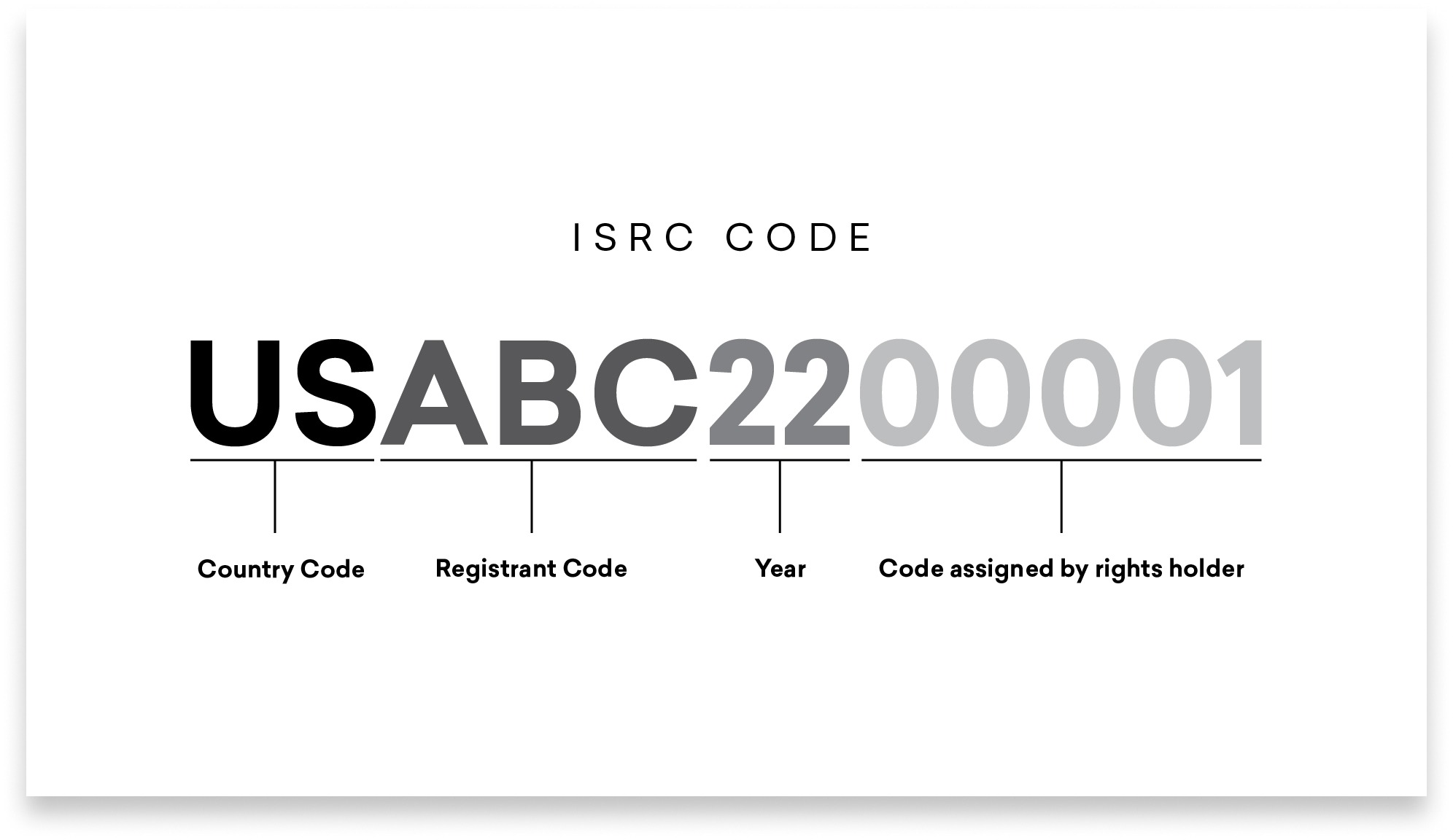
- US – Country Code (2 characters). The country where the registrant is based.
- ABC – Registrant Code (3 characters). Assigned to the ISRC manager, typically a label, distributor or national agency.
- 23 – Year of Reference (2 digits). The year the code was assigned.
- 00001 – Designation Code (5 digits). A unique identifier for the specific recording.
A complete ISRC looks like US-ABC-23-00001. The standard is maintained by the International Federation of the Phonographic Industry (IFPI).
Here’s everything you need to know about how ISRCs work, how to get one and when you need a new one.
In this article
- When do you need a new ISRC?
- ISRC vs UPC vs ISWC
- Why do you need ISRC codes and how are they used?
- How to get an ISRC: two routes
- Platforms that don’t assign ISRCs on basic upload
- Where to find your ISRC after release
- ISRC FAQ
- ISRC checklist
When do you need a new ISRC?
An ISRC identifies a specific recording, not a song. That means different versions of the same song usually need different codes. Here’s a quick reference:
- Original recording: First recording, first code.
- Remix: It’s a different recording, even if it’s the same song.
- Remaster: A different master means different audio.
- Radio edit or alternate version: Any materially different recording gets its own code.
- Live recording of the same song: Different performance, different recording.
- Cover song (your own recording): It’s a new recording, even though the composition is the same.
The key rule: if the audio has changed, it needs a new ISRC. If the audio is identical and you’re just placing it on a different release or moving distributors, keep the original code.
ISRC vs UPC vs ISWC
ISRCs are often confused with other music industry identifiers. Here’s how they differ:
ISRC (International Standard Recording Code)
Tracks a specific sound recording or music video. Assigned to each individual track. You need it for distribution, royalty tracking and catalog migration.
UPC / EAN (Universal Product Code)
Tracks a release: A single, EP or album as a product. Assigned to each release. You need it for retail distribution and store listings.
ISWC (International Standard Musical Work Code)
Tracks a musical composition or work: The song as written, regardless of who records it. You need it for publishing, performance royalties and sync licensing.
One song can have all three: the ISWC tracks the composition, the ISRC tracks each specific recording of it, and the UPC tracks the release it appears on.
Why do you need ISRC codes and how are they used?
ISRCs serve several practical purposes in your music career:
Radio stations, streaming services, retailers and broadcasters all use ISRC codes to send performance and sales data back to rights holders, whether that’s you directly or a record label.
This is how platforms know where, when and how often your song is played. It’s also how they calculate and send royalty payments for streams and performances. Without an ISRC, your recordings can’t be properly tracked across platforms, which means lost royalties and broken catalog history.
ISRCs are also essential for:
- Catalog migration: When you switch distributors, your ISRC codes transfer your streaming history and royalty data to the new platform.
- Neighboring rights registration: Organizations like SoundExchange (US) or PPL (UK) use ISRCs to identify recordings for performance royalty payments.
- Sync licensing: Music supervisors and sync agents reference ISRCs to identify specific recordings for film, TV and game placements.
You need an ISRC for professional distribution and royalty tracking, but most distributors, including LANDR, generate one automatically during release setup, so you don’t need to worry about sourcing one yourself.
How to get an ISRC: two routes
Most independent artists don’t need to think about sourcing ISRCs, your distributor handles it. But it’s worth understanding both routes so you can make the right choice for your situation.
Route 1: Distributor-assigned (recommended for most artists)
If you use a digital distribution service to release music, your ISRCs are generated automatically as part of the release process.
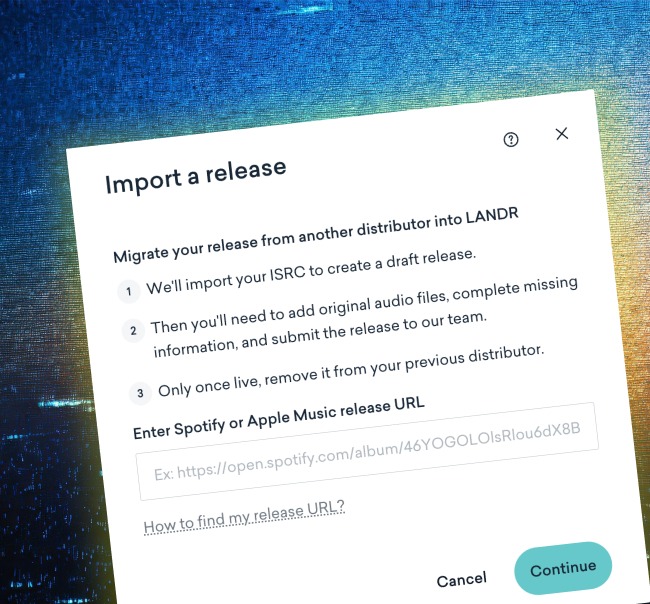
LANDR automatically generates an ISRC at no extra cost for every track you release through LANDR Distribution. If you already have an ISRC from a previous distributor or label, you can enter it manually during release setup to preserve your catalog history and streaming counts.
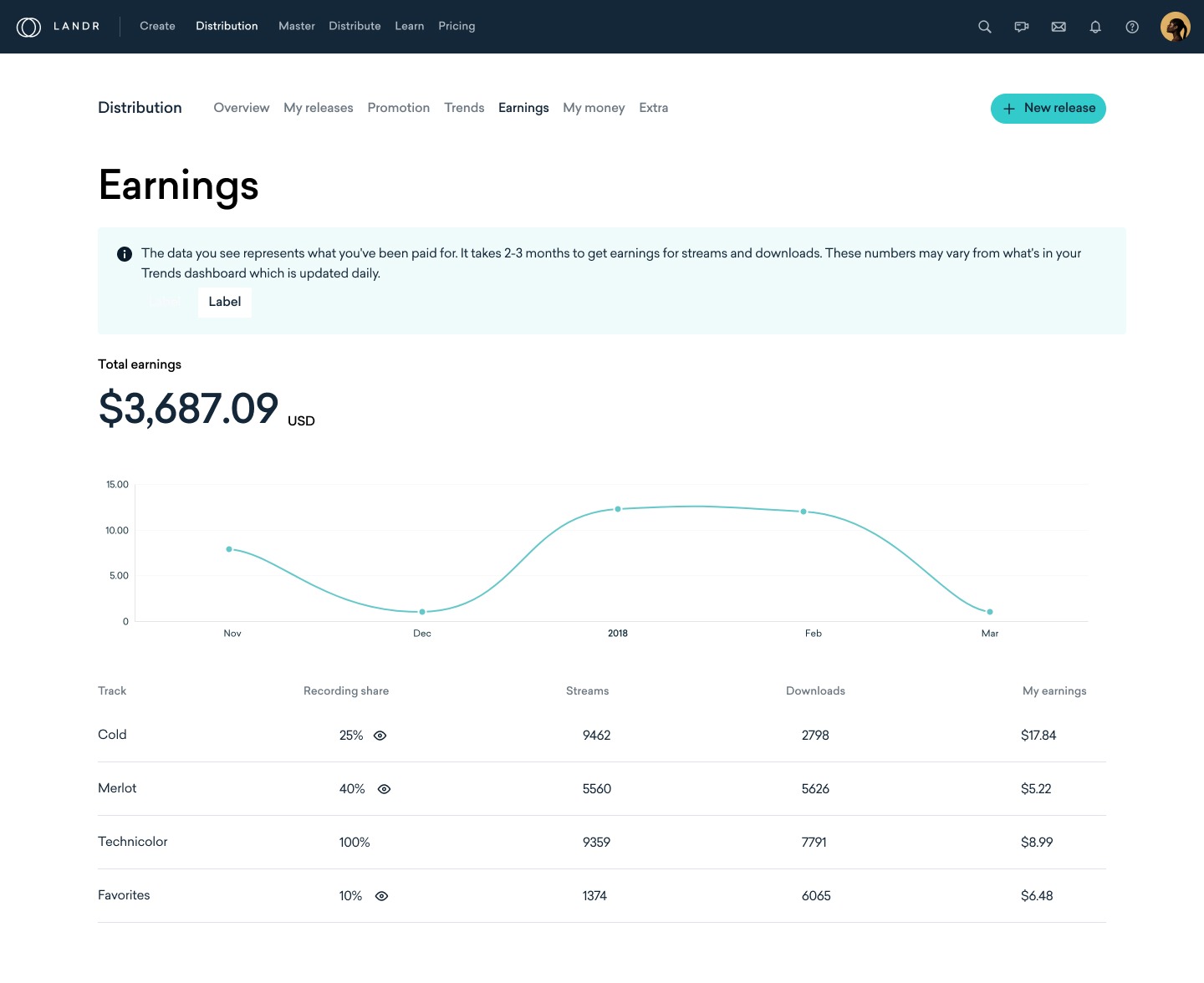
On top of that, LANDR Distribution offers features that make managing royalty splits, promoting your tracks and analyzing your streaming stats straightforward.
Route 2: Self-assigned via national agency (for labels and larger rights holders)
If you need to manage your own ISRC registrant code, typically because you’re a label releasing music for multiple artists—you can apply through your national ISRC agency.
In the US, this is handled through the US ISRC Agency, which operates under the RIAA. In Canada, the agency is Connect Music Licensing. You can find your country’s agency via the IFPI directory.
If your country doesn’t have a national ISRC agency, you can apply directly through the IFPI.
For most independent artists, Route 1 is the better choice, you get your ISRC handled automatically and your music distributed to streaming platforms at the same time.
Platforms that don’t assign ISRCs on basic upload
If you’ve only uploaded music to platforms like YouTube, Bandcamp or SoundCloud through their standard public upload, your tracks won’t have been assigned an ISRC.
These platforms don’t automatically generate ISRCs for basic uploads because anyone can upload audio, streams on these platforms are not necessarily monetized or tracked for royalty payment in the same way that distributed releases are.
However, some platforms offer distribution-backed release workflows (e.g. SoundCloud’s distribution tier) that may assign ISRCs as part of the delivery process. The key distinction is between a public upload (no ISRC) and a distributor-delivered release (ISRC included).
If you want ISRCs for your recordings, the simplest path is to release through a distributor like LANDR Distribution, which generates codes automatically and gets your music onto major streaming platforms.
Where to find your ISRC after release
Once your music is released, you may need to locate your ISRCs for catalog migration, neighboring rights registration or sync licensing paperwork. Here’s where to look:
- Your distributor dashboard: In LANDR, your ISRC is visible in your release details. Most other distributors display it in similar locations.
- Release confirmation or delivery receipt: Many distributors send a confirmation email or provide a downloadable metadata summary that includes your ISRCs.
- Metadata export: If your distributor offers a CSV or metadata export, ISRCs are typically included as a column.
It’s good practice to keep your own record of ISRCs alongside your release metadata. A simple spreadsheet with track title, ISRC, UPC, release date and distributor is enough to keep your catalog organized and make future migrations painless.
ISRC FAQ
Can I reuse an ISRC if I release the same recording on a different album?
Yes. If the recording is identical, same audio, same master, use the same ISRC regardless of which release it appears on. The ISRC tracks the recording, not the release.
Does a cover song need its own ISRC?
Yes. A cover is a new recording, so it gets a new ISRC. The underlying composition retains its existing ISWC.
What happens to my ISRCs when I switch distributors?
Your ISRCs belong to the recording, not the distributor. When you move, enter your existing ISRCs manually in your new distributor to preserve streaming history and royalty continuity. In LANDR, you can do this during release setup.
Do YouTube, Bandcamp or SoundCloud uploads assign ISRCs?
Standard public uploads do not. However, distribution-backed workflows (such as SoundCloud’s distribution tier) may assign ISRCs during delivery.
Can I bring my own ISRC to LANDR?
Yes. LANDR generates ISRCs automatically at no extra cost, but if you already have codes from a previous distributor or label, you can enter them manually during release setup.
What metadata should I store alongside my ISRC?
At minimum, keep a record of: track title, artist name, ISRC, UPC (for the release), release date, distributor, and version notes (e.g. “original,” “radio edit,” “remaster”). This makes catalog migration and rights registration much simpler.
ISRC checklist
Before you release, make sure you’ve got the basics covered:
- Get your ISRC from your distributor – Most, including LANDR, generate one automatically at no extra cost.
- Keep your existing ISRC when moving catalogs between distributors to preserve streaming history.
- Assign a new ISRC for materially different recordings – remasters, remixes, radio edits and live versions all need their own codes.
- Store your ISRCs in your own records alongside your release metadata.
- Don’t confuse ISRC with UPC or ISWC – ISRC tracks the recording, UPC tracks the release, ISWC tracks the composition.
Your ISRC is a small piece of metadata with a big job, it’s what connects your recordings to your royalties across every platform and service worldwide. Getting it right from your first release sets you up for clean catalog management and accurate payments for your entire career.
Good luck with your next release!

Alex Lavoie is a drummer, music producer, songwriter and marketing professional living in Montreal, Quebec. He works as a staff writer at LANDR by day and writes indie post-punk tunes in his band UTILS while moonlighting as drummer for folk-rock outfit The Painters. Connect with Alex Lavoie on LANDR Network!
@Alex LavoieGear guides, tips, tutorials, inspiration and more—delivered weekly.
Keep up with the LANDR Blog.