How to Make Bass Audible on Phone Speakers
You spent all night dialing in a sub that shakes the drywall, only to have it disappear the moment you play it for a friend on your phone.
It is a classic production headache that every creator faces eventually.
Small speakers simply cannot move enough air to handle the lowest frequencies of your mix. To make your track hit hard on a mobile device, you need a few tools and some clever mixing and arrangement tricks.
This guide covers the essential techniques for making your bass audible on any device without losing the impact of your original vision.
How to check your mix for good sound on phone speakers
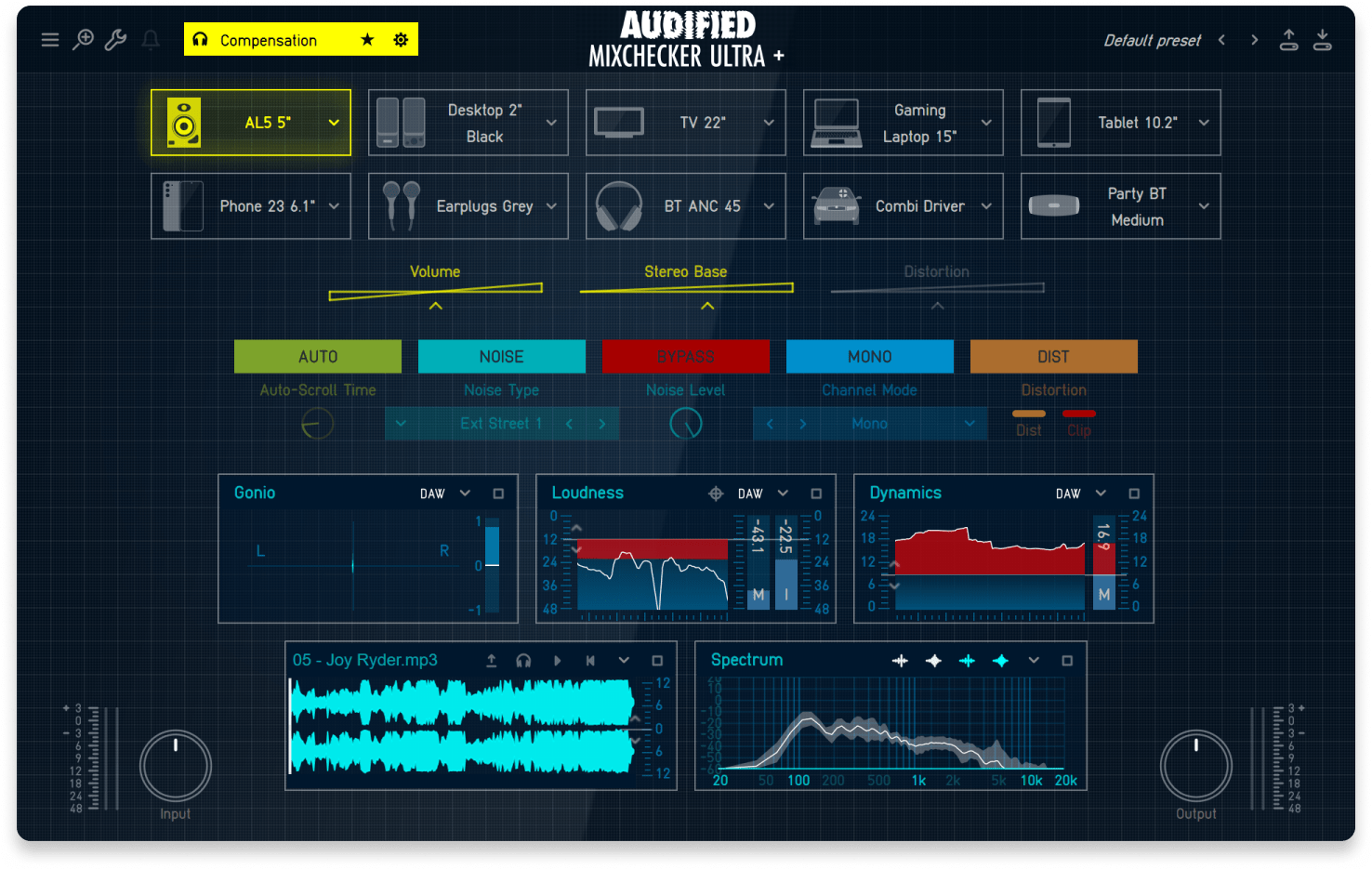
Audified MixChecker Ultra: Reference+ is the best way to authentically check your mix on 90+ listening systems in your DAW.
When you’re mixing at your DAW, it’s impossible to tell how your mix will translate to phone speakers and other commercial listening devices.
That’s why a mix that sounds huge, full and bassy in a studio setting won’t always sound good elsewhere.
Luckily, plugins like Audified MixChecker make it easy to reference your mix on a variety of listening setups, including smartphones.
MixChecker isn’t just a glorified band-pass EQ that you put on your master bus. It’s a meticulously designed plugin that simulates 90+ real-world listening devices, each built with speaker impulse response recordings.
It also considers the non-linear behavior of each device by simulating how each speaker would distort and clip in response to your mix.
On top of that, the plugin gives you important readouts that can help you make mixing decisions, including loudness, dynamics and gonio meters alongside spectral and stereo field analyzers.
When it comes to quick, easy and confident mix referencing in the studio there really isn’t anything out there that beats Audified MixChecker.
🧠 Hot tip
Audified MixChecker Ultra: Reference+ is available with yearly LANDR Studio Pro subscriptions! Subscribers can get it now alongside 70 more pro-grade plugins, unlimited mastering & distribution, LANDR Samples access and much more.
Why is my bass inaudible on phone speakers?
Smartphone speakers are physically too small to move the large amounts of air required for deep low end.
Most mobile hardware includes a built-in filter that rolls off everything below 200 Hz to protect the tiny drivers.
If your bass notes live strictly in the sub range without any mid-frequency harmonics, the phone simply filters them out.
To make bass audible on a device this small, you have to provide the higher overtones that the speaker is actually capable of reproducing.
What frequency ranges work best with phone speakers?
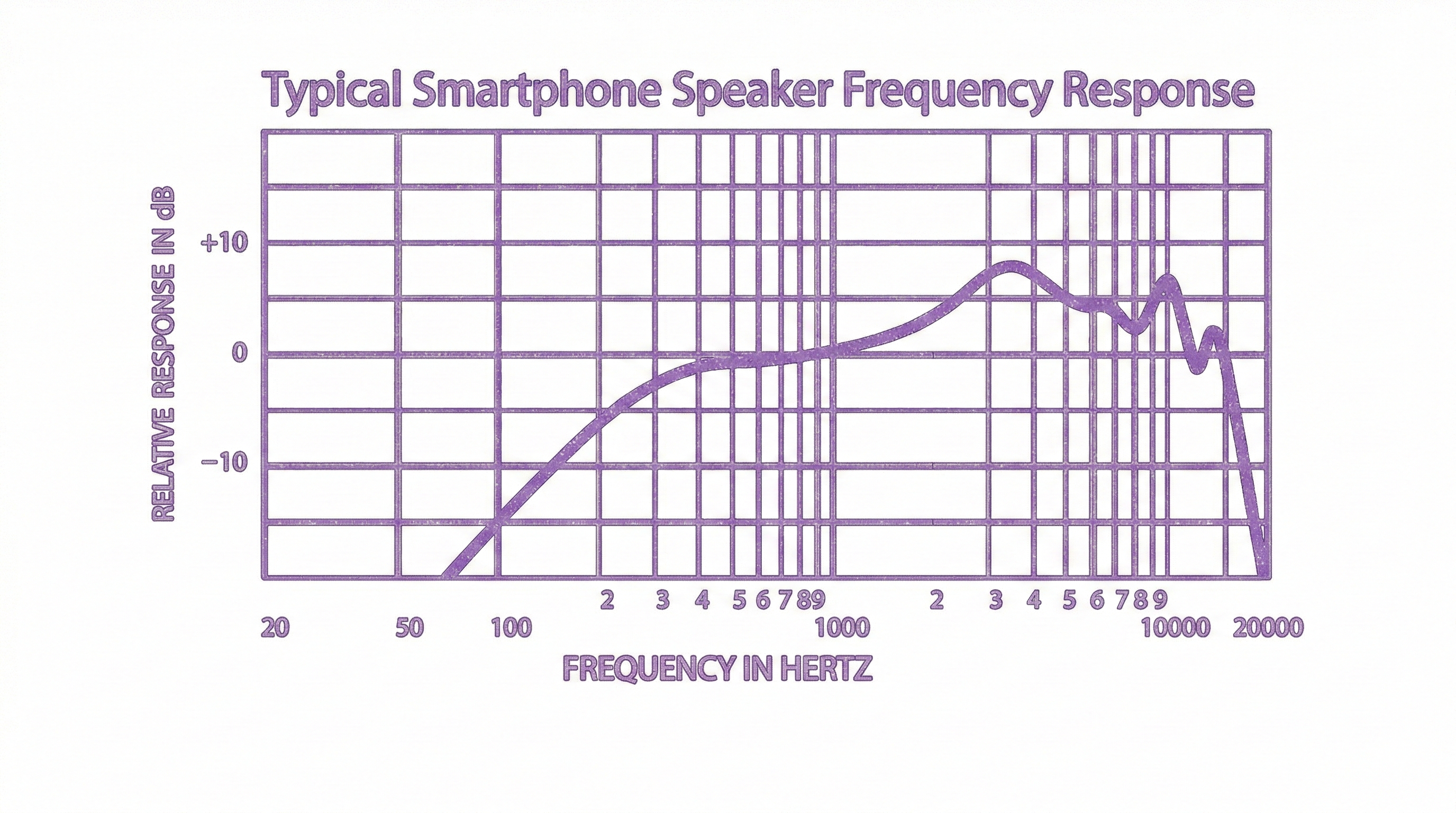
Phone speaker frequency response typically features a sharp roll off blow 500Hz and boosting in the high-end between 3-9kHz.
Most modern smartphone speakers struggle to reproduce anything below 200Hz and almost all of them completely roll off by 100 Hz.
This is why a sub-heavy 808 might sound massive in your studio but disappear entirely on an iPhone.
To make your bass translate, you need to focus on the 250 Hz to 700 Hz range. This is where the growl and knock of a bass reside.
If your bass has energy here, the human brain performs a psychoacoustic trick called “missing fundamental,” where it perceives the low notes even if the speaker isn’t actually moving that much air.
How to make bass audible on phone speakers
Alright, now you know how to check your mix and hear how it would sound on a variety of devices with Audified MixChecker and you know why your mix isn’t translating to the small speakers found inside a phone.
Now, let’s solve the problem and explore all the different options available to you.
Here’s what you should do if your bass isn’t translating to phone speakers or any other listening device, for that matter.
1. Layer bass notes an octave higher or change key
The key of your track will have a significant impact on exactly how far your basslines will go into the low-end side of the frequency spectrum.
If your song’s key makes your basslines go too low, they will fall out of audible range on phone speakers.
So, if you want to avoid writing a bassline that’s inaudible on smartphone speakers, the first place to look is at your arrangement, key and the bassline itself.
If everything goes too low, your options are to either change the song into a higher key or add layers to the bassline in a higher octave.
To hear how your song would sound in a new key, a quick trick is to pitch shift your song up a few semitones with a pitch-shifting plugin to hear how it sounds in a new key.
A pitch-shifting plugin will only artificially change the key of the song. So, you may have to re-record and shift MIDI up however many steps to truly bring your song into a new key.
Of course, it won’t always make sense to change keys or simply raise the bassline by an octave.
So next, let’s take a look at some mixing solutions to address the issue without changing the bassline itself.
🧠 Hot tip
SoundGhost Texturize is a cool plugin that can add texture layers and grit to your bass lines. Texturize is included with yearly LANDR Studio Pro plans.
2. Add distortion to create mid- and high-frequency information
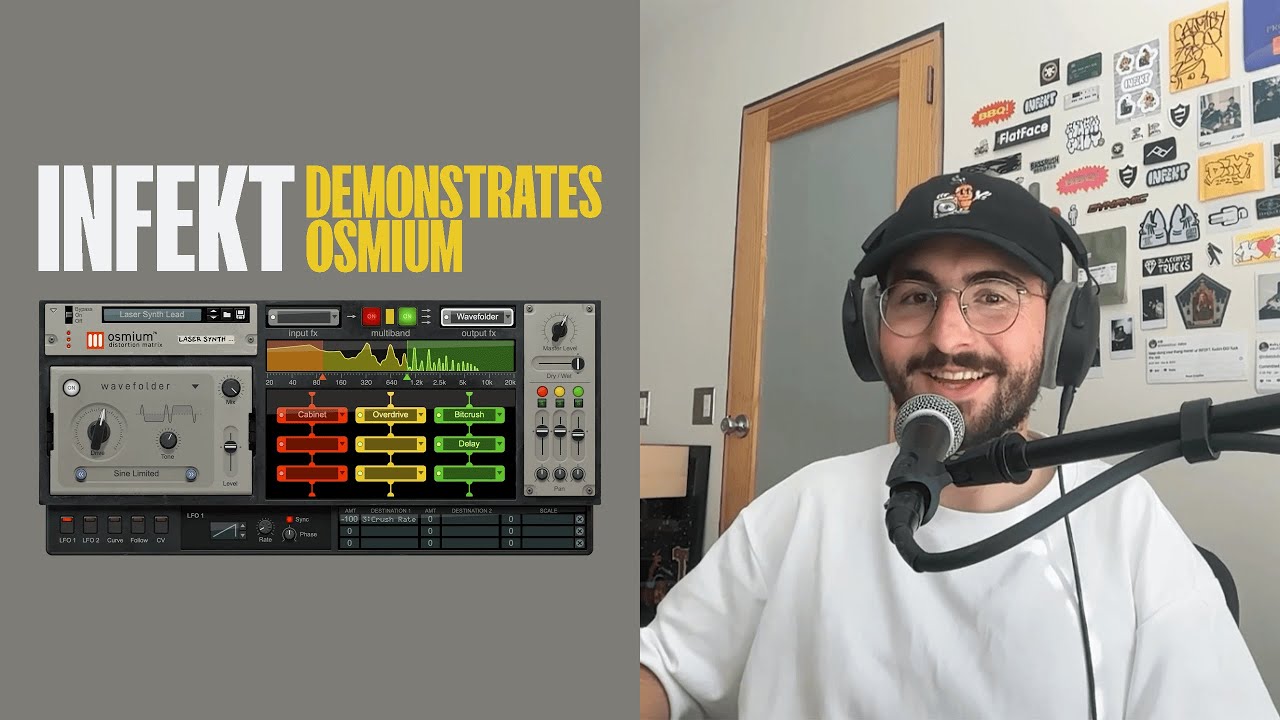
See how INFEKT uses Osmium Distortion Matrix to add gritty saturation and distortion to the mid and high-end of his bass to make them stand out across the frequency spectrum.
If you’re working with a bassline or kick that is too low for phone speakers, the best way to give them more tone and definition is to add distortion to the mid and high end in the bass.
To do that, you’ll need a multiband distortion plugin that can target specific frequency ranges with distortion. Specifically, your multiband distortion should target the 700 Hz–1.5 kHz range.
Distorting this frequency range makes a bass growl on phone speakers without making it sound too muddy in the low-mids.
Using multiband distortion instead of multiband EQ is important because distortion actually adds more harmonic information to the frequency of your audio signals, whereas EQ can only boost what’s already there.
So logically, if you’re boosting a sound that isn’t there to begin with, you won’t actually hear any more sound.
Remember that when you’re trying to get bass to sound more audible on phone speakers, you need to find a way to bring it into the upper-low and lower-mid frequency spectrum.
So keep an eye on where your signal is boosted and make sure to check it with mix-checking tools.
3. Use Parallel Compression to “Thicken” the Midrange
Here's how parallel compression works on drum tracks.
Sometimes, multiband distortion won’t quite get the right frequencies to stand out enough. Another option is to try parallel compression on the mid-range of your bass.
Create a duplicate track or a bus for your bass then apply heavy, aggressive compression. Don’t be afraid of a high ratio.
Blend this compressed version back in with your original clean bass. This brings up the low-level details and harmonic content without destroying the peaks of your original performance, making it much more present on small speakers.
4. Use transient shapers to increase kicks and bass attack
If your bass notes still feel buried after adding distortion, the problem might be a lack of definition in the initial hit.
Transient shaping allows you to sharpen the attack of a sound without significantly increasing its overall volume.
By boosting the attack of your bass or kick, you provide a clear rhythmic anchor that phone speakers can easily reproduce.
Even if the tiny hardware cannot handle the long sustain of a sub note, it can usually translate the sharp mid-range click of a well-defined transient.
This helps the listener’s brain identify exactly where each note begins and keeps the low end from sounding like a blurred wash of noise on a mobile device.
🧠 Hot tip
Use a PWM compressor like Tone Empires’ Pythor V2 to add pleasing attack to your kicks. Pythor V2 is included with yearly LANDR Studio Pro plans.
5. Adjust stereo width and test your mono mix
Believe it or not, modern phone speakers are actually stereo.

Here's what you should know about mixing in mono.
They have a “left” speaker at the bottom of the phone by the charger port and a “right” speaker at the top of the phone by the earpiece.
It works well whenever the phone is held horizontally, but considering that the phone is generally held in an upright portrait position, the speakers are effectively stacked on top of each other, creating a much more mono sound.
So, even though phones use stereo speakers, you should still be thinking about your mono mix when mixing for phone speakers.
That said, panning can help clear out space for your bass.
The general best practice is to pan instruments slightly away from the center and reserve the center of your mix for vocals, kicks, snare and basslines.
6. Watch effects that can muddy mixes, like reverb and delay
While reverb and delay add depth, they are the natural enemies of a clear mono-adjacent mix. On tiny speakers, the “wash” of a long reverb tail can quickly overwhelm the punch of your kick and the definition of your bass.
High-pass your FX: Always use a high-pass filter around 200-400 Hz on your reverb and delay returns. This keeps the “mud” out of the bottom end.
Sidechain your reverb: If your bass needs reverb for character, try sidechaining the reverb to the dry bass signal. This ensures that every time the bass note hits, the reverb ducks out of the way, preserving the initial transient.
Keep it mono: For phone translation, keep your low-end effects (below 200 Hz) in mono. Widening the bass frequencies often leads to phase cancellation, which can make the bass disappear entirely when the phone sums the audio to a narrow stereo field.
Mix for all sound systems, not just your phone
At the end of the day, your mix needs to sound good everywhere, but it shouldn’t only sound good on a phone.
The goal is a balance between sub-bass for the clubs and car systems and harmonic saturation for the phones and laptops.
By using tools like Audified MixChecker that can check your mix on a wide variety of listening setups and following these mixing tips, you can ensure that your groove hits just as hard on a handheld device as it does on a main stage.

Alex Lavoie is a drummer, music producer, songwriter and marketing professional living in Montreal, Quebec. He works as a staff writer at LANDR by day and writes indie post-punk tunes in his band UTILS while moonlighting as drummer for folk-rock outfit The Painters. Connect with Alex Lavoie on LANDR Network!
@Alex LavoieGear guides, tips, tutorials, inspiration and more—delivered weekly.
Keep up with the LANDR Blog.