



The 15 Best Vocal Plugins (Free and Paid)
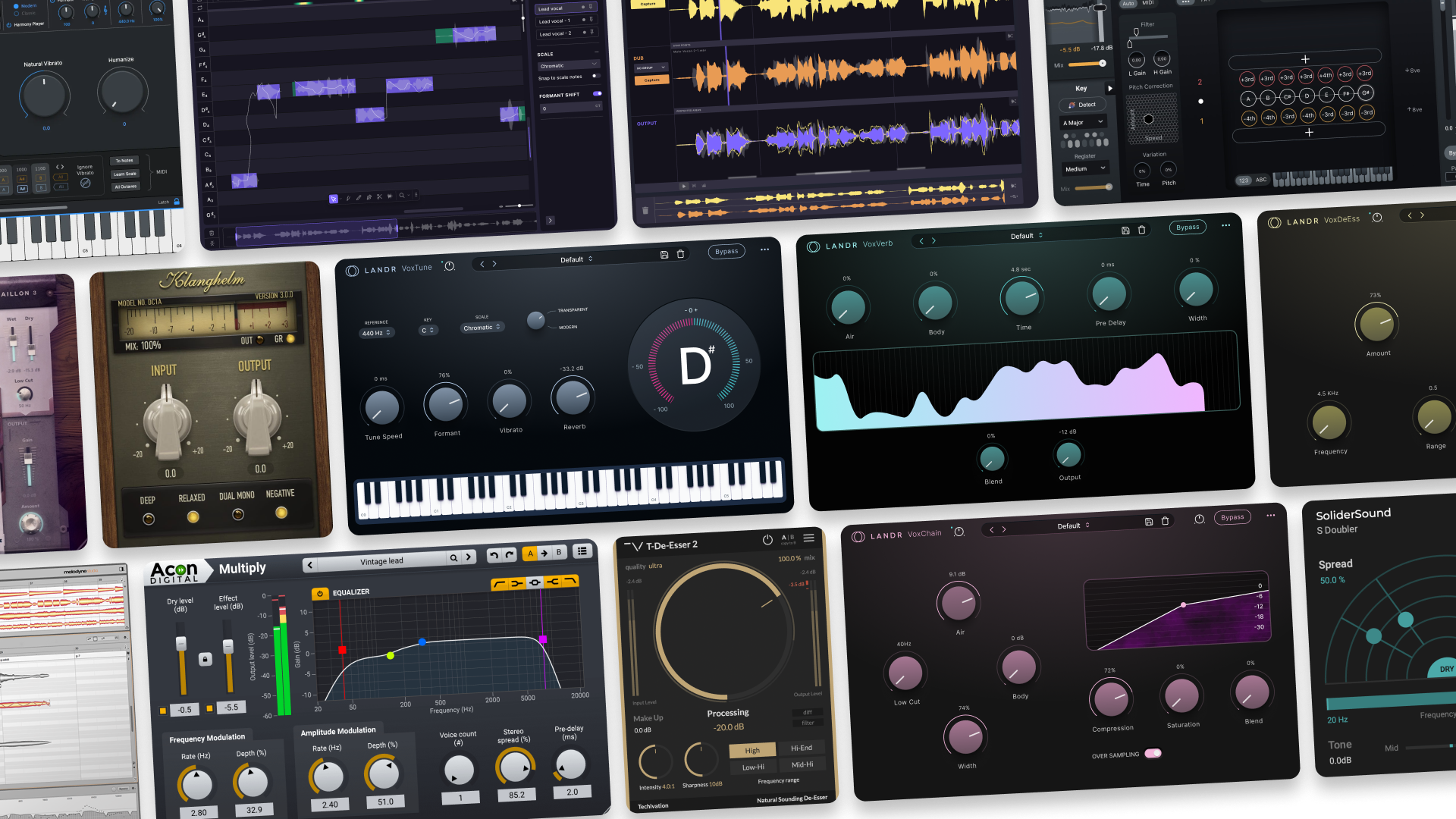
When it comes to vocal plugins, getting from a rough take to a release-ready performance is rarely easy. But the right tools can make all the difference.
Vocal plugins cover a huge range of jobs: tuning, timing, tone shaping, level control, de-essing, width, and all kinds of creative enhancement.
Despite this variety, it’s certainly possible to hone in on the must-have tools for each job.
With that in mind, we’ve rounded up a fresh list of the best vocal plugins out there today. They’ll help you tighten performances, improve clarity, and get a mix-ready sound without losing the character that makes a singer sound like themselves.
Let’s dive straight in.
Contents
- Antares Auto-Tune Pro 11
- Synchro Arts VocAlign Pro
- Celemony Melodyne
- MeldaProduction MAutoPitch
- LANDR Vocal Plugin Bundle
- Auburn Sounds Graillon 3
- Synchro Arts RePitch Standard
- FabFilter Pro-Q 4
- Techivation T-De-Esser 2
- Klanghelm DC1A
- iZotope Nectar 4
- Acon Digital Multiply
- Waves Vocal Rider
- SoliderSound S Doubler
- TDR Nova
- Buyer’s guide: What to look for in a vocal plugin
TL;DR – Our top picks
Best Vocal Plugins
| Best workhorse vocal plugin: | Synchro Arts VocAlign Pro |
| Best free vocal plugin: | MeldaProduction MAutoPitch |
| Best real-time vocal plugin: | Antares Auto-Tune Pro 11 |
| Best vocal plugin bundle: | LANDR Vocal Plugin Bundle |
⭐ Best workhorse vocal plugin: Synchro Arts VocAlign Pro
For us, a “workhorse” vocal plugin is the one you can reach for in pretty much any session. VocAlign Pro fits that role because it makes some of the trickiest and most time-consuming aspects of vocal production far easier. As a result, it saves a ton of time.
Having artifact-free timing and pitch alignment in one place (not to mention a beautifully-designed interface) makes all the difference, and the ability to process in batches is a game-changer.
If you want one vocal tool that can take you from rough to polished consistently, this is the one we always come back to.
⭐ Best free vocal plugin: MeldaProduction MAutoPitch
If you want a free plugin that can actually hold up to extended use, MAutoPitch is a standout. It’s versatile yet quick to dial in, it sounds clean for subtle correction, and it also offers creative options like formant shifting and stereo expansion.
It’s the kind of plugin that can solve a problem in seconds when you just need a little help, or push into stylized territory if that is the vibe. For a free tool, it’s surprisingly complete.
⭐ Best real-time vocal plugin: Antares Auto-Tune Pro
Any time the name of a single product becomes the term that everyone uses for everything else in its category, you know it’s probably for a reason.
Auto-Tune is the gold standard when it comes to real-time pitch correction, and our experience with it gave us no reason to rock the boat. It’s certainly not the cheapest option on our list, but professional quality often demands more investment.
Whether you’re looking for the steppy auto-tune sound of your favorite RnB tracks, or transparent pitch correction in the moment with minimal latency, this is the one to beat.
⭐ Best vocal plugin bundle: LANDR Vocal Plugin Bundle
A bundle is often most worth it when the pieces feel like they belong together. Our Vocal Plugin Bundle certainly does, because each plugin focuses on a core vocal job and keeps things simple: tuning, channel strip polish, vocal-focused reverb, and de-essing.
It’s a strong option when you want a clean, reliable vocal chain that is fast to build and easy to tweak, especially for creators who want results without a steep learning curve.
1. Antares Auto-Tune Pro 11 (Paid)
Best vocal plugin for industry-standard pitch correction.
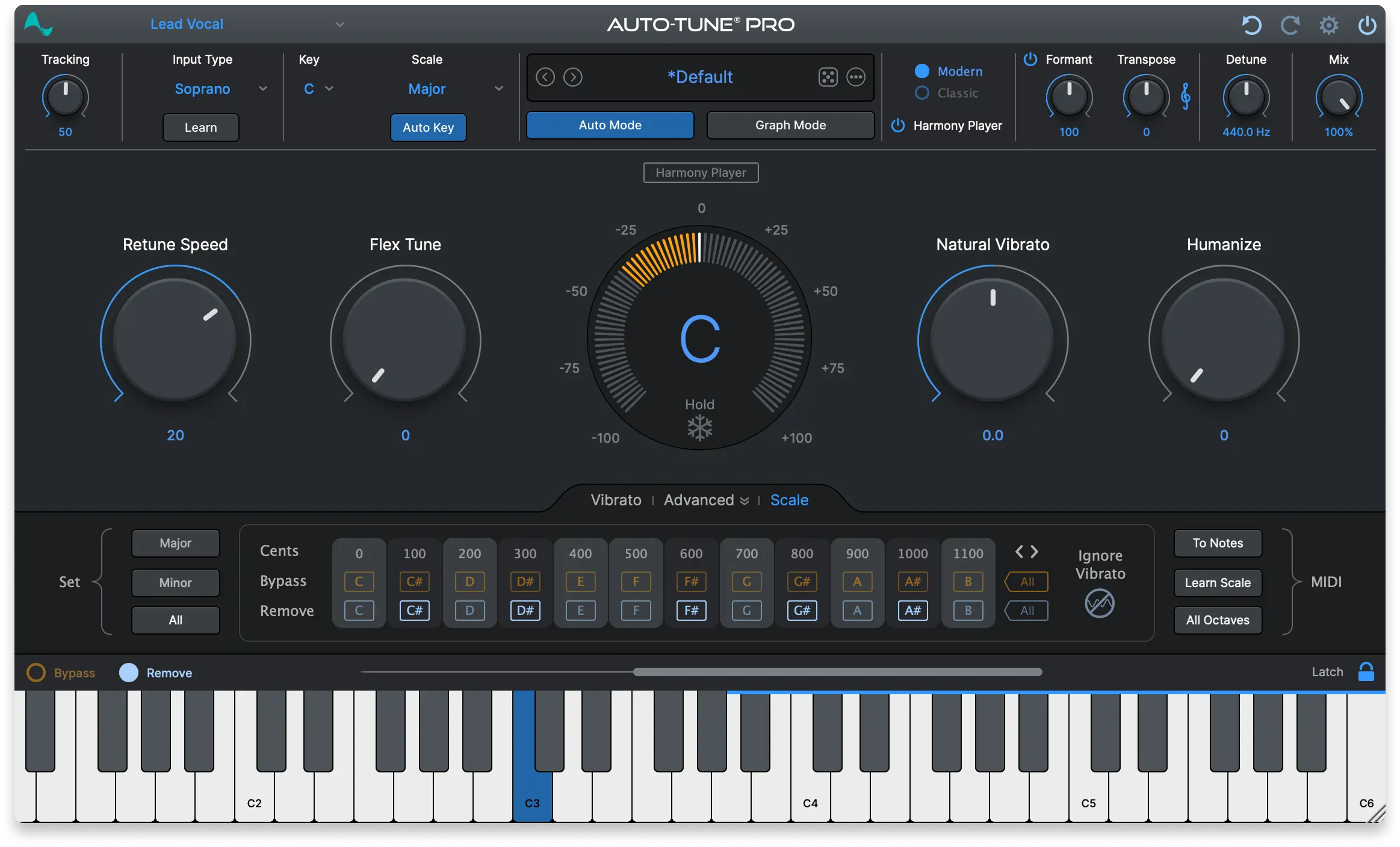
Overview of Auto-Tune Pro 11
| Type: | Pitch correction |
| Operating System: | macOS, Windows |
| Format: | AAX, VST3, AU |
| Price: | Various |
Auto-Tune Pro 11 is still the reference point for modern vocal tuning. It balances fast results with deeper control, which is exactly what you want when the session demands both clean correction and deliberate style.
In our experience, Auto Mode is the quick path for tracking and straightforward correction, while Graph Mode is where Auto-Tune becomes a precision editor, letting you shape pitch and timing note by note. On top of that, we found that the Harmony Player can take a single vocal and turn it into a playable harmony instrument for arranging.
If you are choosing one “standard” tuning plugin to learn deeply, Auto-Tune is a safe bet because it shows up everywhere and it delivers predictable, professional results.
They offer a dizzying number of pricing options so we’re not listing all of them here. We recommend checking out the Antares site to see what’s right for you.
Pros:
- Fast Auto Mode plus detailed Graph Mode editing
- Harmony tools add creative arranging options
- Deep DAW integration via ARA2 in supported hosts
Cons
- So feature-rich that it can feel like a lot at first
- Hard-tune settings can sound obvious if you overdo them
Get the plugin here.
Back to top ⬆️
2. Synchro Arts VocAlign Pro (Included in LANDR Studio)
Best vocal plugin for tight doubles and clean vocal stacks.
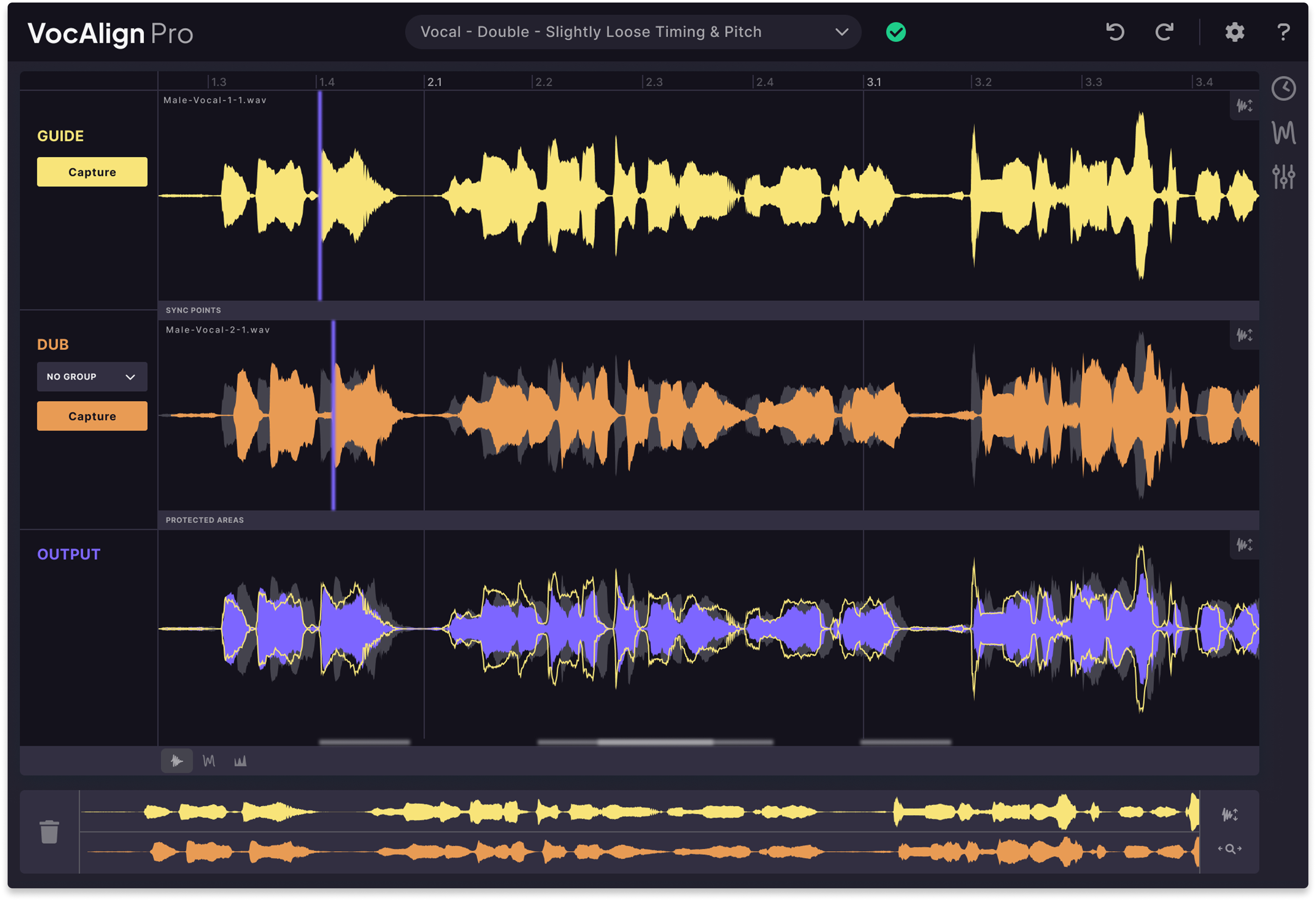
Overview of VocAlign Pro
| Type: | Alignment |
| Operating System: | macOS, Windows |
| Format: | AU, VST3, AAX |
| Price: | $199 outside LANDR Studio |
VocAlign Pro is one of those tools that feels almost unfair once you get used to it. Instead of manually slicing and nudging doubles, you can align timing quickly to a guide track and keep the stack sounding natural.
Pro adds more advanced workflows like processing multiple tracks together and pitch matching features that can help backing vocals lock to the lead without extra tuning passes. It is ideal for pop, hip-hop, and any style where tight stacks are part of the sound. We love having this in LANDR Studio and think it adds enormous value over all.
Pros:
- Fast, transparent alignment for doubles and harmonies
- Pro features help with larger stacks and consistency
- Saves a lot of editing time
Cons
- Easy to over-tighten and remove natural feel
- Best results require a solid guide performance
Get the plugin here.
Back to top ⬆️
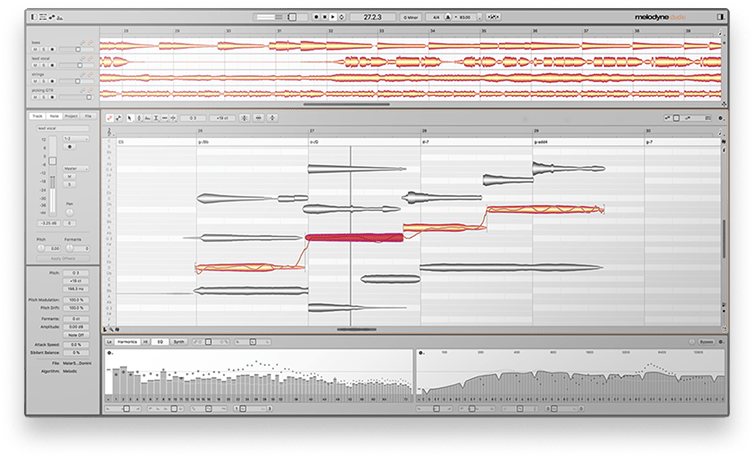
3. Celemony Melodyne (Paid)
Best vocal plugin for note-based pitch and timing editing.
Overview of Melodyne
| Type: | Note editor |
| Operating System: | macOS, Windows |
| Format: | VST3, AU, AAX |
| Price: | Various |
Melodyne is the classic answer when you want detailed, musical control over a vocal performance. The “blobs” view makes pitch and timing feel like something you can sculpt, not just correct.
What stands out for us is how deep it goes. You can adjust pitch drift, vibrato, note transitions, dynamics, and even sibilants with a level of nuance that is hard to match in simpler tools. And depending on the edition, you can go beyond vocals into polyphonic material too.
If your goal is a vocal that sounds edited but still human, Melodyne remains one of the best ways to get there. Pricing varies so we recommend taking a look at the “Shop” section of their site.
Pros:
- Deep pitch and timing editing that stays musical
- Detailed control over vibrato, formants, and sibilants
- Flexible workflows via plug-in, ARA, or standalone use
Cons
- More time-intensive than real-time tuners
- Feature set varies by edition, so you need to pick carefully
Get the plugin here.
Back to top ⬆️
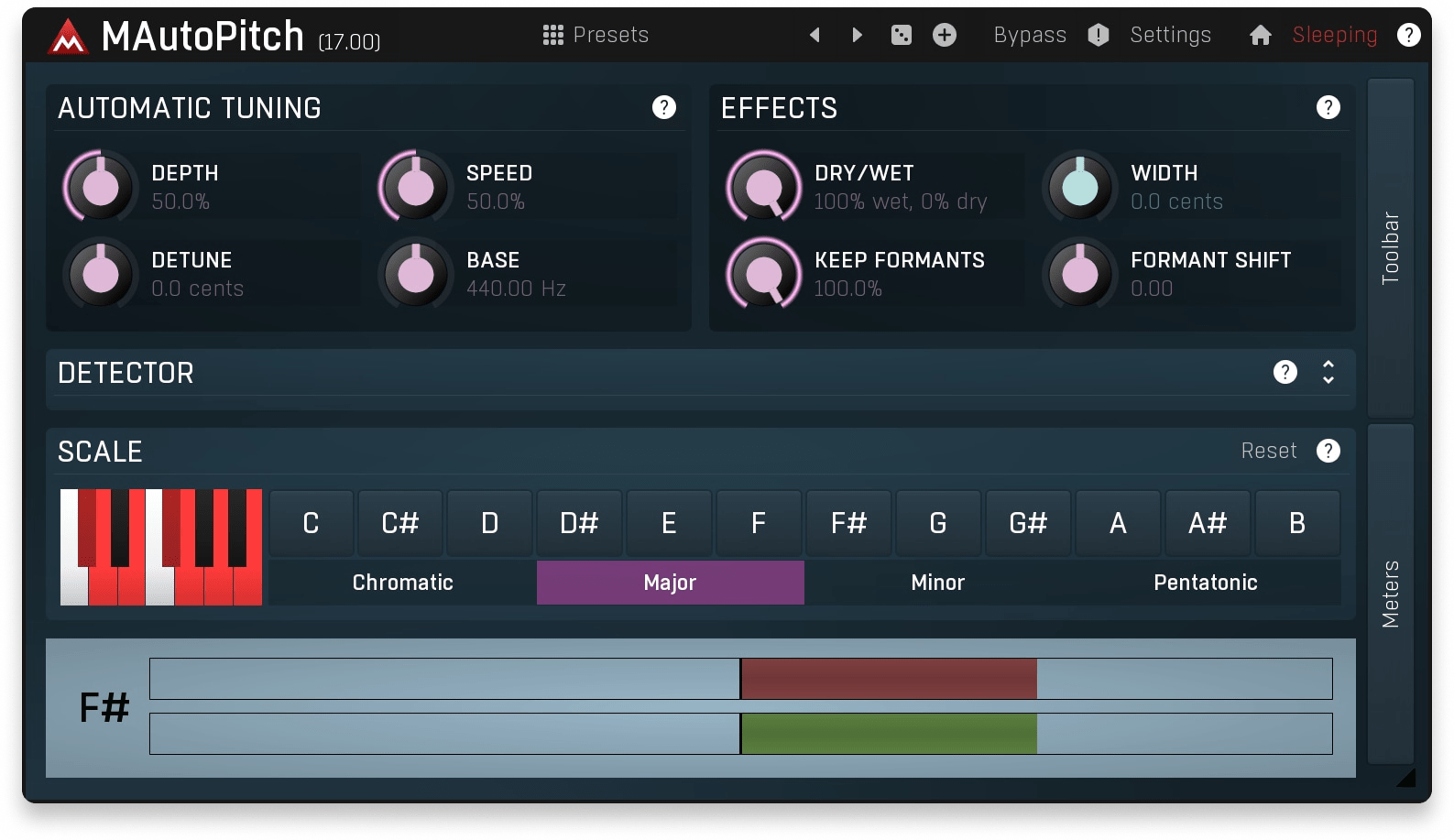
4. MeldaProduction MAutoPitch (Free)
Best free vocal plugin for quick pitch correction and creative tone shaping.
Overview of MAutoPitch
| Type: | Pitch correction |
| Operating System: | macOS, Windows |
| Format: | VST, VST3, AU, AAX |
MAutoPitch is a “just works” tuning plugin that can be as transparent or as stylized as you want. It is quick enough for basic fixes, but the extras like formant shifting and stereo expansion make it useful beyond tuning.
In our sessions, it was great for smoothing a lead vocal, adding subtle width to backing stacks, or pushing a more obvious pop tuning sound without a complex setup. We found it was also lightweight enough that we could use it across multiple tracks without worrying too much about CPU.
Pros:
- Fast tuning with useful creative extras
- Easy controls for quick results
- Free and genuinely practical
Cons
- Less surgical than dedicated note-based editors
- Can sound artificial if you push the correction too hard
Get the plugin here.
Back to top ⬆️
5. LANDR Vocal Plugin Bundle (Included in LANDR Studio)
Best vocal plugin bundle for a fast, mix-ready vocal chain.
Overview of LANDR Vocal Plugin Bundle
| Type: | Vocal suite |
| Operating System: | macOS, Windows |
| Format: | VST3, AU, AAX |
| Price: | $129 outside LANDR Studio |
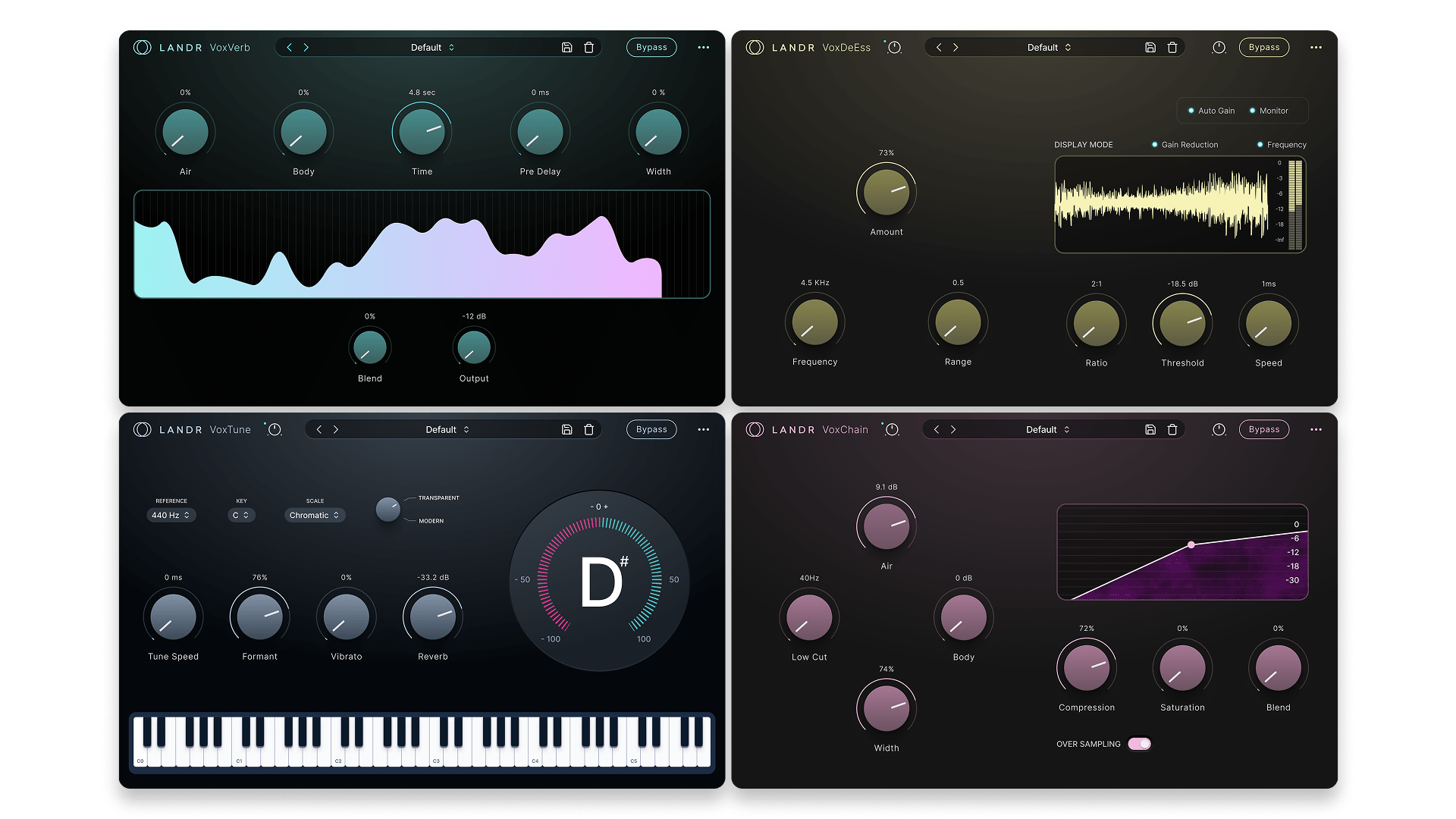
The LANDR Vocal Plugin Bundle is designed around the vocal workflow you repeat every day: get the performance in tune, shape tone, control sibilance, and place the vocal in space without losing clarity.
VoxTune handles real-time tuning with natural or more robotic styles, VoxChain covers the essential channel strip jobs, VoxVerb adds vocal-focused depth without turning the mix to fog, and VoxDeEss keeps sibilance under control with clean, transparent results.
Every time we use these, the biggest strength is the balance of speed and quality. We’re able to build a complete vocal chain quickly, make a few targeted moves, and keep recording or mixing without getting stuck tweaking for an hour.
Pros:
- Four focused plugins that cover the core vocal chain
- Simple controls that still sound polished
- Great for fast sessions and consistent results
Cons
- Less specialized than dedicated “deep” tools for each task
- If you want extreme sound design, you may add other plugins on top
Get the plugin here.
Back to top ⬆️
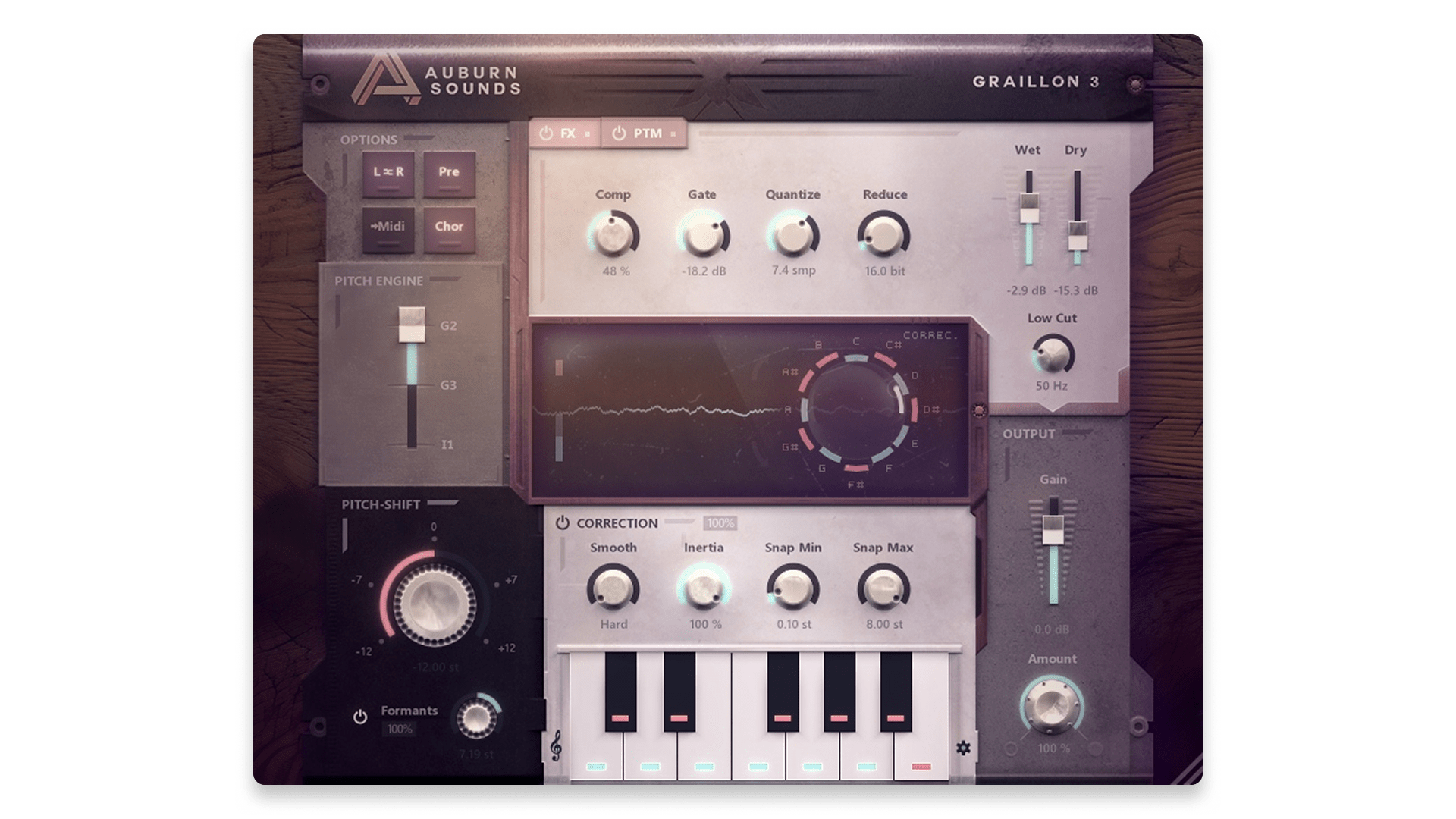
6. Auburn Sounds Graillon 3 (Free)
Best free vocal plugin for stylized tuning and voice effects.
Overview of Graillon 3
| Type: | Pitch correction |
| Operating System: | macOS, Windows, Linux |
| Format: | VST, AAX, AU, LV2 |
Graillon 3 is a fun and practical option when you want tuning plus character. It can handle subtle correction, but it shines when you lean into the voice-changing side with pitch shifting, formant control, and built-in vocal-ready effects.
The updated engines give you different tonal flavors, and we find that the workflow stays quick. If you’re chasing an obvious pop or electronic vocal effect without a complicated setup, Graillon is an easy recommendation, especially considering the free version exists.
Pros:
- Useful tuning plus voice effects in one plugin
- Runs on all major desktop platforms
- Great for stylized, modern vocal sounds
Cons
- Not as surgical as note-based editors
- Creative effects can overwhelm the vocal if overused
Get the plugin here.
Back to top ⬆️
7. Synchro Arts RePitch Standard (Included in LANDR Studio)
Best vocal plugin for modern, natural-sounding pitch editing.
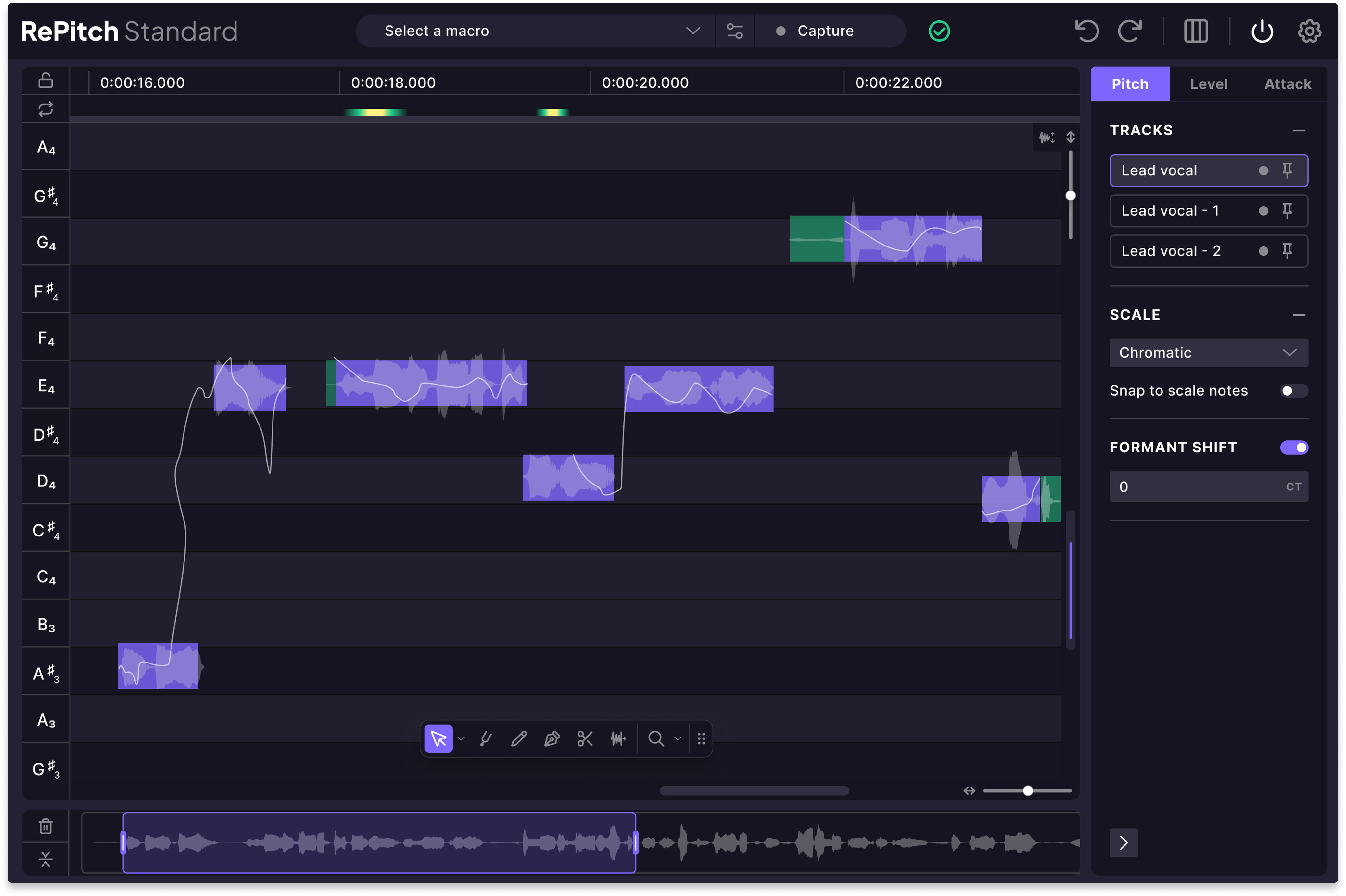
Overview of RePitch Standard
| Type: | Pitch editor |
| Operating System: | macOS, Windows |
| Format: | AU, VST3, AAX |
| Price: | $149 outside LANDR Studio |
RePitch Standard is built for detailed tuning that still feels modern and fast. Tools like SmartAttack and the Shaper make it easier to preserve natural note transitions, which is where a lot of tuning plugins can get “plasticky” if you are not careful.
It’s also designed with multi-track workflows in mind, which matters if you are working on stacked vocals and you want edits to feel consistent. If you like the idea of deep control but want a workflow that stays practical, RePitch is worth serious consideration.
Pros:
- Detailed pitch editing with tools aimed at natural results
- Multi-track editing features for vocal stacks
- Formant controls help preserve character
Cons
- More involved than “set it and forget it” tuners
- Pricing can vary depending on upgrades
Get the plugin here.
Back to top ⬆️
8. FabFilter Pro-Q 4 (Paid)
Best EQ plugin for vocal tone shaping.
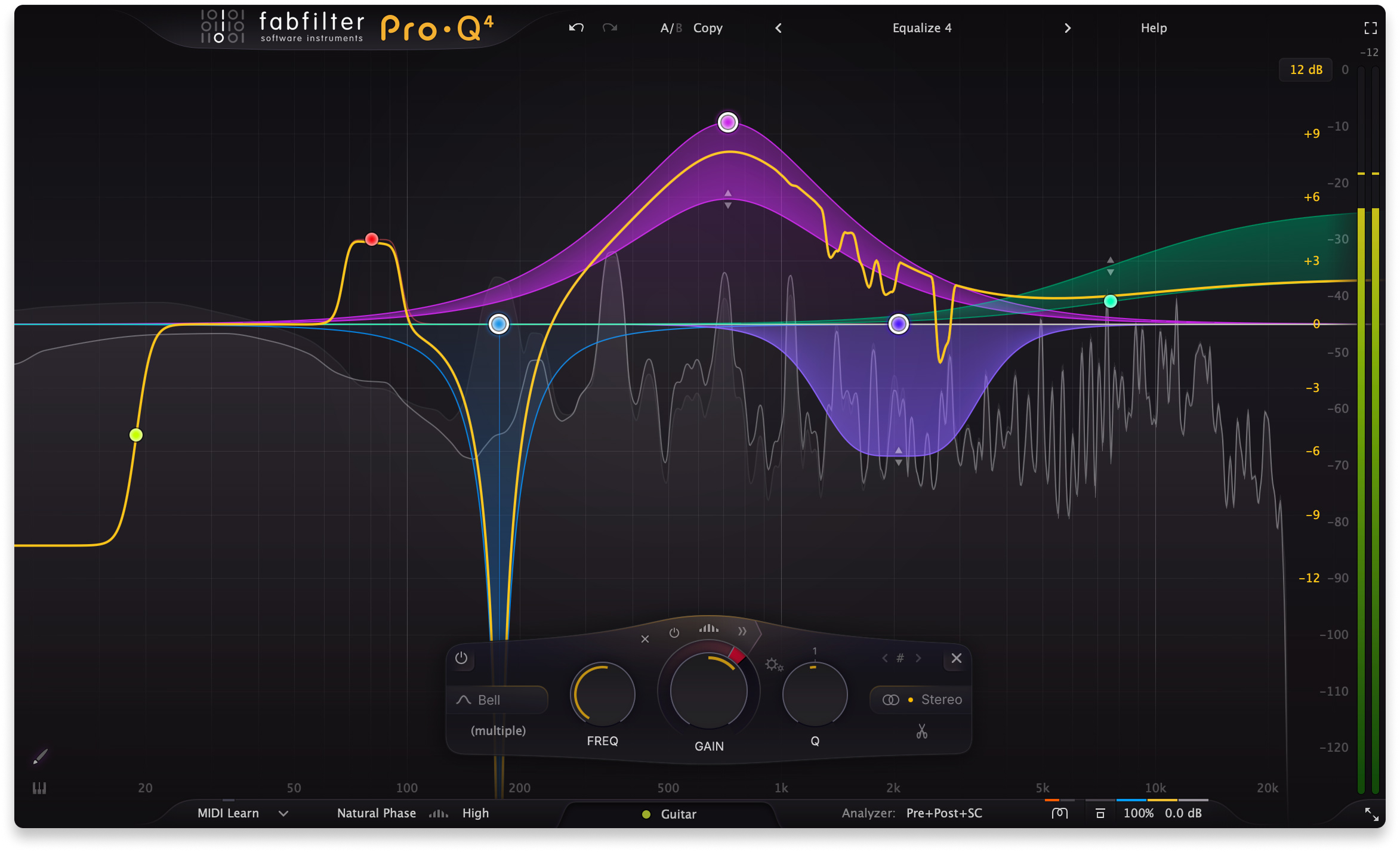
Overview of Pro-Q 4
| Type: | EQ |
| Operating System: | macOS, Windows |
| Format: | VST, VST3, AU, CLAP, AAX |
| Price: | $199 |
Pro-Q 4 is not a “vocal plugin” in the typical sense, but it’s without a doubt one of the most important tools for making vocals sound finished. Great vocal mixes often come down to controlling problem frequencies and building a clear, consistent tone, and Pro-Q 4 is built for that kind of work.
We’re particularly big fans of its Dynamic EQ feature, which is essentially a multiband dynamics tool that suppresses peaks as they appear rather than flattening all the time. We find the interface is also fast enough that you can make precise moves without breaking your creative flow.
Pros:
- Extremely fast workflow for surgical and musical EQ
- Dynamic and spectral-style control for harshness and resonances
- Works equally well on tracks, buses, and vocal chains
Cons
- Not a “one knob” solution, it rewards careful listening
- Easy to over-process if you chase visuals instead of sound
Get the plugin here.
Back to top ⬆️
9. Techivation T-De-Esser 2 (Free)
Best free plugin for smooth, musical de-essing.
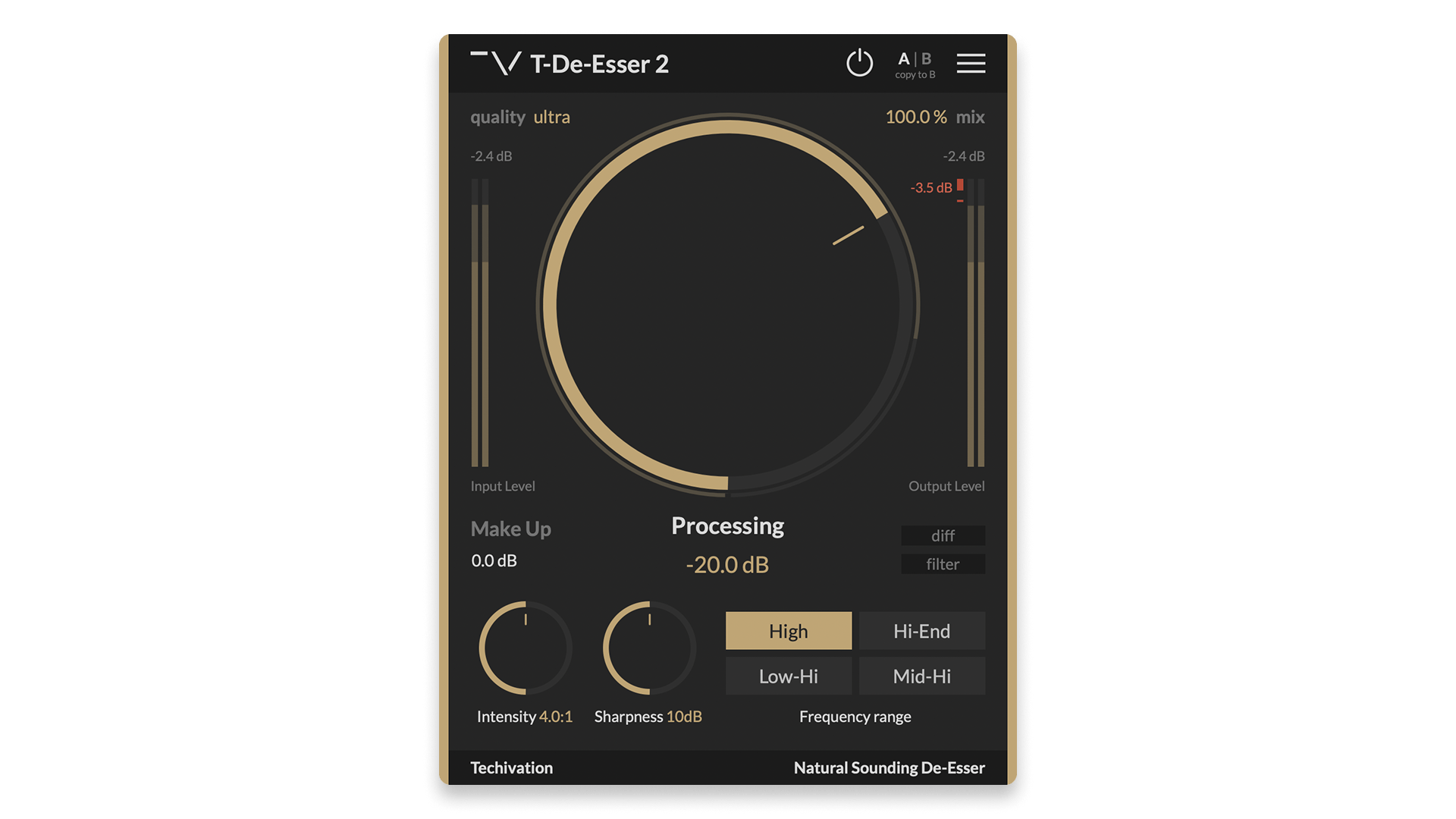
Overview of T-De-Esser 2
| Type: | De-esser |
| Operating System: | macOS, Windows |
| Format: | VST, VST3, AU, AAX |
T-De-Esser 2 is a great example of a plugin that stays simple but sounds expensive. It is designed to reduce sibilance and harsh high frequencies without turning the vocal dull or lispy.
It’s not the deepest tool out there, and it doesn’t have to be, but we do love the monitoring modes in particular. “Diff” allows you to hear the difference between the processed and original signals, while “Filter” allows you to hear only the frequencies that the tool is targeting.
Over all, the workflow is quick: choose the range, set the sensitivity, then shape the intensity and sharpness. In most cases, it does exactly what you want, which is to make the vocal smoother without drawing attention to the processing.
Pros:
- Fast, natural de-essing with minimal setup
- Useful monitoring modes for dialing in problem ranges
- Free and easy to recommend
Cons
- Minimal controls may feel limited for extreme problem recordings
- Still requires careful gain staging in a dense vocal chain
Get the plugin here.
Back to top ⬆️
10. Klanghelm DC1A (Free)
Best free compressor for quick vocal control and character.
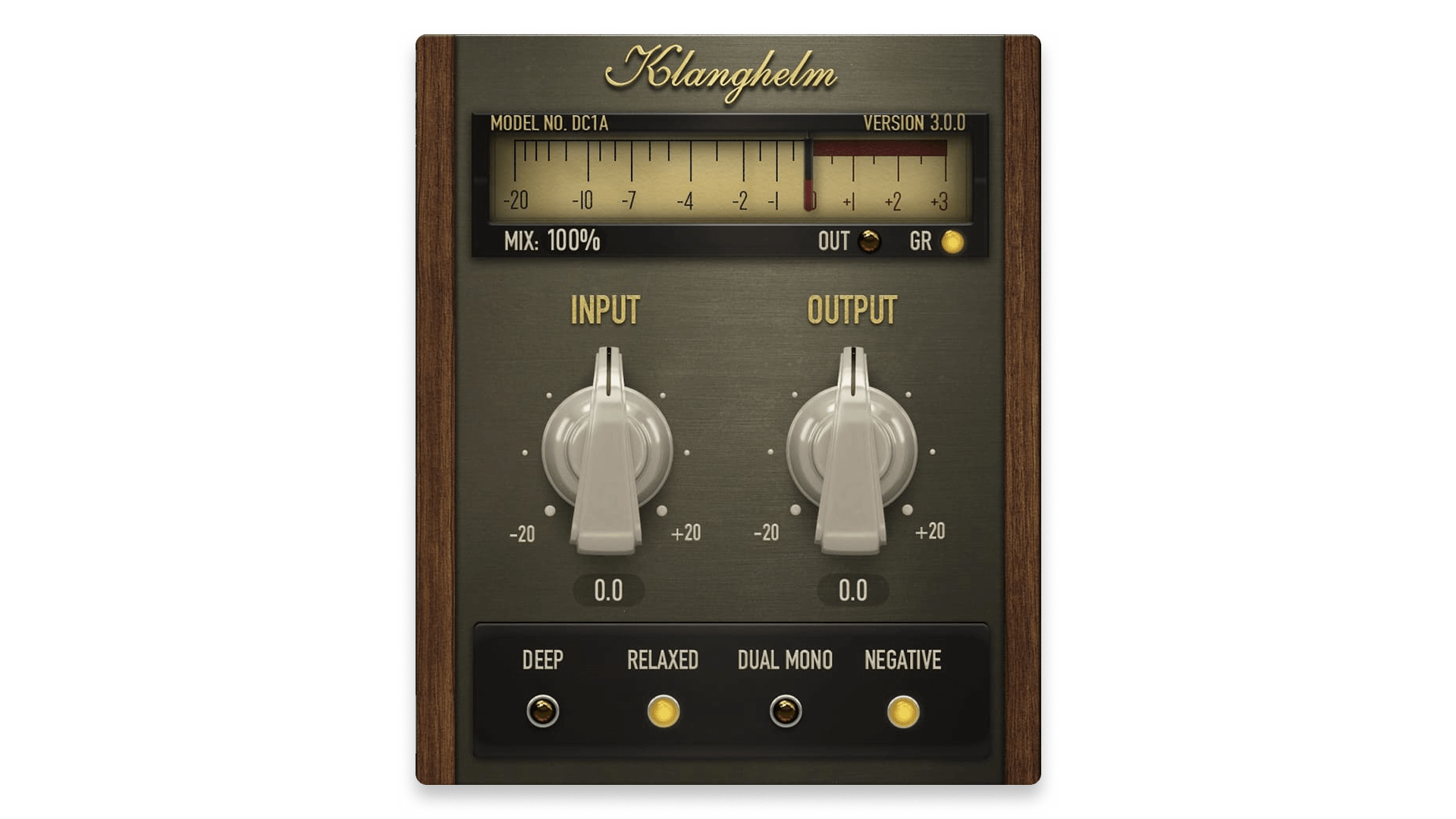
Overview of DC1A
| Type: | Compressor |
| Operating System: | macOS, Windows |
| Format: | VST, VST3, AU, AAX |
DC1A is a rare kind of compressor: minimal controls, but genuinely usable on real mixes. For vocals, it is great when you want quick leveling with a bit of attitude, especially on aggressive genres or vocals that need to feel forward.
Because it is so simple, it invites fast decisions. While testing it out in our sessions, we liked to drive the input until it felt right, then trim the output. It can do subtle control, but it also does bold, punchy compression with saturation if you push it.
Pros:
- Fast two-knob workflow
- Can be transparent or characterful
- Free and extremely practical
Cons
- Limited visible controls compared to full compressors
- Can get heavy-handed if you push it without listening closely
Get the plugin here.
Back to top ⬆️
11. iZotope Nectar 4 (Paid)
Best vocal plugin suite for mixing, producing, and polishing vocals.
Overview of Nectar 4
| Type: | Vocal suite |
| Operating System: | macOS, Windows |
| Format: | AU, AAX, VST3 |
| Price: | $299 |
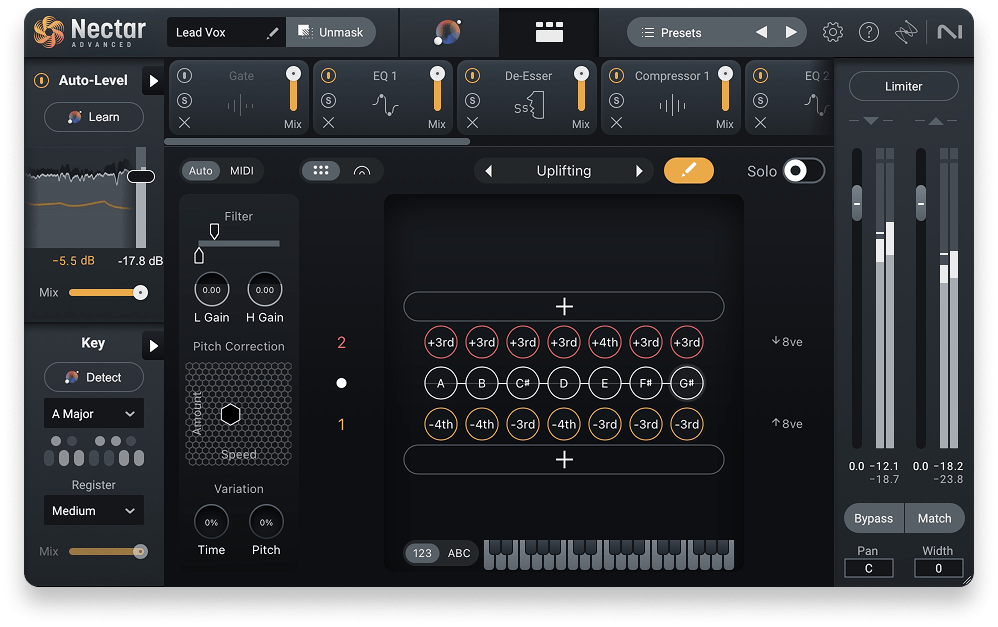
Nectar 4 is built to cover the entire vocal journey, from corrective moves to creative production. The mix of assistive workflows and detailed modules makes it a strong choice for beginners and pros, depending on how deep you want to go.
It is especially useful when you want a consistent vocal sound across a project. You can build a repeatable chain, adjust quickly for different singers, and keep moving. Newer tools like auto leveling and harmony-style production options also make it more than a mixing plugin, it can shape the arrangement too.
It’s certainly a premium-level tool at a premium price, but it can be well worth the investment depending on your budget and your needs.
Pros:
- Complete vocal workflow in one ecosystem
- Assistant tools speed up starting points
- Strong mix of corrective and creative modules
Cons
- Feature set varies by edition
- Can feel like overkill if you only need one job done
Get the plugin here.
Back to top ⬆️
12. Acon Digital Multiply (Free)
Best free plugin for clean chorus and voice doubling.
Overview of Multiply
| Type: | Chorus |
| Operating System: | macOS, Windows |
| Format: | VST, VST3, AU, AAX |
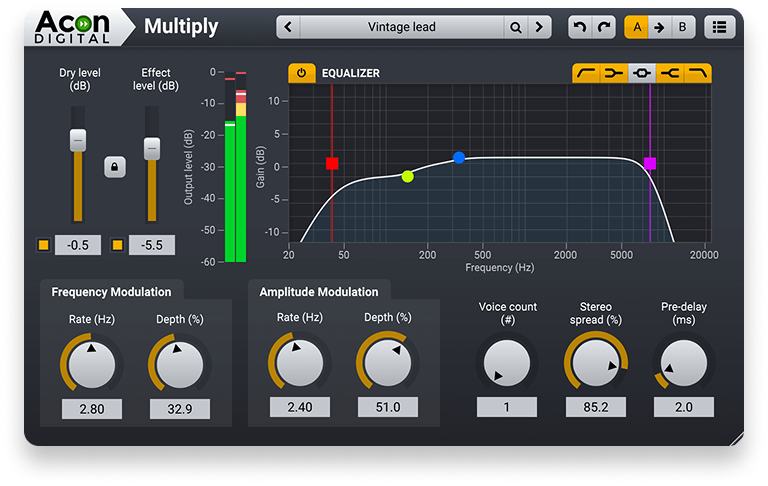
As soon as we started playing with it, Multiply was clearly one of the better “free widening” options we’ve come across. This is because, quite simply, it stays clean and transparent.
This is thanks to the phase-randomized approach to its processing, which helped us avoid the comb filtering and metallic artifacts that can make chorus effects feel cheap on vocals.
It works great for subtle backing vocal width, gentle thickening on hooks, or adding movement to ad-libs without turning the vocal into a wash. It is also lightweight and easy to dial in.
Pros:
- Clean widening without harsh chorus artifacts
- Useful for vocals and instruments
- Free and lightweight
Cons
- Can smear intelligibility if you overdo the depth
- Not a replacement for true double tracking
Get the plugin here.
Back to top ⬆️
13. Waves Vocal Rider (Paid)
Best vocal plugin for automatic leveling without heavy compression.
Overview of Vocal Rider
| Type: | Leveling |
| Operating System: | macOS, Windows |
| Format: | VST3, AU, AAX |
| Price: | $34.99 |
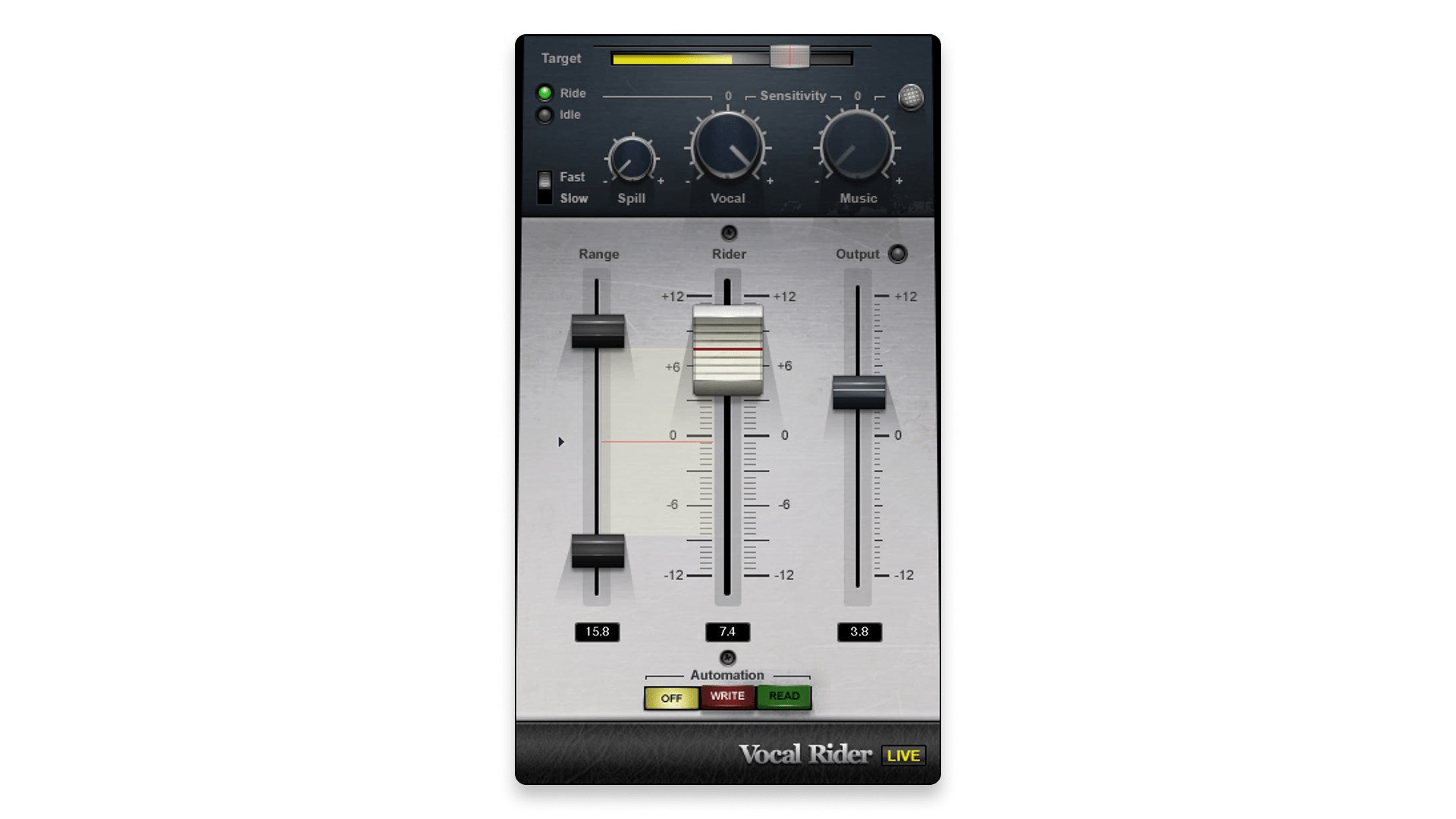
Vocal Rider does one job extremely well: it keeps the vocal at a consistent level by riding gain like smart automation. The big advantage is that it preserves the natural dynamics better than over-compressing everything into place.
We found it to be especially helpful on vocals with inconsistent mic distance, dynamic singers, or dense arrangements where the vocal needs to stay present. The sidechaining feature was particularly useful in our testing sessions. This allows Vocal Rider to adapt to your track, which can save a serious amount of time.
Pros:
- Quick, transparent level control
- Can write automation for later fine tuning
- Great time saver on long sessions
Cons
- Not a replacement for good compression choices
- Can chase noise and breaths if you set it too aggressively
Get the plugin here.
Back to top ⬆️
14. SoliderSound S Doubler (Free)
Best free plugin for fast vocal width and depth.
Overview of S Doubler
| Type: | Doubler |
| Operating System: | macOS, Windows |
| Format: | VST, VST3, AU, AAX |
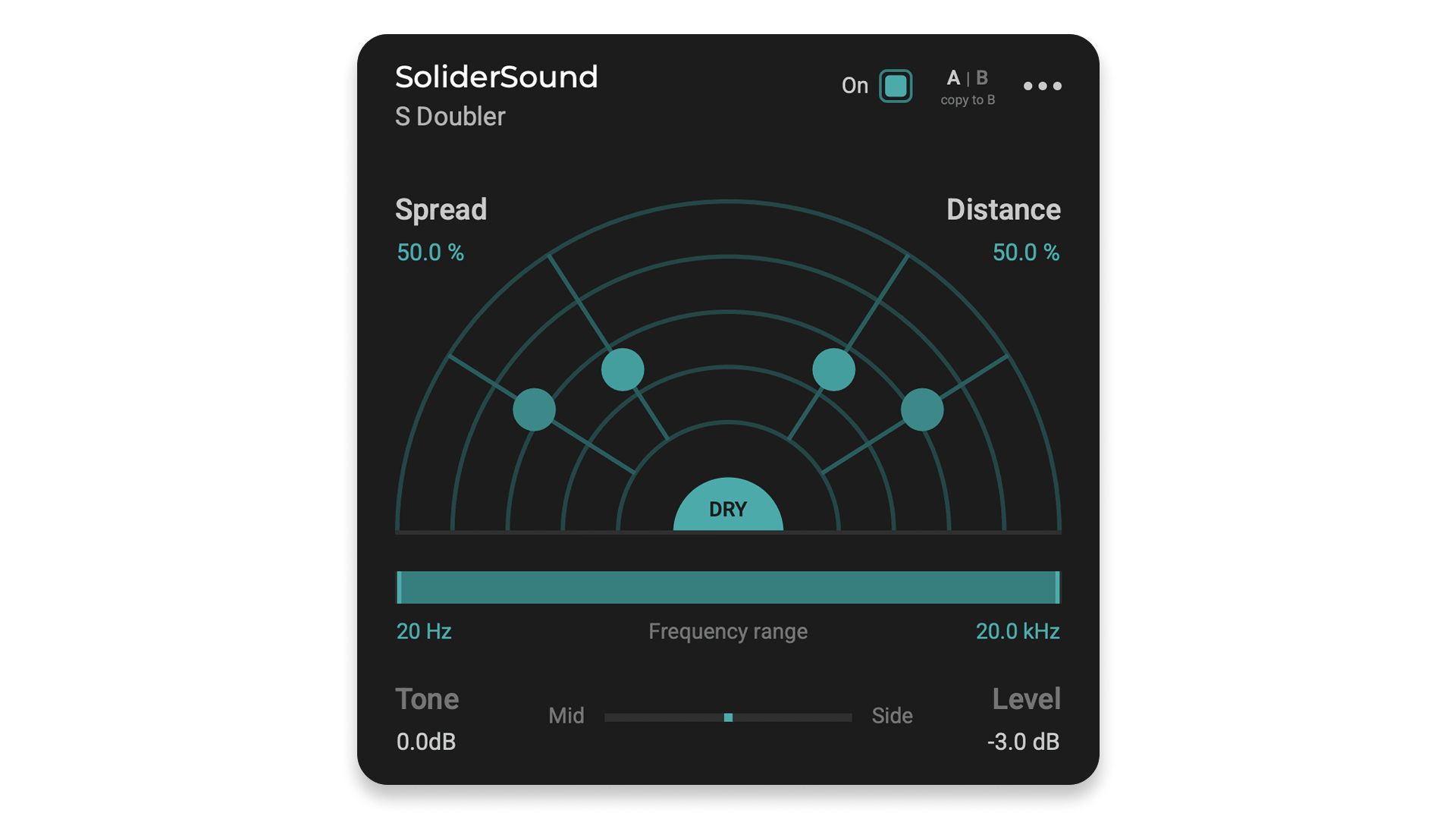
S Doubler is built to turn mono vocals into something wider and more immersive without a complicated chorus setup. We dig the “virtual sound stage” concept, which makes it easier to dial in spread and depth quickly. This is perfect for backing vocals, hooks, and ad-libs.
Our testing sessions also found it to be surprisingly flexible thanks to tone shaping and frequency range controls, which help keep the widening out of the way of the lead vocal’s intelligibility.
Pros:
- Fast, musical width and depth controls
- Good tone and range shaping for cleaner results
- Free and easy to use
Cons
- Can blur the center image if overused
- Not a replacement for carefully arranged doubles
Get the plugin here.
Back to top ⬆️
15. TDR Nova (Free)
Best free dynamic EQ for vocal control and de-essing.
Overview of TDR Nova
| Type: | Dynamic EQ |
| Operating System: | macOS, Windows |
| Format: | VST2, VST3, AU, AAX |
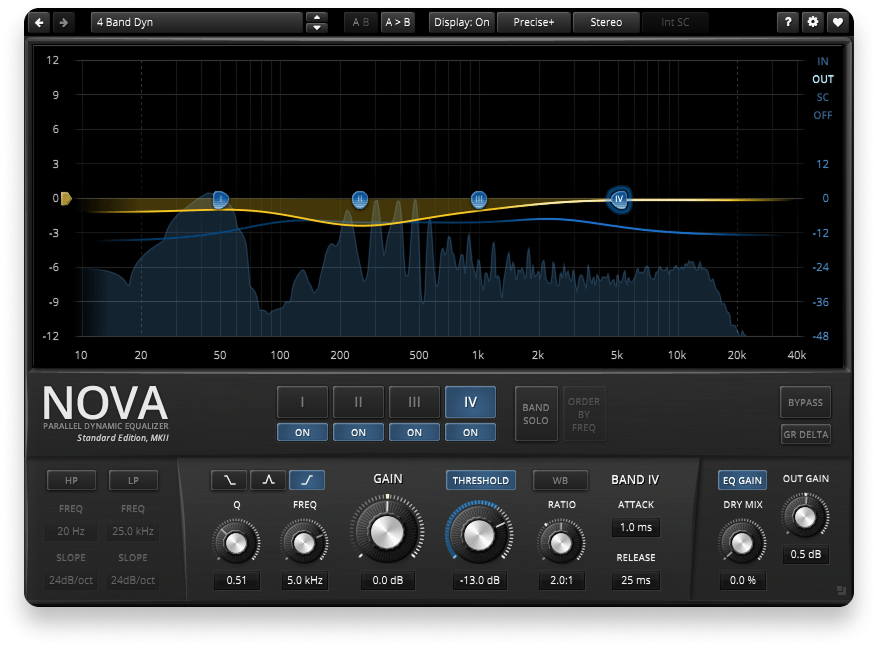
TDR Nova is one of the best free tools you can put on a vocal. Because it is a dynamic EQ, it can act like a de-esser, a resonance tamer, or a gentle multi-band controller depending on how you set it up.
This is especially useful for vocals where harshness comes and goes, or when you want to control boominess and boxiness without flattening the performance. It is also clean enough to use on buses and masters, which makes it a great “free staple” in any toolkit.
If you want some of the dynamic EQ magic of FabFilter’s Pro-Q 4 without having to pay FabFilter prices, we recommend giving this one a go.
Pros:
- Powerful dynamic EQ control in a clean interface
- Great for de-essing and resonance control
- Free and highly versatile
Cons
- Can feel technical if you are new to dynamic EQ
- Easy to over-process if you stack too many bands
Get the plugin here.
Back to top ⬆️
Buyer’s guide: What to look for in a vocal plugin
What is a vocal plugin?
A vocal plugin is any audio tool designed to improve, shape, or enhance recorded voice inside your DAW. That can mean corrective processing like pitch correction, timing alignment, de-essing, EQ, and leveling. It can also mean creative production tools like doubling, harmonies, saturation, and vocal-focused reverb.
In practice, vocal plugins help you keep a performance sounding like a performance while making it clearer, tighter, and more mix-ready.
What makes a good vocal plugin?
Finding the right vocal plugin is not about collecting the most tools. It is about choosing plugins that solve real problems quickly and stay musical.
Transparency matters. The best correction tools improve a vocal without making it sound processed, unless you want that sound on purpose.
Workflow matters just as much. Vocals are emotional and time-sensitive. Tools that are quick to set up and easy to hear are the ones you will actually use.
Know the difference between correction and production. Pitch editors and alignment tools fix performances. Suites and creative effects help shape the final sound. Most modern vocal chains need both, but not always in the same order.
Consistency is the goal. A great vocal mix usually comes down to steady levels, controlled harshness, and a clear tonal balance that matches the track.
However you approach it, the best vocal plugins are the ones that help you keep momentum. When your tools stay out of the way, the performance becomes the focus.

Alex Lavoie is a drummer, music producer, songwriter and marketing professional living in Montreal, Quebec. He works as a staff writer at LANDR by day and writes indie post-punk tunes in his band UTILS while moonlighting as drummer for folk-rock outfit The Painters. Connect with Alex Lavoie on LANDR Network!
@Alex LavoieGear guides, tips, tutorials, inspiration and more—delivered weekly.
Keep up with the LANDR Blog.