
The 15 Best Synth Plugins (Free and Paid)
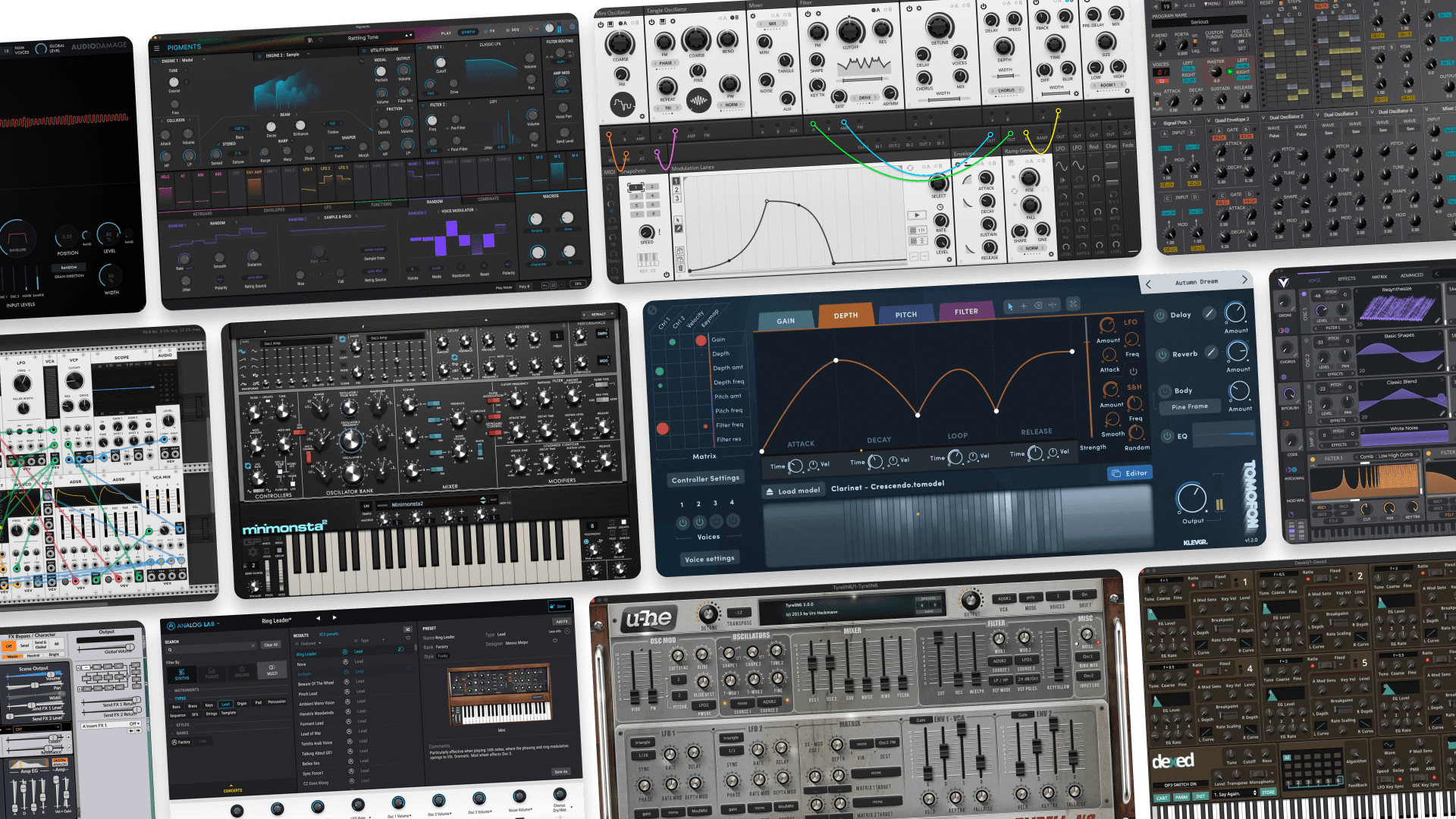
If there’s one thing we know about synth plugins, it’s that they can be extremely varied in quality, functionality, sonic character, and workflow.
We also know that price tells you very little about whether or not it’ll be right for you. The only way you can know is by gather the opinions of experienced producers, trying them out yourself, or both.
With all of this in mind, we’ve rounded up a fresh list of the best synth plugins out there today. You’ll gain a better sense of whether or not they’re worth your time or money, and most importantly, which ones speak to you as a producer.
Let’s dive straight in.
Contents
- Vital
- Arturia Analog Lab INTRO
- Dexed
- AAS Session Bundle
- VCV Rack
- UVI Digital Synsations Bundle
- Surge XT
- Arturia Pigments
- Full Bucket Music Synth Plugins
- GForce Minimonsta2
- u-he Tyrell N6
- Klevgrand Tomofon
- TAL Noisemaker
- Toybox Audio Tangle Synth
- Audio Damage Quanta 2
- Buyer’s guide: What to look for in a synth plugin
TL;DR – Our top picks
Best Synth Plugins
| Best workhorse synth plugin: | Arturia Pigments |
| Best synth plugin bundle: | UVI Digital Synsations |
| Best unique synth plugin: | Audio Damage Quanta 2 |
| Best free synth plugin: | Vital |
⭐ Best workhorse synth plugin: Arturia Pigments
For us, this was an obvious choice. Ever since we first used Pigments shortly after its original launch, we’ve loved nearly everything about it. For one thing, its extremely deep and versatile. At the same time, it’s elegantly designed and a joy to use, especially when you commit to it.
Its hybrid engine design makes a vast range of sounds possible, from meaty analog-style bass and lead patches to rich, ethereal pads and soundscapes. This makes it our no-brainer option for a paid synth plugin that will likely be your studio workhorse for quite some time. Our full take is in the list below.
⭐ Best synth plugin bundle: UVI Digital Synsations
So far our top picks have been synth plugins that are built on synthesis engines. This means that you’ll either be using presets or building patches yourself. It also means that you’ll almost always be getting a modern sound from them. The Digital Synsations bundle from UVI is different.
This bundle offers four synths inspired by classic late-80s and early 90s units. The original hardware synths have been sampled to offer an impeccable palette of sounds from those eras, and we pretty much instantly feel in love with them as a result. Our full take goes into more detail.
⭐ Best free synth plugin: Vital
If you need a versatile all-rounder but can’t fit Pigments or an equivalent synth into the budget, we think Vital is the one to go for. It’s remarkably full-featured for being a free synth, and is similar to Pigments in its multi-engine architecture.
While its feature set may not be as dense as some premium options out there, it has every essential element you need in a synth plugin, and it’s also pretty easy to learn. Plus, its online community and its AI preset generator mean you’ll have more inspiration fuel than you could hope for. Take a look at our full take in the list.
⭐ Best unique synth plugin: Audio Damage Quanta 2
Sometimes (or maybe all the time, depending on the kind of music you make) you need a synth plugin that more easily takes you beyond the usual classic sounds and into experimental territory. For this, our pick is Audio Damage Quanta 2.
Yes, there are weirder and more experimental synths out there. But in our experience, Quanta strikes an elegant balance between simplicity and possibility. Its particular blend of subtractive and granular synthesis styles isn’t an earth-shattering innovation, but it’s implemented in such a smart way that it’s consistently given us unique yet musical results without fuss.
1. Vital (Free)
Best free synth plugin for modern sound design.
Overview of Vital
| Type: | Spectral warping wavetable synthesizer |
| Operating System: | macOS, Windows, Linux |
| Format: | VST, VST3, AU |
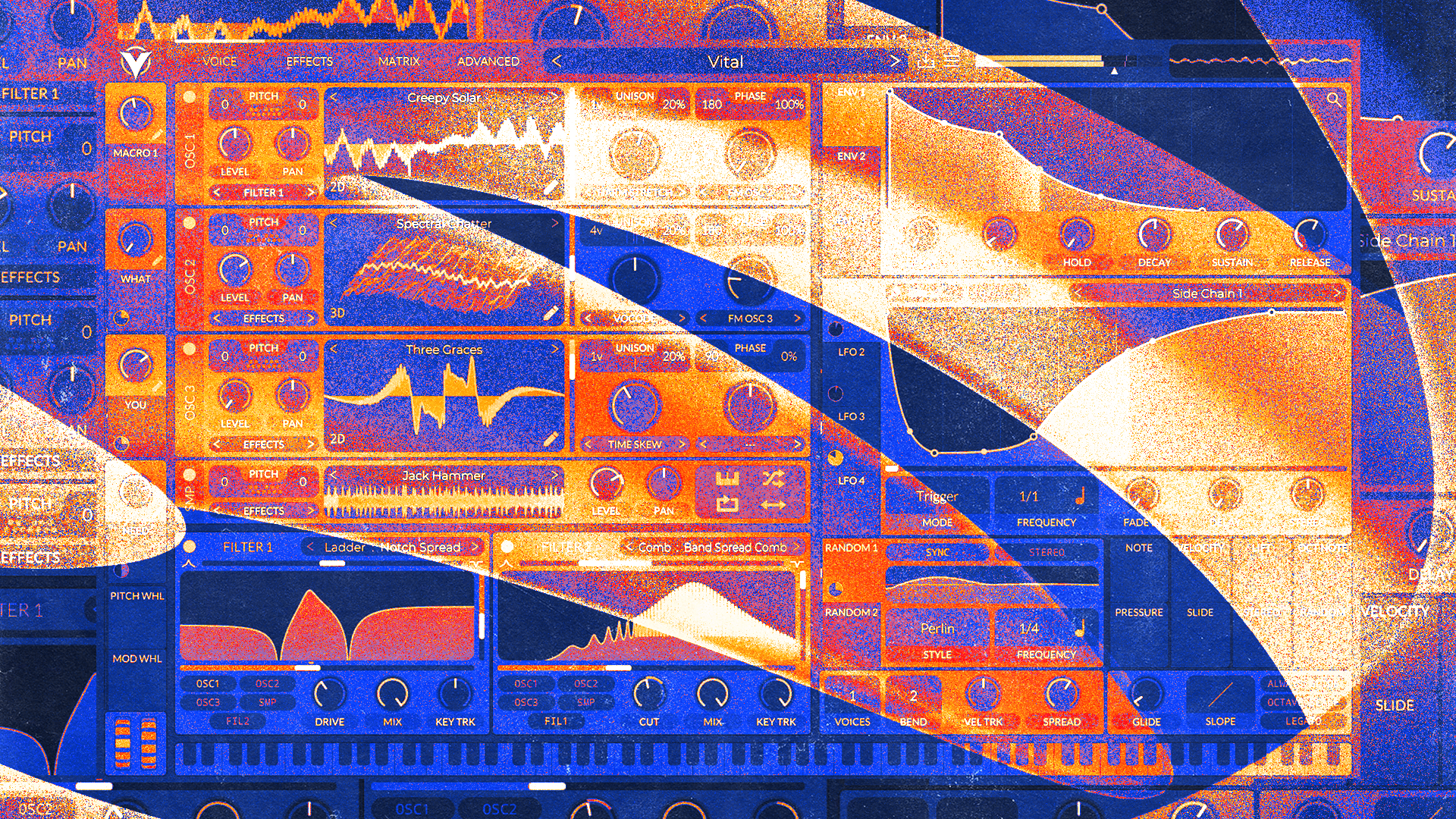
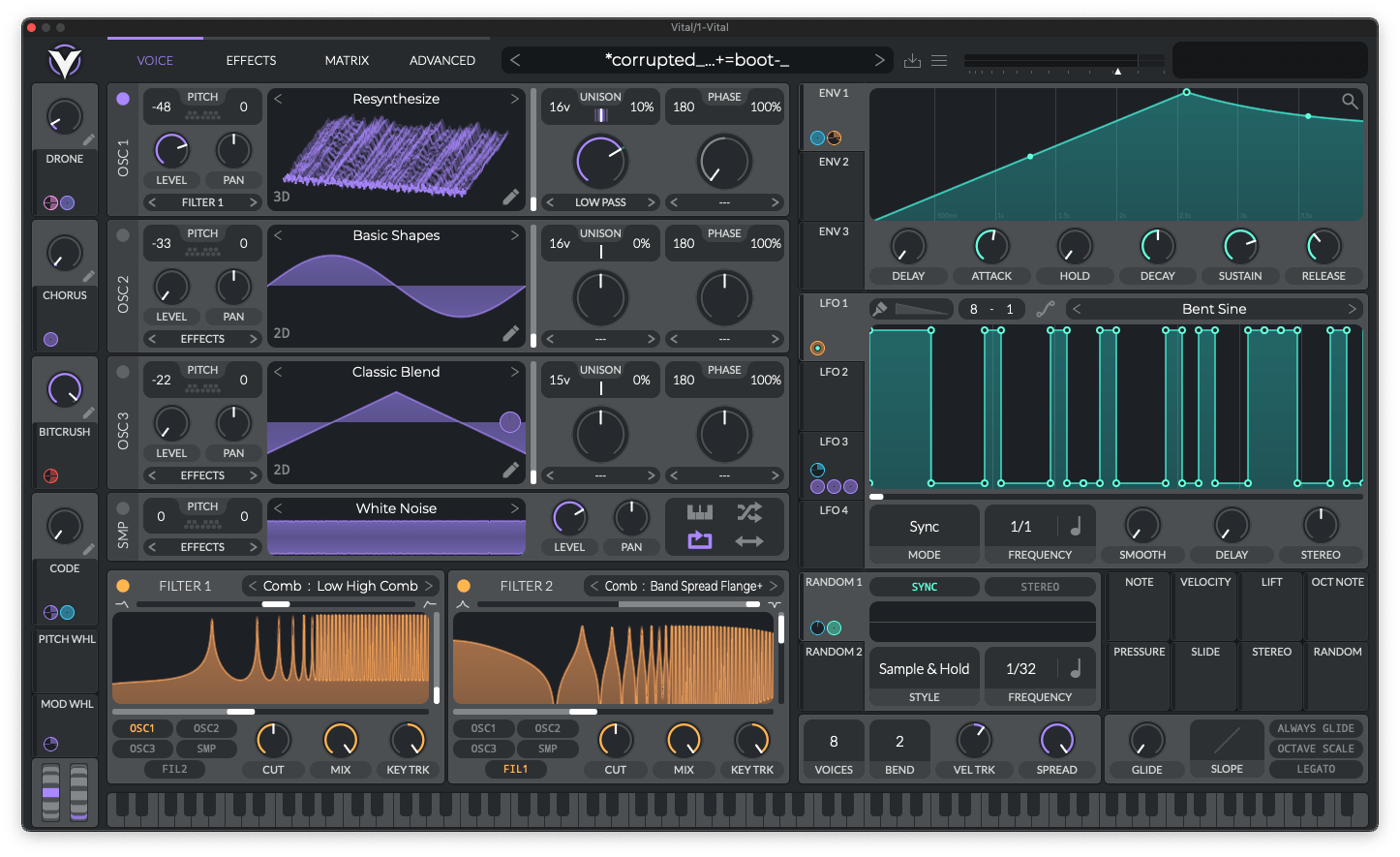
Vital is one of the strongest free synths we have used for modern electronic production. It’s comprehensive, relatively easy to learn, and has a very strong community around it.
So strong, in fact, that there are thousands of free Vital synth patches out there and even an AI-powered preset generator.
In our experience, the spectral warping tools and wavetable workflow make it easy to move from a basic waveform to a more complex yet mix-ready tone without relying on external effects. The visual feedback also helps when you are learning how changes in modulation and filtering actually affect the sound.
We are also big fans of the modulation and macro system.
Being able to click and drag from any modulation source to any destination offers a far quicker and more intuitive way to make modulation happen. The macro system, meanwhile, makes it easy to enable changes of multiple parameters with a single knob, which is excellent for performance and transformation.
If you’re new to synthesis, it may take a bit of time to get the hang of this one, but in our opinion, it’s a great synth to learn with.
Pros:
- Sound design tools go well beyond typical “free synth” expectations
- Clear, visual workflow that makes modulation easier to implement and understand
- Good support for expressive control (including MPE and microtuning)
Cons
- Can run heavy once you stack voices and modulation
- Workflow is deeper than it looks, so beginners may need a little ramp-up time
Get the plugin here.
Back to top ⬆️
2. Arturia Analog Lab INTRO (Included in LANDR Studio)
Best plugin for classic synth sounds in one place.
Overview of Analog Lab INTRO
| Type: | Preset-based keyboard and synth instrument |
| Operating System: | macOS, Windows |
| Format: | VST3, AU, AAX |
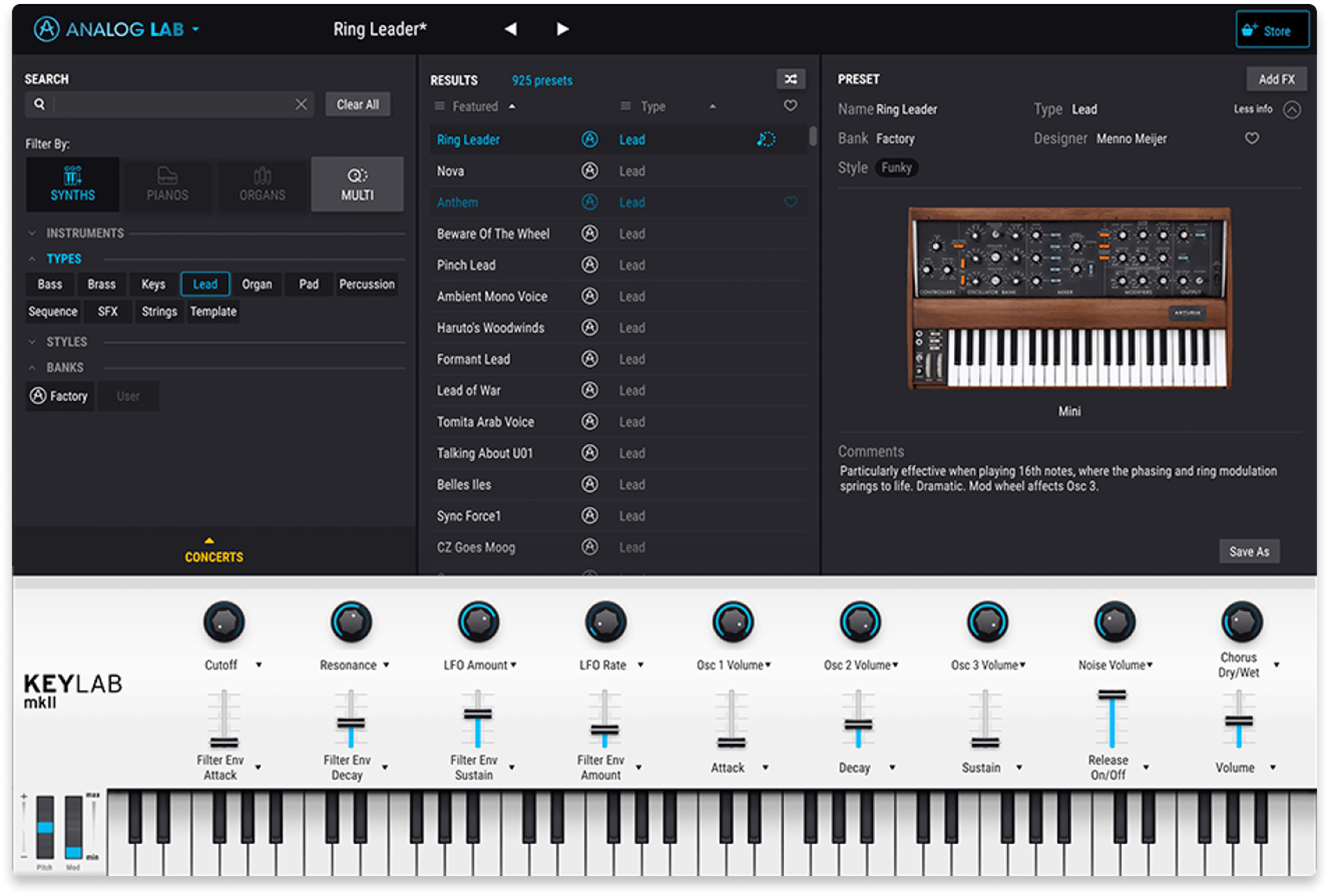
Analog Lab INTRO is aimed at producers who want the “greatest hits” of Arturia’s keyboard and synth catalogue in one place.
To our tastes, the curation of its sounds is very on point, offering a pretty wide range of essentials that range from contemporary to timeless. We are also particularly fond of the browsing system, which makes it easy and even engaging to find the perfect fit for a track.
On top of all this, we also find it’s an excellent tool for getting acquainted with classic hardware synths and their respective characters without having to gain access to them in real life (some of them are extremely rare and valued in the tens of thousands).
In our experience with this one, it works best when you treat it like a fast preset and performance instrument: browse, tweak a few key controls, and get the part recorded. If you want deep synthesis editing, it is not the tool, but for quick access to classic-inspired tones it does the job beautifully. We’re very happy to have this included in LANDR Studio.
Pros:
- Wide variety of tailored, playable presets in a single interface
- Quick workflow for writing and arranging parts
- Solid option for producers who do not want to manage a large instrument suite
Cons
- Editing is more about performance tweaks than full sound design
- You may outgrow it if you prefer building deep patches from scratch
Get the plugin here.
Back to top ⬆️
3. Dexed (Free)
Best free plugin for classic FM synthesis.
Overview of Dexed
| Type: | FM synthesizer |
| Operating System: | macOS, Windows, Linux |
| Format: | VST, AU, LV2 |
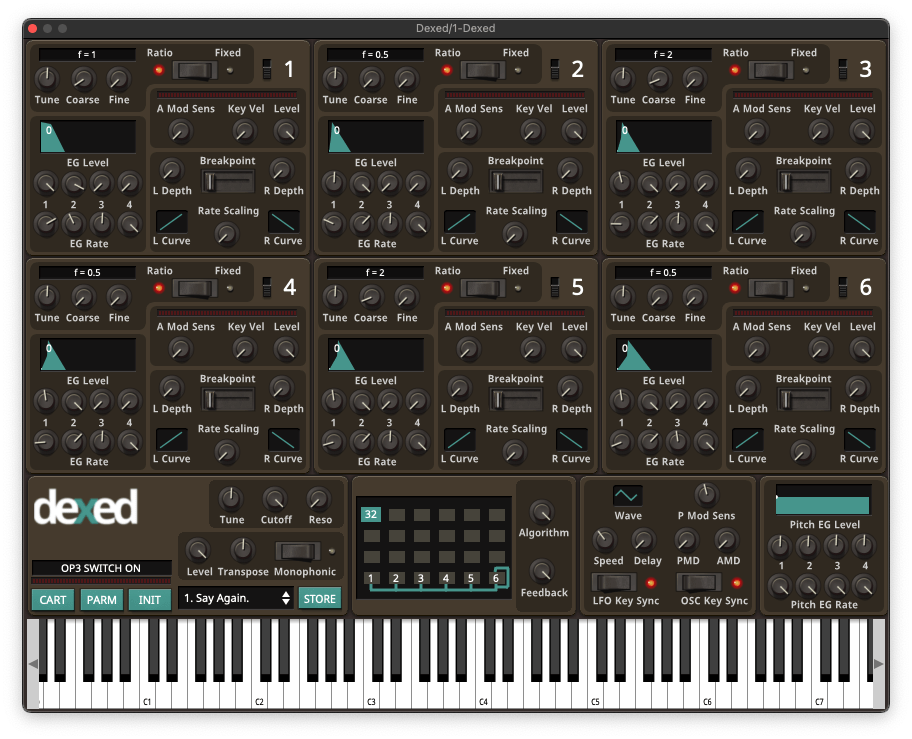
Dexed is still one of the most practical ways to get DX7-style FM synthesis in a modern setup. Considering how challenging multi-operator FM synthesis can be, Dexed gives you a clearly-designed interface that makes programming far more manageable.
However, if your main goal is to explore and tweak the tens of thousands of DX7 patches that are floating around in cyberspace today, Dexed is especially useful. This is because it can load any DX7 patch.
You could, for example, poke around in this well-respected archive, download a SysEx file, and experiment with the patches it contains within minutes.
In our testing sessions, Dexed nailed the familiar digital keys, bells, and basses you expect. The character of its sound is a bit cleaner than a hardware DX7, but it is otherwise a 1:1 emulation of the synthesis architecture. It becomes particularly enjoyable once you build a go-to library of patches to start from rather than programming from zero every time.
Pros:
- Convincing DX7-style FM tone for a free plugin
- Loads and manages DX7 SysEx patches
- Runs on all major desktop platforms
Cons
- FM programming still has a learning curve
- Interface is functional, but not the most inviting for long sessions
Get the plugin here.
Back to top ⬆️
4. AAS Session Bundle (Included in LANDR Studio)
Best plugin bundle for realistic, playable instrument parts.
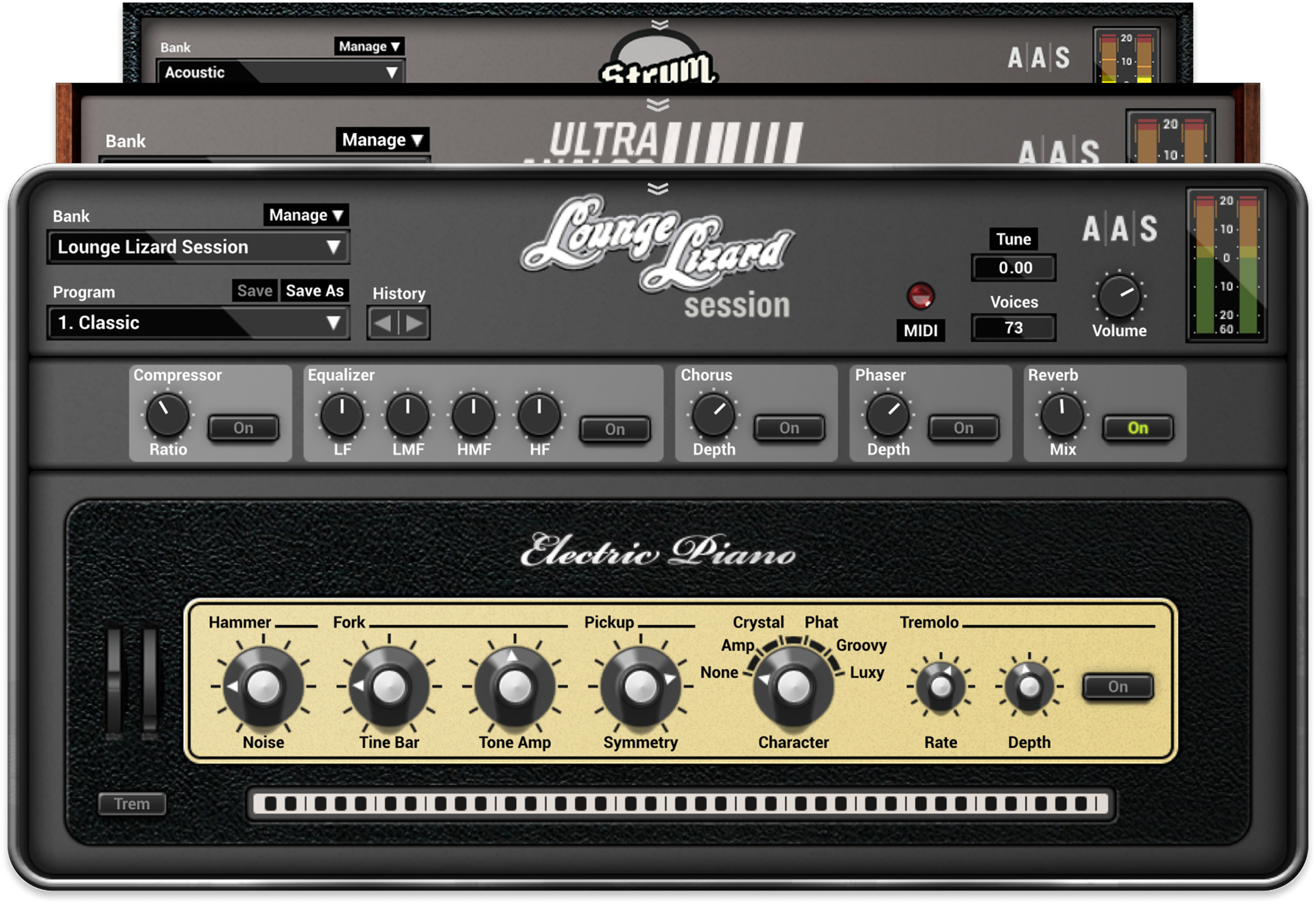
Overview of AAS Session Bundle
| Type: | Physical modelling instrument bundle |
| Operating System: | macOS, Windows |
| Format: | VST, AU, AAX |
| Price (Separately): | $99 |
These instruments are streamlined versions of three instruments made by AAS — Lounge Lizard Session, Strum Session, and Ultra Analog Session. These are, respectively, a Rhodes piano emulation, an acoustic/electric guitar emulation, and an analog synth emulation.
Physical modelling aims to emulate the physical characteristics of a sound source and how it generates sound. In a nutshell, this means a particular kind of realism and tactility to the sound that you can’t accomplish as easily with other methods.
In our testing , the strength is how quickly you can get useful electric piano, guitar-style textures, and straightforward analog tones into a track without a big CPU hit or a huge library install. It is not designed to replace a full synth suite, but it covers a lot of everyday songwriting duties very well.
Over all, this bundle is a smart pick when you want parts that feel responsive under the fingers rather than purely synthetic. We love having it in LANDR Studio, as it brings a kind of realism to the offering that few other instruments provide.
Pros:
- Expressive, playable instruments that sit well in typical mixes
- Small footprint and quick workflow for sketching ideas
- Good variety across keys, guitar-style parts, and synth fundamentals
Cons
- Session instruments are streamlined compared to the full Professional Series versions
- Less suited to very aggressive sound design or highly experimental synthesis
Get the plugin here.
Back to top ⬆️
5. VCV Rack (Free)
Best modular synth plugin for experimental sound design.
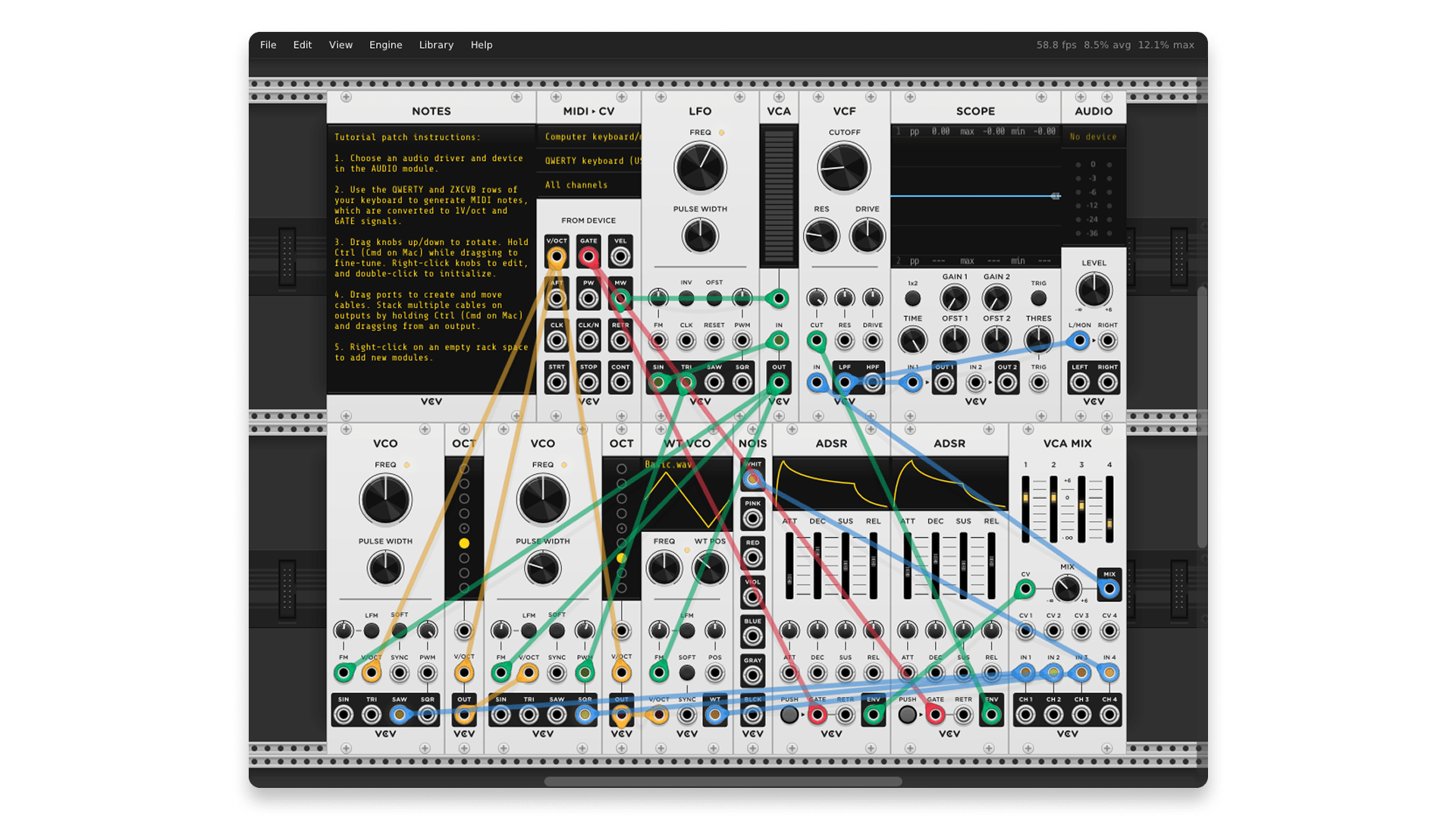
Overview of VCV Rack
| Type: | Modular synthesizer |
| Operating System: | macOS, Windows, Linux |
| Format: | VST |
VCV Rack is the closest thing to learning and working in a eurorack environment without the hardware cost.
As hardware eurorack users ourselves, we’re big fans of this platform, as it offers 1:1 software emulations of some of the best hardware modules out there. This is a godsend whether you want to try a module before buying its physical form or you don’t use eurorack hardware at all.
In our testing, it excelled when you approach it as an instrument-building platform: patch your own voice, add modulation, and let happy accidents happen.
It can also work as a plugin inside a DAW, but the real value is the depth and the ecosystem of modules. Be warned, however — eurorack can be addictive, and VCV Rack might be a gateway drug to the real thing…
Pros:
- Extremely flexible modular workflow for sound design and generative patches
- Large selection of modules, with plenty of free options
- Great for learning modular concepts in a practical way
Cons
- Steep learning curve if you are new to modular routing
- Easy to spend time building tools instead of finishing tracks
Get the plugin here.
Back to top ⬆️
6. UVI Digital Synsations Bundle (Included in LANDR Studio)
Best plugin bundle for 90s digital synth textures.
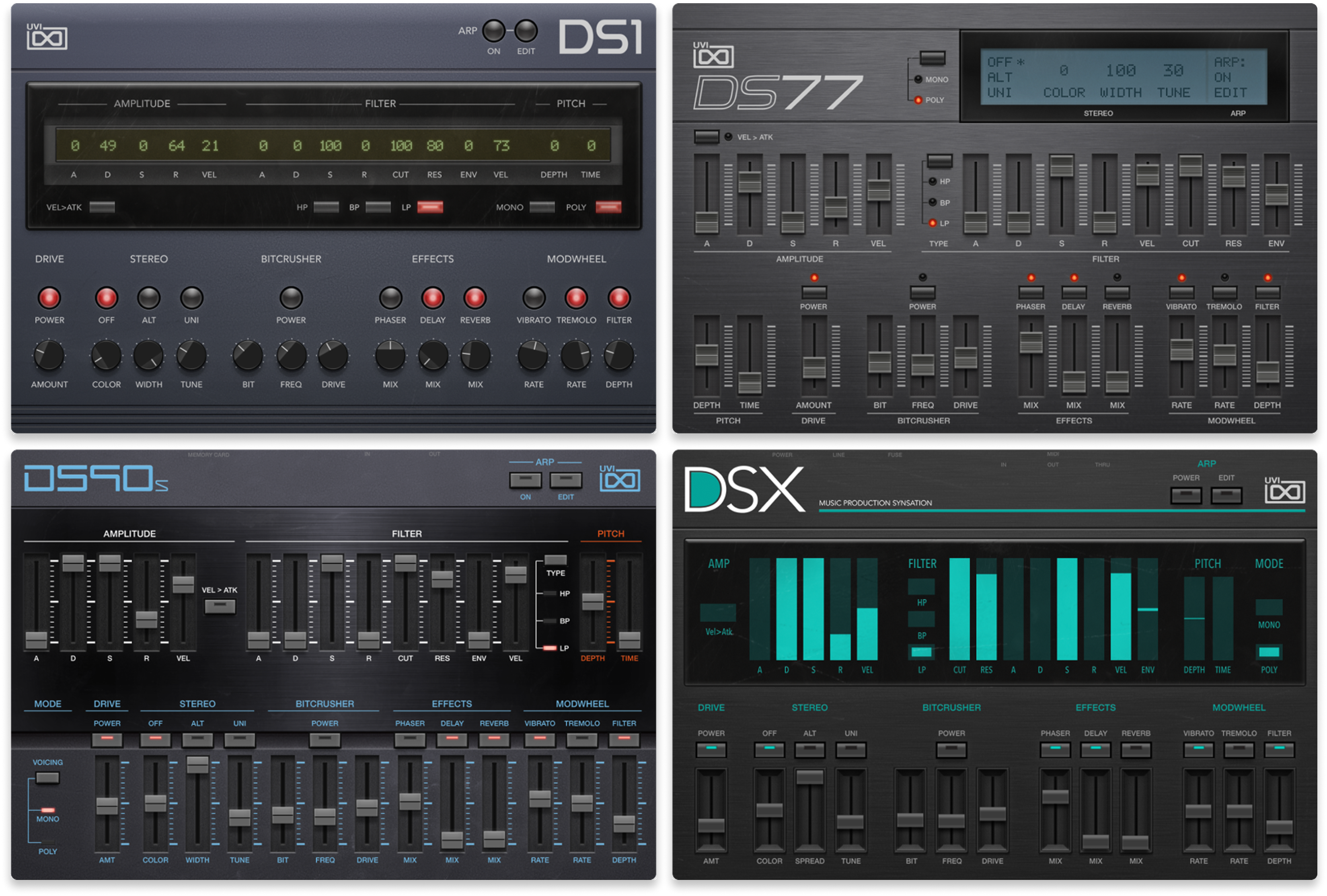
Overview of UVI Digital Synsations Bundle
| Type: | Multi-instrument digital synth collection |
| Operating System: | macOS, Windows |
| Format: | AU, AAX, VST, VST3 |
| Price (Separately): | $149 |
One thing we’ve noticed about both music production and the synthesizer ecosystem lately is that pure analog is no longer the most desirable route to satisfying sounds.
Instead, hybrid synths, vintage digital synths, and classic ROMplers have entered the chat via the growing popularity of old school jungle/drum ‘n’ bass, trip-hop, 90s video game music, and ethereal ambient tracks.
Digital Synsations is loaded with these kinds of sounds. This is because it offers four instruments that are multi-sampled from classic hardware units of the era.
In our testing, the presets were the main attraction: you can move quickly through keys, pads, and hybrid textures that feel familiar but still fit modern production. If you make any kind of music that suits a bit of nostaligc digital vibe, this bundle is the way to go. It makes an excellent addition to LANDR Studio.
Pros:
- Large preset library and four distinct “era” instruments
- Quick results if you prefer browsing over programming
- Plenty of expressive, characterful tones for keys and pads
Cons
- More about curated instruments than deep synthesis editing
- Workflow depends on the UVI ecosystem, which may be a shift if you are used to single-plugin instruments
Get the plugin here.
Back to top ⬆️
7. Surge XT (Free)
Best free synth plugin for advanced synthesis.
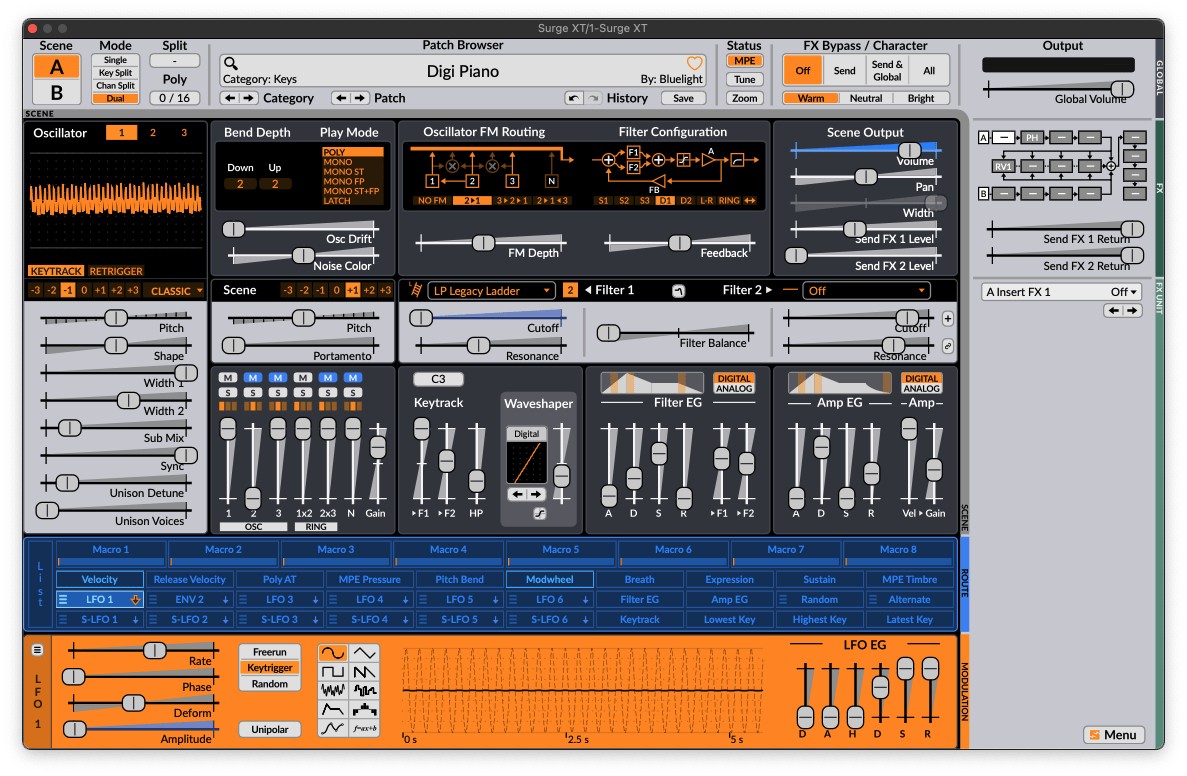
Overview of Surge XT
| Type: | Open-source hybrid synthesizer |
| Operating System: | macOS, Windows, Linux |
| Format: | VST3, AU, CLAP, LV2 |
Surge XT is one of the few free synths that can serve as the core of a serious sound design setup. While Vital tends to be more accessible to first-timers and follows a more traditional design philosophy, Surge is for those who love to roll their sleeves up and build rich and complex patches.
It’s trickier to use than Vital and the learning curve is steeper, but in our opinion, the tradeoff is that the synthesis engine itself sounds quite a bit more impressive.
In our testing, it covers both straightforward subtractive patches and more dense and unusual textures without feeling like you are fighting the interface, but only after you take a fair bit of time to learn the layout.
The factory content is also unusually deep for a free instrument, which helps a lot if you want strong starting points.
So, if you like to get your hands dirty, this is the free synth for you.
Pros:
- Very deep synthesis and modulation for a free, open-source synth
- Huge factory library and strong browser tools
- Modern performance features like MPE and microtuning support
Cons
- Learning the architecture takes time if you are coming from preset-first synths
- It can feel like “too much synth” if you only need quick bread-and-butter sounds
Get the plugin here.
Back to top ⬆️
8. Arturia Pigments (Paid, trial available)
Best synth plugin for modern hybrid sound design.
Overview of Pigments
| Type: | Hybrid sound design synthesizer |
| Operating System: | macOS, Windows |
| Format: | VST, VST3, AU, AAX |
| Price: | $199 |
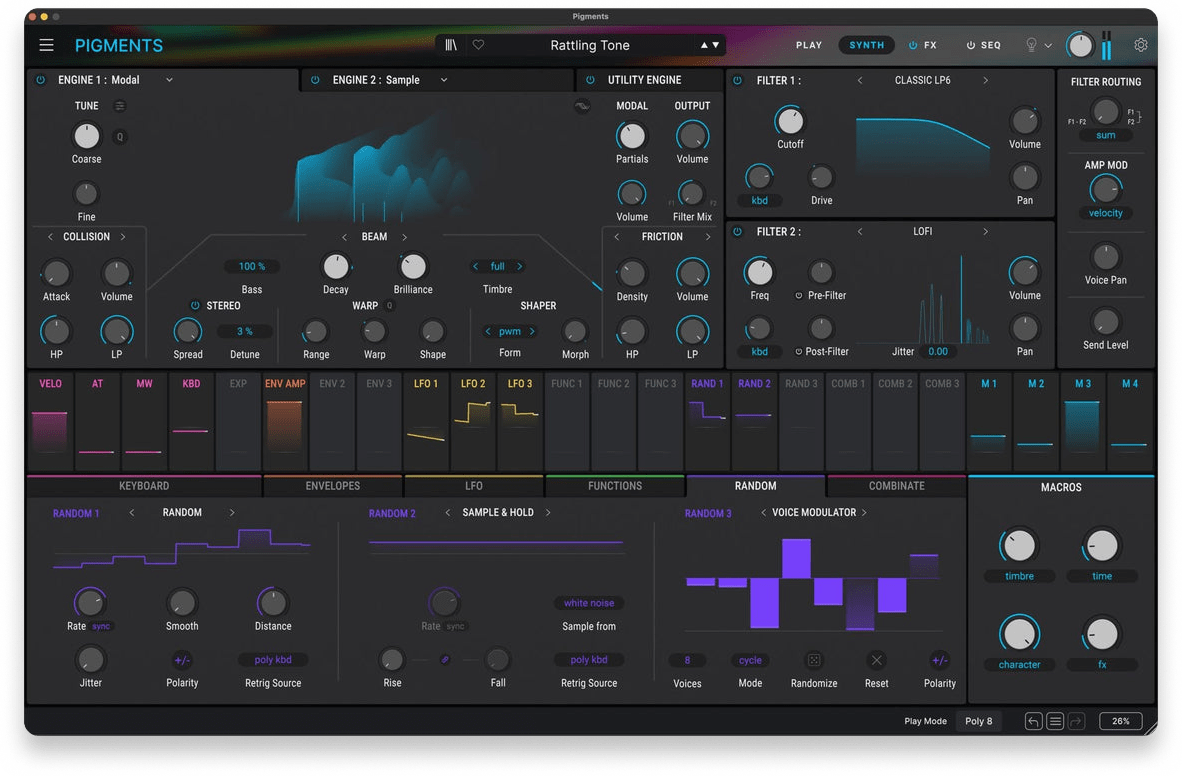
As we mentioned in the TL;DR, we believe that Arturia Pigments is the premium workhorse synth to beat in the current market.
From virtual analog to wavetable, samples, and granular, the engine has most of the modes you’ll ever need. We’re particularly fond of the filtering section which gets deeper and deeper as time goes on, without becoming overwhelming or overly complex.
Which, of course, brings us to one of the best things about Pigments — Arturia has updated it consistently since launch with substantial new features, fixes, and improvements. And, believe it or not, every one of these updates has been free for owners of the plugin.
In our testing sessions, the combination of multiple engines and a clear modulation workflow makes it a strong choice for evolving textures, detailed motion, and modern lead and bass design. It is not the quickest synth on this list for simple subtractive patches, but when you commit to learning it, it is the gift that keep on giving.
Pros:
- Wide range of synthesis types inside one instrument
- Modulation workflow is easy to follow once you learn the layout
- Good for modern textures, movement, and hybrid sound design
Cons
- Can feel like a lot of synth if you only want simple subtractive tones
- Heavier patches can add CPU load in larger sessions
Get the plugin here.
Back to top ⬆️
9. Full Bucket Music Synth Plugins (Free)
Best free plugins for vintage digital synth sounds.
Overview of Full Bucket Music Synth Plugins
| Type: | Vintage-inspired synth and hardware simulations (collection) |
| Operating System: | macOS, Windows |
| Format: | VST2, VST3, AU, CLAP, AAX |
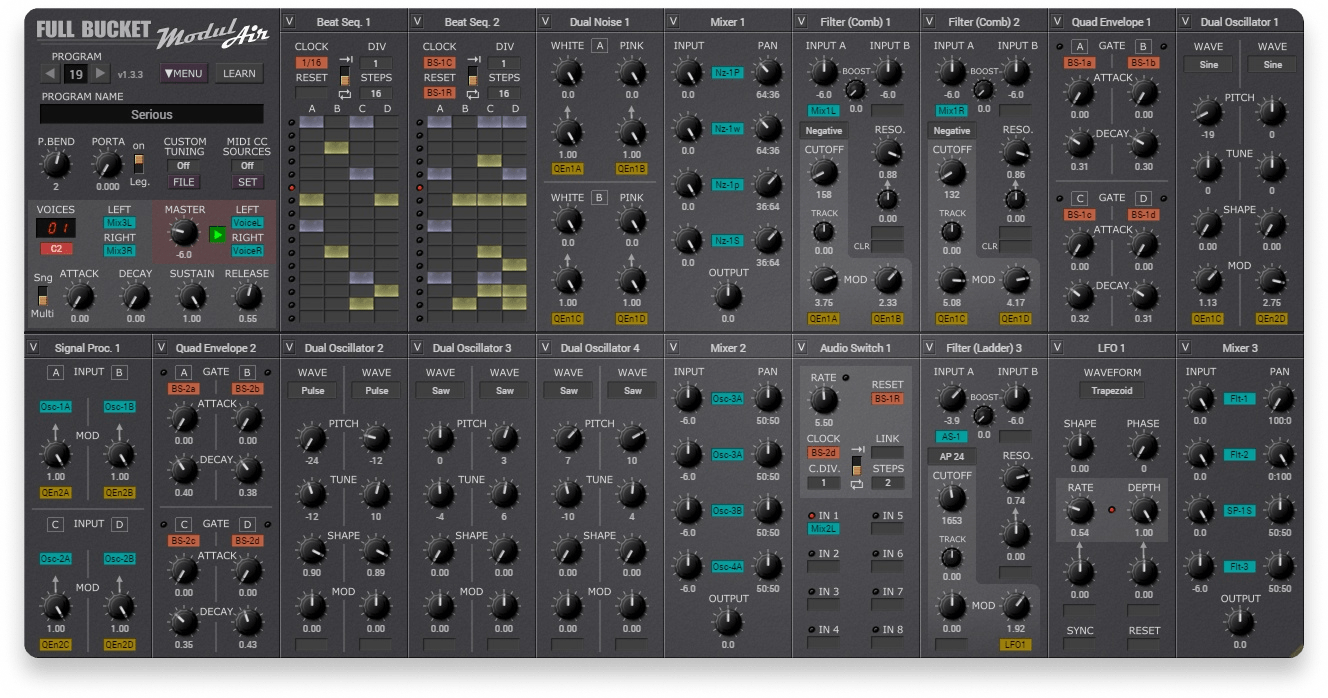
Full Bucket Music is less about one “flagship” instrument and more about a consistently useful collection of free synths and vintage hardware-style recreations.
The developer is well known for putting out a high quantity of classic emulations for free, and they hold up pretty well when set side-by-side with paid counterparts.
While in our experience they don’t quite reach the same level of realism and weight as similar premium options, they still certainly capture the spirit of the tools they’re based on.
In our sessions, we noticed that the best part is how lightweight and practical they are. You can grab a specific flavor quickly, record the part, and move on. If you want the sounds of classic hardware synths without a lot of CPU load or fuss, this collection is an easy recommendation.
Pros:
- Wide selection of instruments, from classic recreations to original designs
- Supports modern plugin formats, and runs well on modest systems
- Consistently usable sounds for free
Cons
- UI and workflows vary across plugins, so the experience is not always consistent
- More “many good options” than one deeply featured powerhouse synth
Get the plugin here.
Back to top ⬆️
10. GForce Minimonsta2 (Paid, trial available)
Best affordable plugin for classic Minimoog style sounds.
Overview of Minimonsta2
| Type: | Analog-modeled synthesizer |
| Operating System: | macOS, Windows |
| Format: | AU, VST2, VST3, AAX |
| Price: | $129.99 |
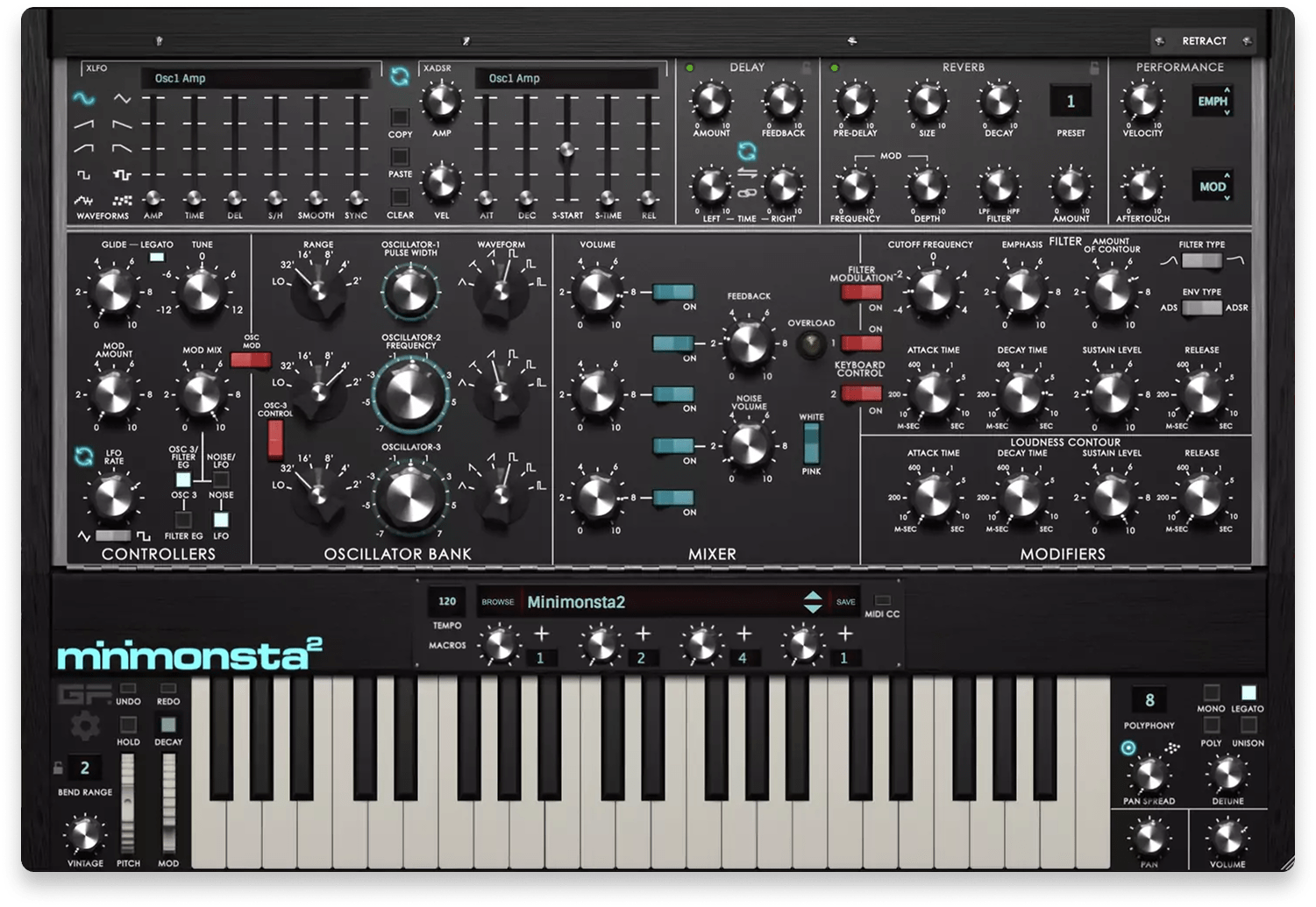
Minimonsta2 is a Model D-style instrument that focuses on getting the core tone right, then adding modern control where it matters. This will sound great to anyone who loves powerful leads, beefy bass, satisfying plucks, and beautiful arps.
There are a lot of Minimoog emulations and Minimoog-inspired plugins out there, but for us, this one came out on top because of its quality-to-cost ratio. Yes, there are options out there that sound closer to the original. Yes, Behringer’s hardware clone is very affordable by analog synth standards. But Minimonsta2 is our favorite option when you want to strike a balance between price, practicality, and immediacy.
In our testing and production sessions, it was a great fit for basses and leads that need to sound confident without a lot of layering. The updated workflow also helps it feel less like a retro emulation and more like a modern production tool.
Pros:
- Convincing Mini-style tone with a strong low end
- Modern browser, macros, and usability improvements
- Plenty of presets for quick starting points
Cons
- Primarily a “Model D lane” instrument, not an all-round sound design synth
- If you already own several Mini-style plugins, the differences may be more about workflow than raw sound
Get the plugin here.
Back to top ⬆️
11. u-he Tyrell N6 (Free)
Best free synth plugin for classic analog tones.
Overview of Tyrell N6
| Type: | Virtual analog synthesizer |
| Operating System: | macOS, Windows, Linux |
| Format: | VST3, AU, AAX, CLAP |
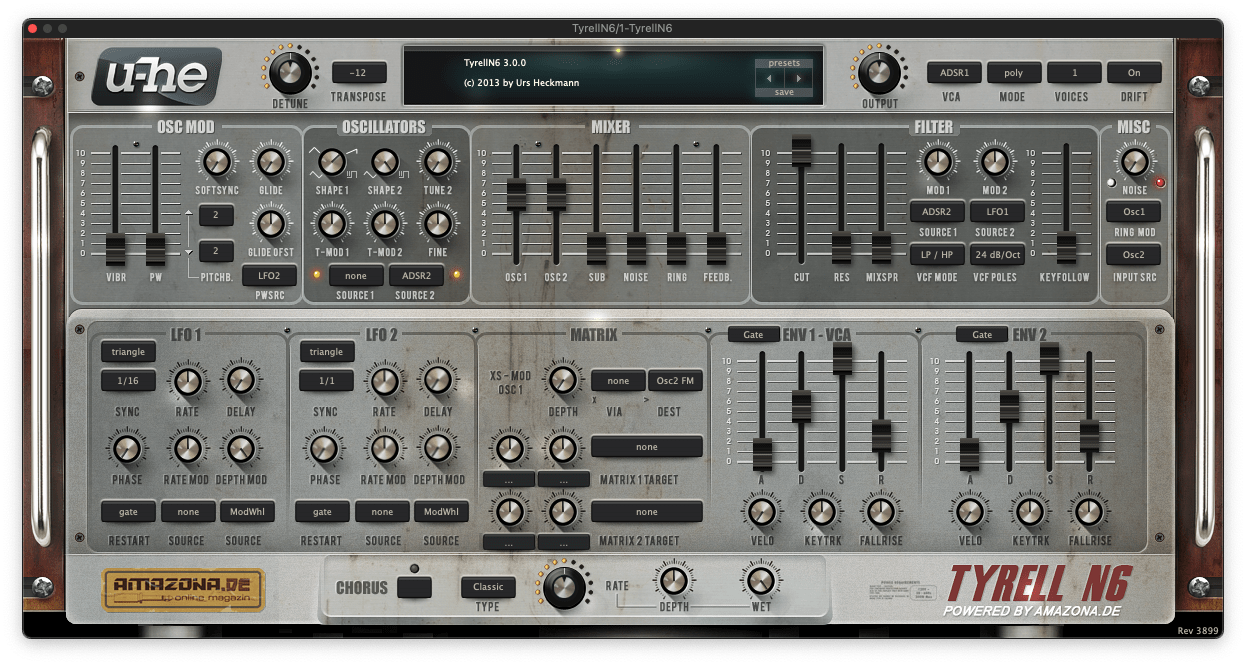
Tyrell N6 is a straightforward, analog-style synth that has been a go-to free option in our studios for ages. u-he has a sterling track record when it comes to realistic analog emulation, and this plug is no exception. Its straightforward interface also makes it particularly good for learning classic synthesis from the ground up.
One of our favorite things about Tyrell N6 is the filter. It’s hard to put into words, but it does a great job capturing the flavor and behavior of a filter on an analog synth, especially when self-oscillating or when agitated via the filter feedback.
In our testing sessions, it was most convincing on basses, plucks, and leads that need a classic analog feel without a lot of menu diving. It is also one of the better free choices if you care about MPE and microtuning.
Pros:
- Strong analog-style tone and musical filters for a free plugin
- Single-page workflow keeps sound design fast
- Rare example of a free analog-style plug with MPE and microtuning
Cons
- Compact UI can feel tight on smaller screens
- Not intended as a “do everything” flagship synth
Get the plugin here.
Back to top ⬆️
12. Klevgrand Tomofon (Paid, trial available)
Best synth plugin for unusual textures.
Overview of Tomofon
| Type: | “Real Audio Synthesis” instrument |
| Operating System: | macOS, Windows (plus iPad) |
| Format: | AU, VST, AAX, AUv3 |
| Price: | $129.99 |
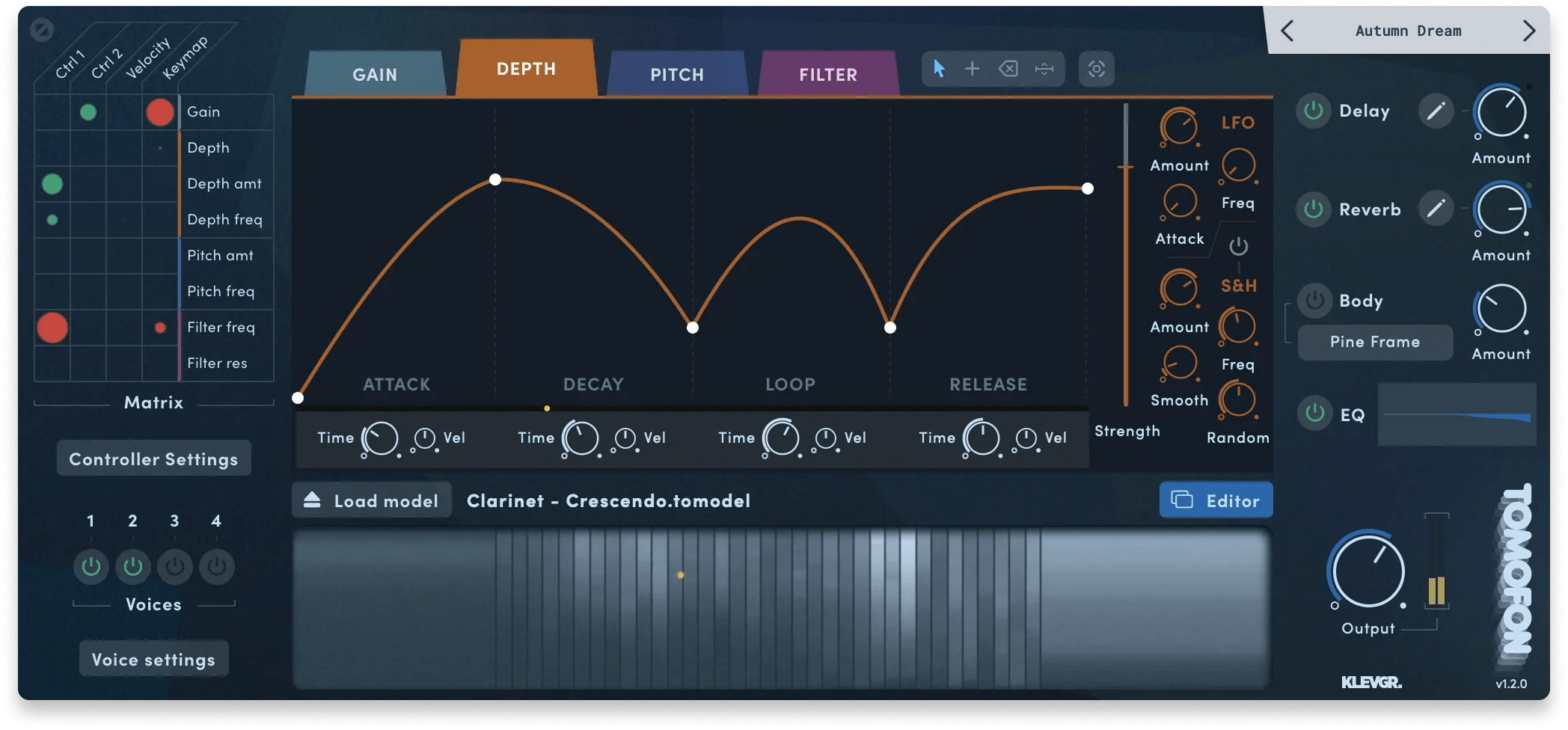
Tomofon is an instrument we reach for when standard wavetable or sample-based approaches start to feel predictable.
Its main hook is what Klevgrand calls an “Audio Model” system. This seems to be something like a deeper and more flexible version of wavetable synthesis, using larger samples rather than wavetables. We don’t really get how it works, but it doesn’t matter. The result is a lovely and unique character that is both nuanced and futuristic.
In our testing, Tomofon produced textures that felt surprisingly organic, and it also does strange, synthetic motion very well. It is not the quickest plugin for “basic synth duties,” but it is excellent when the sound itself needs to be the focus of your music.
Pros:
- Audio Model workflow can generate genuinely distinctive tones
- Strong factory content, plus you can build your own instruments from audio
- Good expressive features, including MPE and tuning support
Cons
- More of a specialty instrument than an all-purpose synth
- Best results often require a bit of experimentation and iteration
Get the plugin here.
Back to top ⬆️
13. TAL Noisemaker (Free)
Best free synth plugin for straightforward analog sounds.
Overview of TAL Noisemaker
| Type: | Virtual analog synthesizer |
| Operating System: | macOS, Windows, Linux |
| Format: | VST, VST3, AU, AAX, CLAP |
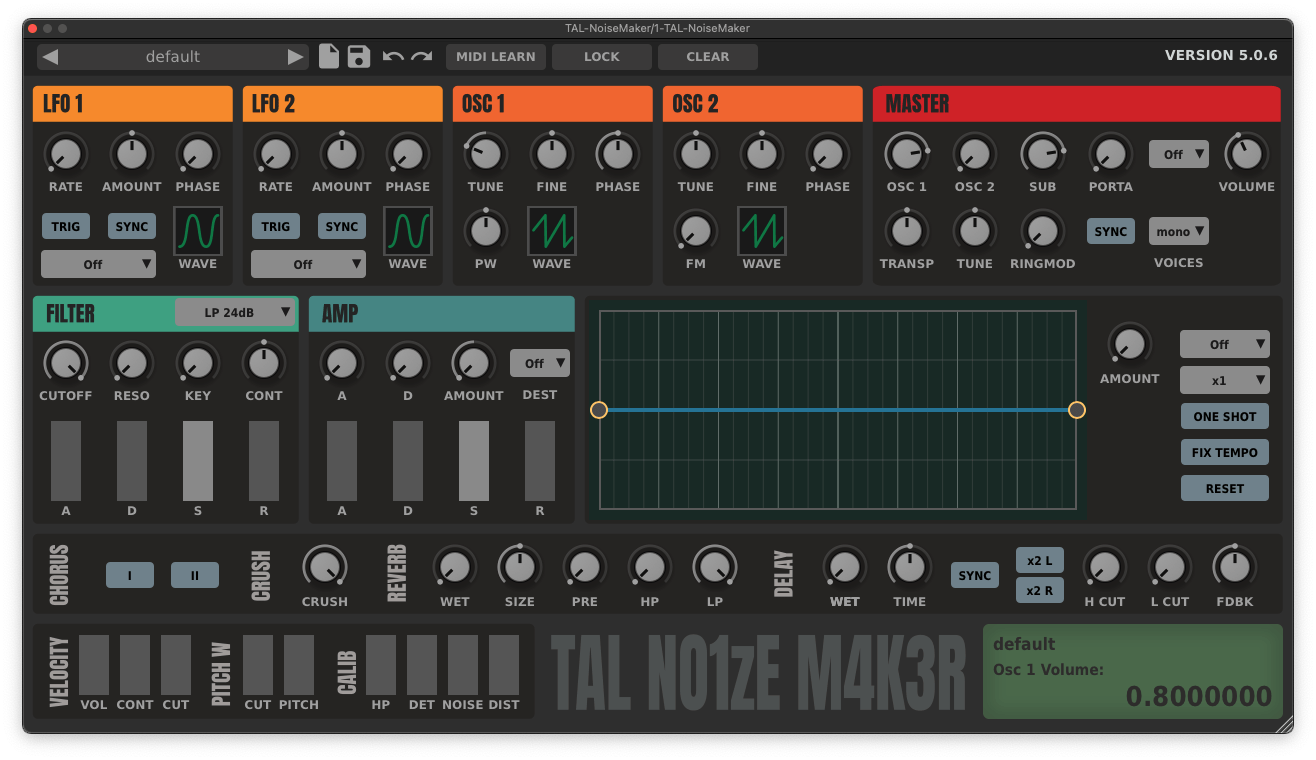
TAL Noisemaker is a good reminder that simple can still be effective. It’s been a go-to free synth for countless producers for quite some time, and for good reason. It’s dead simple, sounds great, and offers the perfect tool for learning subtractive synthesis if you’re a beginner.
If you’re an experienced producer, you should still grab this one. Compared to more complex options, it makes the process of setting up classic analog-style sounds incredibly quick and satisfying.
In our testing sessions, it was fast and easy to dial in and gave ys consistently musical results. We found this was especially for classic basses, leads, and plucks that do not need a complex modulation setup. It also tends to be light on CPU, which makes it easy to use across a full arrangement.
It’s free and everyone loves it, so you really can’t lose.
Pros:
- Quick workflow with a classic subtractive layout
- Low CPU use, so it scales well across multiple tracks
- Built-in effects cover the basics without extra plugins
Cons
- Less depth than modern flagship synths
- Limited if you want advanced modulation and macro performance workflows
Get the plugin here.
Back to top ⬆️
14. Toybox Audio Tangle Synth (Paid)
Best synth plugin for semi-modular exploration.
Overview of Tangle Synth
| Type: | Semi-modular synthesizer (Reaktor-based) |
| Operating System: | macOS, Windows |
| Format: | VST, AU, AAX |
| Price: | $45 |
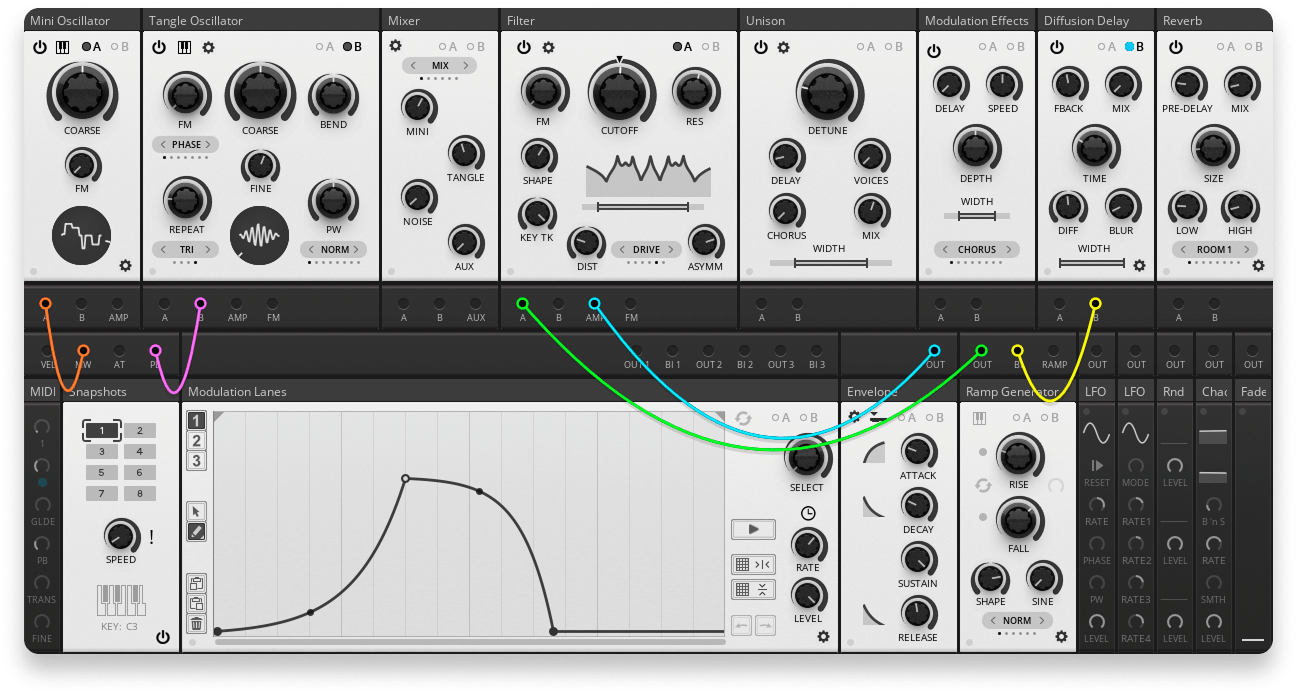
Tangle Synth offers a great middle ground between a traditional subtractive synth plugin and a full-blown emulation of modular workflows. Think semi-modular hardware synths like Moog’s Mother 32 or Behringer’s Neutron, but as a plugin.
This architecture is thanks to that fact that Tangle Synth is built and run within Native Instruments Reaktor, using Reaktor’s modular-style Blocks system.
But don’t worry, you don’t need the full version of Reaktor to use Tangle Synth — the free Reaktor Player will do just fine.
While using it in our production sessions, we found it can go from classic-style synth lines to much more aggressive and experimental textures quickly. The semi-modular layout also helped us get moving without committing to a full “blank rack” workflow. We also found the 100-strong preset selection to be full of gems.
If you want the flexibility of modular and the immediacy of virtual analog, this is a great option.
Pros:
- Semi-modular workflow balances speed with depth
- Strong range of tones, from classic to more experimental
- Modular Structure View is genuinely powerful when you want to go deeper
Cons
- Not the simplest choice if you want a preset-first synth
- Reaktor-based design may not fit every setup or workflow
Get the plugin here.
Back to top ⬆️
15. Audio Damage Quanta 2 (Paid, trial available)
Best synth plugin for granular sound design.
Overview of Quanta 2
| Type: | Granular synthesizer |
| Operating System: | macOS, Windows, Linux (plus iOS) |
| Format: | CLAP, VST3, AU, AAX, LV2, AUv3 |
| Price: | $181 |
As you read in our TL;DR, we really like Quanta 2 when it comes to a balance between immediacy and non-traditional sounds.
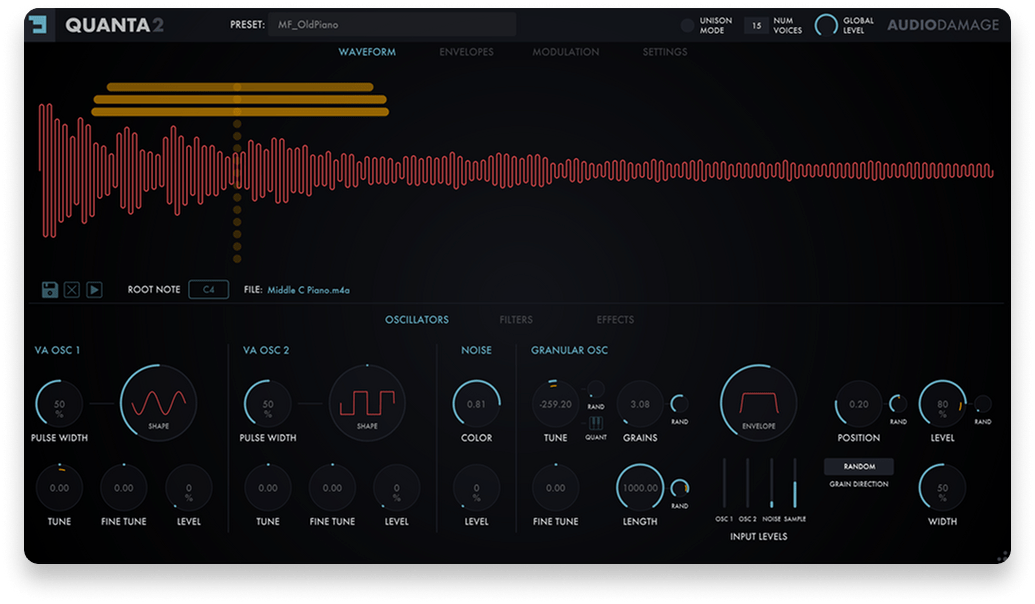
It’s is one of the more playable and intuitive granular synths we’ve tested, especially compared to tools that feel like pure sound-design labs.
The grain engine is deep, but the workflow stays practical, and the addition of virtual analog oscillators helps it handle more traditional synth roles when you need them.
Possibly our favorite feature, however, is its root note detector. When you load a sample into the granular engine, the plugin will do its best to identify the root note, which makes it far easier to keep results musical, especially when combined with its grain pitch quantization function.
For pads, transitions, and cinematic texture work, it is easy to get useful yet distinctive results without fighting the instrument.
Pros:
- Strong granular engine with a workflow that stays musical
- Modern modulation and expressive control, including MPE and tuning support
- Good cross-platform format support, including CLAP and an iOS version
Cons
- Can get CPU-heavy with dense grains and modulation
- Still not the most direct choice for simple subtractive patches
Get the plugin here.
Back to top ⬆️
Buyer’s guide: What to look for in a synth plugin
What is a synth plugin?
A synth plugin (short for synthesizer plugin) is a software instrument that generates sound electronically inside your DAW. Instead of recording an acoustic source, it creates sound using synthesis methods like subtractive, wavetable, FM, granular, physical modelling, or hybrids of these approaches.
In practice, a synth plugin can produce everything from classic analog-style basses and leads to modern digital textures, evolving pads, cinematic soundscapes, and experimental noises—without any external hardware.
Most synth plugins include preset libraries for instant results, while also letting you design sounds from scratch using oscillators, filters, envelopes, and modulation. Some focus on deep sound design, while others prioritize speed and playability.
If you make electronic music, pop, hip-hop, film scores, or guitar-based music that needs synthetic layers, a solid synth plugin is one of the most important tools in your setup.
What makes a good synth plugin?
Finding a good synth plugin is not about finding the longest feature list. It is about finding a synth that is usable, inspiring, and reliable in real-world sessions.
Sound quality is crucial. The synth should deliver tones that feel musical and sit well in a mix without heavy processing, whether that is analog warmth, digital clarity, or experimental textures.
Workflow and interface design matter just as much. Clear layouts, intuitive modulation, and helpful visual feedback reduce friction and keep you focused on creating rather than troubleshooting.
Versatility versus focus is another consideration. Some synths aim to cover every role, while others excel at a specific style like granular sound design or FM synthesis. The best choice depends on how you work and the sounds you use most.
Playability is also key. Features like velocity response, MPE support, macros, and performance controls make synths feel more expressive, especially when recording parts.
Finally, practical concerns like CPU usage, stability, and ongoing support cannot be ignored. The synths that earn a permanent place in a studio balance great sound with smooth performance and long-term reliability.
However you spin it, finding the right synth plugin takes time and effort. Commit to your choices long enough to make the right decisions, but don’t force yourself to use a synth you hate. When you find the right one, you’ll know!

Devon Hansen is a producer, DJ, and writer with 20 years of experience in electronic music production. Having worked under various names and in a wide range of styles, Devon has performed several editions of MUTEK Montreal and has released music with labels in North America, the UK, and Japan. When not working on creative projects or playing tunes on Montreal’s n10.as radio, Devon can be found watching movies, cooking, and reading too much about gear.
@Devon HansenGear guides, tips, tutorials, inspiration and more—delivered weekly.
Keep up with the LANDR Blog.